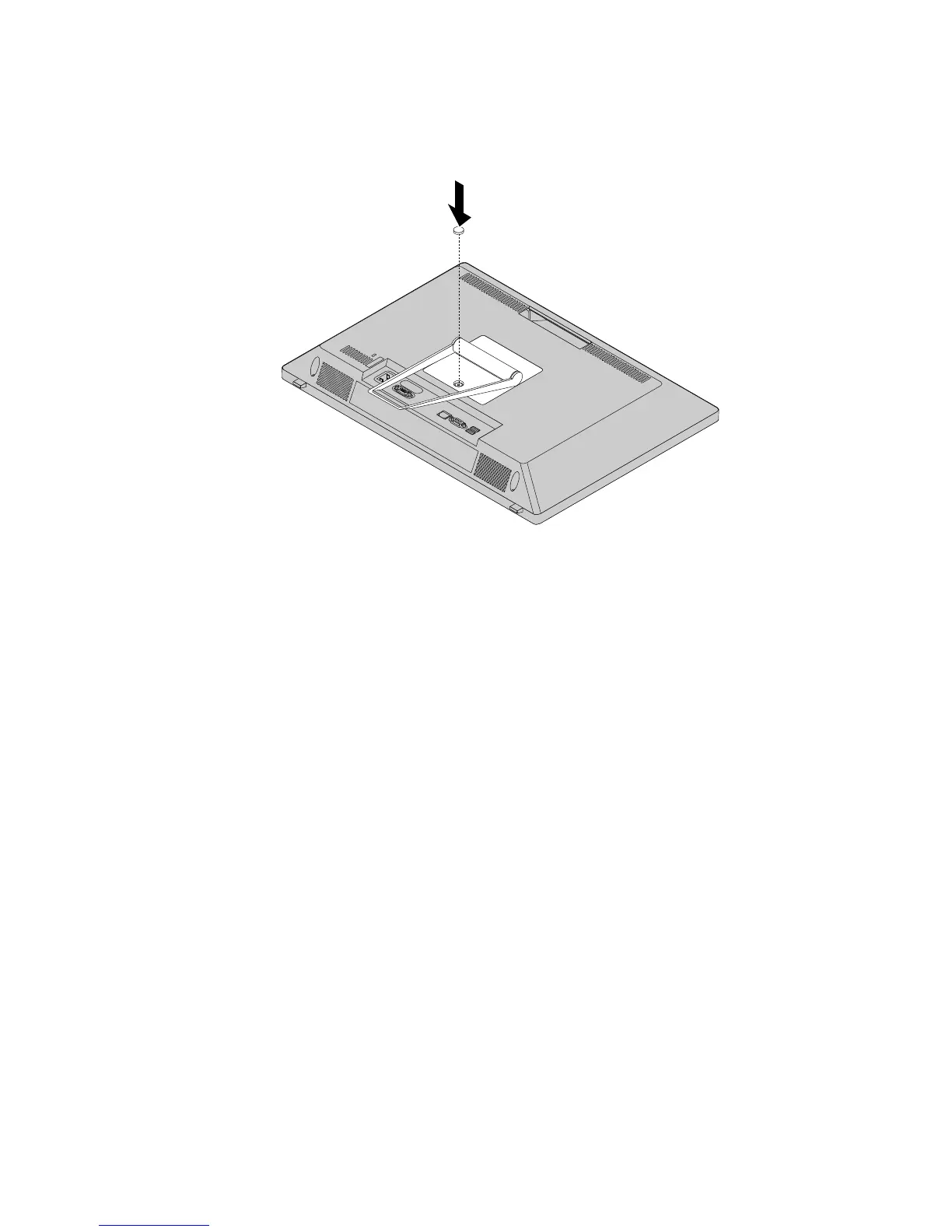
7.Reinstallthescrewtosecuretheframestandtothecomputer.Recoverthescrewholewiththe
sheetmetal.
Figure7.Reinstallingthescrewtosecuretheframestandtothecomputer
Removingandinstallingthemonitorstand
Attention:Donotopenyourcomputerorattemptanyrepairbeforereadingandunderstandingthe
“Importantsafetyinformation”onpage1
Thissectionprovidesinstructionsonhowtoinstallthemonitorstand.
Note:Themonitorstandisavailableonlyinsomemodels.
Toinstallthemonitorstand,dothefollowing:
1.Removeanymediafromthedrivesandturnoffallattacheddevicesandthecomputer.
2.Disconnectallpowercordsfromelectricaloutlets.
3.Disconnectthepowercords,Input/Outputcables,andanyothercablesthatareconnectedtothe
computer.See“Locatingconnectors,controls,andindicatorsonthefrontofyourcomputer”onpage
65and“Locatingconnectorsontherearofyourcomputer”onpage66.
4.Placeasoft,cleantowelorclothonthedeskorsurface.Holdthesidesofyourcomputerandgentlylay
itdownsothatthescreenisagainstthesurfaceandthecoverisfacingup.
5.Ifyourcomputerisinstalledwithaframestand,removetheframestand.See“Removingandreinstalling
theframestand”onpage71
Chapter9.ReplacingFRUs73












 To Next Page