CAUTION:
Turnoffthecomputerandwaitthreetoveminutestoletthecomputercoolbeforeremovingthe
feetstand.
Toremoveandreinstallthefeetstand,dothefollowing:
1.Removeanymediafromthedrivesandturnoffallattacheddevicesandthecomputer.
2.Disconnectallpowercordsfromelectricaloutlets.
3.Disconnectthepowercords,Input/Outputcables,andanyothercablesthatareconnectedtothe
computer.See“Locatingconnectors,controls,andindicatorsonthefrontofyourcomputer”onpage
65and“Locatingconnectorsontherearofyourcomputer”onpage66.
4.Placeasoft,cleantowelorclothonthedeskorthesurface.Holdthesidesofyourcomputerandgently
layitdownsothatthescreenisagainstthesurfaceandthecoverisfacingup.
5.Removethecomputercover.See“Removingthecomputercover”onpage75.
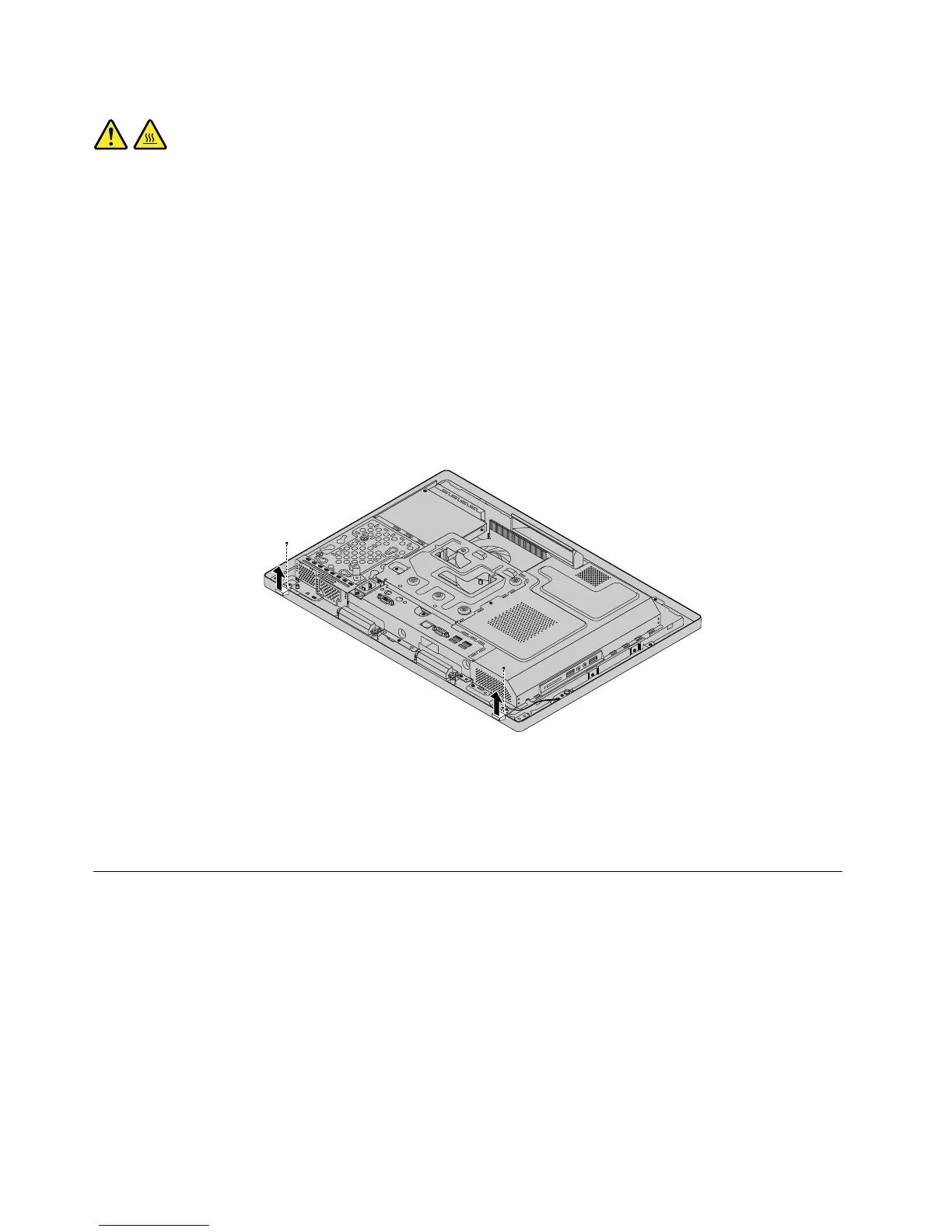
6.Removethescrewsthatsecurethefeetstand,andthenremovethefeetstandfromthecomputer.
Figure11.Removingthefeetstand
7.Toreinstallthefeetstand,placethefeetstandonthecomputersothatthescrewholesalignwiththe
correspondingholesinthecomputer,andthenreinstallthescrewstosecurethefeetstandtothe
computer.
Removingandinstallingthehard-disk-driveEMIshield
Attention:DonotopenyourcomputerorattemptanyrepairbeforereadingandunderstandingtheChapter
2“Safetyinformation”onpage3
.
Thissectionprovidesinstructionsonhowtoremoveandinstallthehard-disk-driveelectromagnetic
interference(EMI)shield.
Toremoveandinstallthehard-disk-driveEMIshield,dothefollowing:
1.Removeallmediafromthedrivesandturnoffallattacheddevicesandthecomputer.Then,disconnect
allpowercordsfromelectricaloutletsanddisconnectallcablesthatareconnectedtothecomputer.
2.Placeasoft,cleantowelorclothonthedeskorsurface.Holdthesidesofyourcomputerandgentlylay
itdownsothatthescreenisagainstthesurfaceandthecoverisfacingup.
76ThinkCentreE73zHardwareMaintenanceManual












 To Next Page