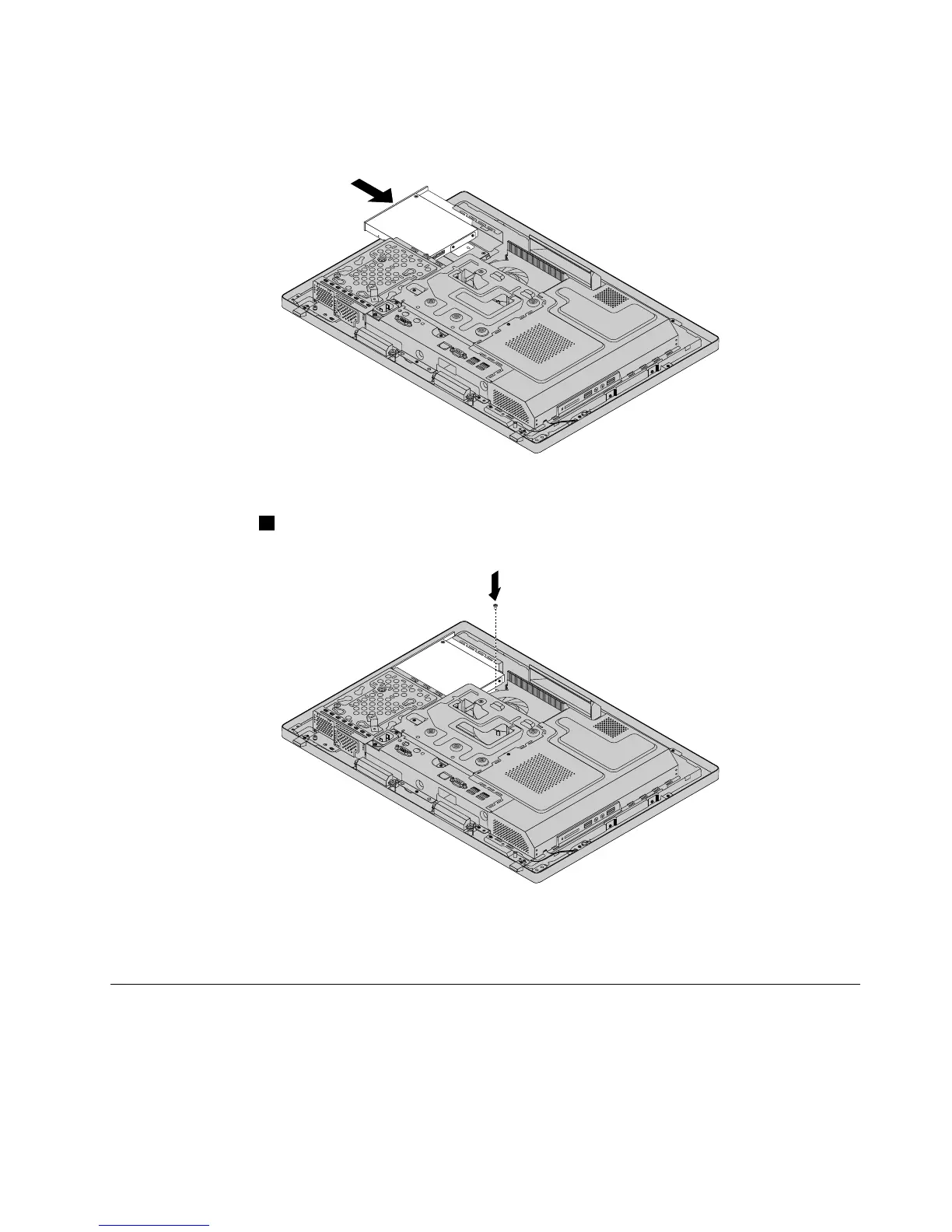
6.Toinstallanewopticaldrive,slidethenewopticaldriveintotheopticaldrivebaytoconnectthecableto
theopticaldrive.
Figure19.Installingtheopticaldrive
7.Installthescrew1tosecuretheopticaldrive.
Figure20.Installingthescrewtosecuretheopticaldrive
8.Goto“Completingthepartsreplacement”onpage108.
Removingandreinstallingthesystemboardshield
Attention:Donotopenyourcomputerorattemptanyrepairbeforereadingandunderstandingthe
“Importantsafetyinformation”onpage1
Thissectionprovidesinstructionsonhowtoremoveandreinstallthesystemboardshield.
Toremoveandreinstallthesystemboardshield,dothefollowing:
Chapter9.ReplacingFRUs83












 To Next Page