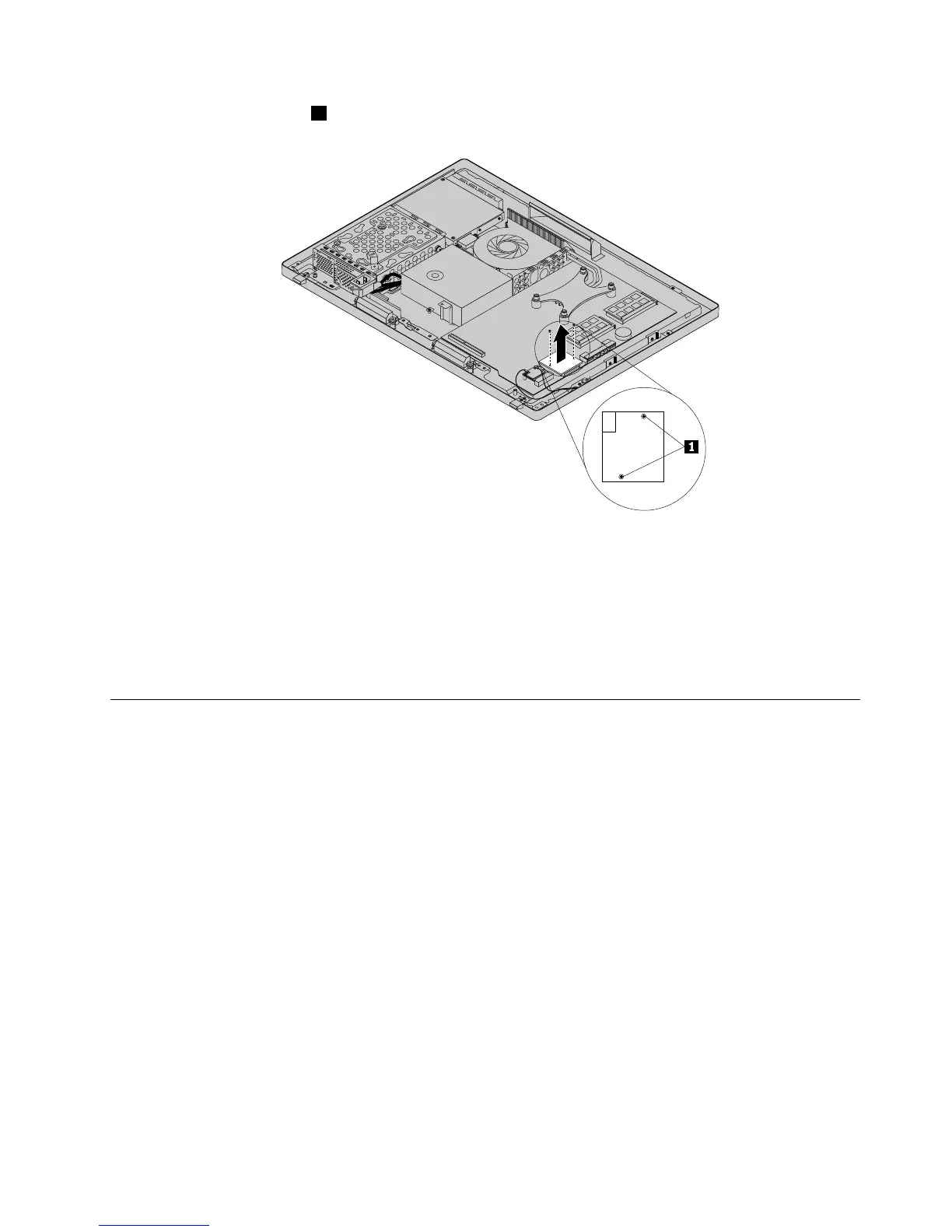
7.Removethetwoscrews1thatsecurethecardreader,andthenliftthecardreaderoutofthecomputer.
Figure32.Removingthecardreader
8.Toreinstallthecardreader,alignthescrewholesinthenewcardreaderwiththoseinthecomputer,and
theninstallthetwoscrewstosecurethecardreader.
9.Connectthecardreadercabletothenewcardreader.
10.Reinstallthesystemboardshield.See“Removingandreinstallingthesystemboardshield”onpage83.
11.Goto“Completingthepartsreplacement”onpage108.
Replacingthebattery
Attention:Donotopenyourcomputerorattemptanyrepairbeforereadingandunderstandingthe
“Importantsafetyinformation”onpage1
Thissectionprovidesinstructionsonhowtoreplacethebattery.
Yourcomputerhasaspecialtypeofmemorythatmaintainsthedate,time,andsettingsforbuilt-infeatures,
suchasparallel-portassignments(conguration).Abatterykeepstheinformationactivewhenyouturn
offthecomputer.
Thebatterynormallyrequiresnochargingormaintenancethroughoutitslife.However,ifthebatteryfails,
thedate,time,andcongurationinformation(includingpasswords)arelost.Anerrormessagewillbe
displayedwhenyouturnonthecomputer.
Referto“Lithiumbatterynotice”intheThinkCentreSafety,Warranty,andSetupGuideforinformationabout
replacinganddisposingofthebattery.
Toreplacethebattery,dothefollowing:
1.Removeallmediafromthedrivesandturnoffallattacheddevicesandthecomputer.Then,disconnect
allpowercordsfromelectricaloutletsanddisconnectallcablesthatareconnectedtothecomputer.
Chapter9.ReplacingFRUs95












 To Next Page