Chapter8.Locations
Thischapterintroducesthelocationsofthecomputerhardwarecomponents.
Locatingconnectors,controls,andindicatorsonthefrontofyour
computer
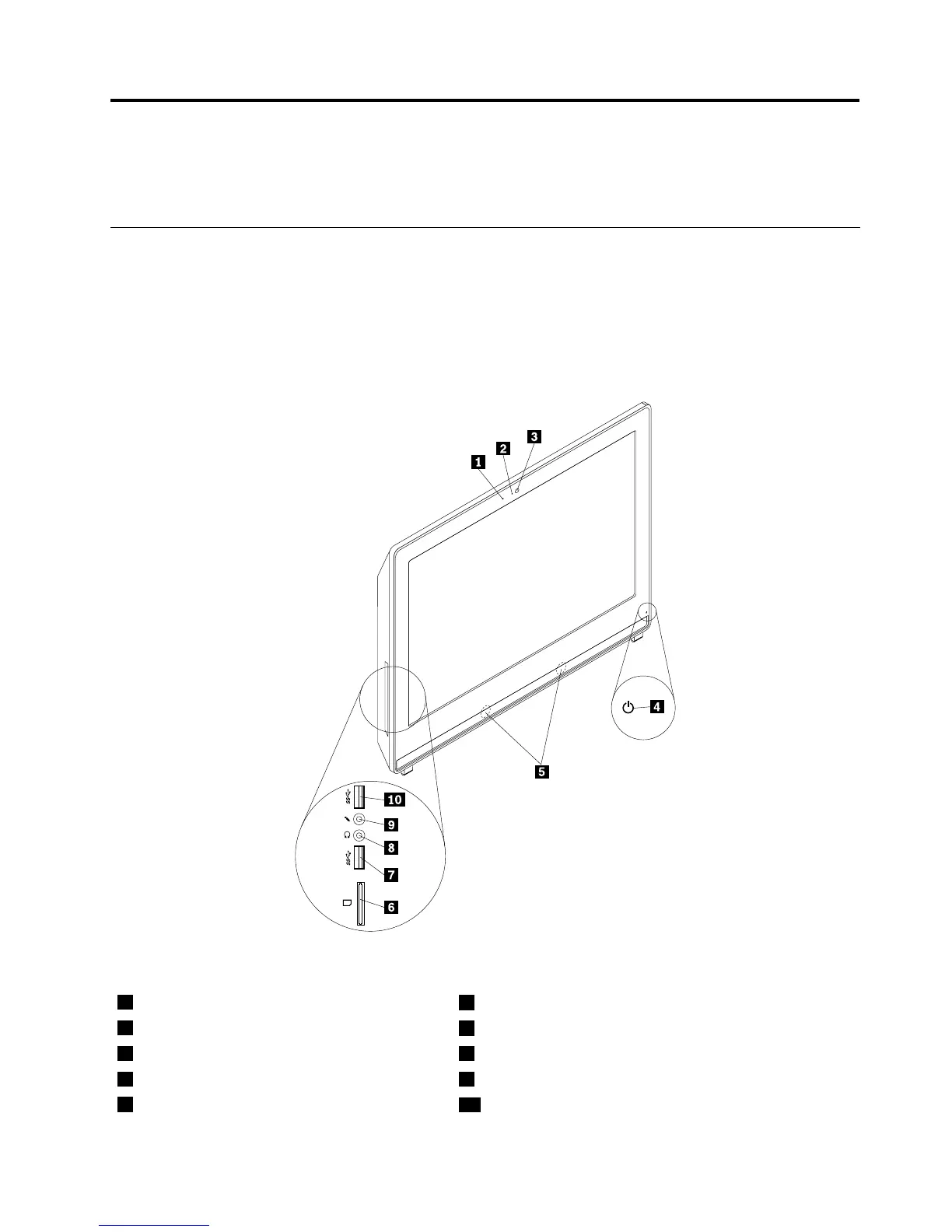
Figure1“Frontconnector,control,andindicatorlocations”onpage65showsthelocationsofthe
connectors,controls,andindicatorsonthefrontofyourcomputer.
Figure1.Frontconnector,control,andindicatorlocations
1Integratedmicrophone
6Cardreader(availableinsomemodels)
2Integratedcameraindicator
7USB3.0connector(USBport2)
3Integratedcamera8Headphoneconnector
4Poweronindicator9Microphoneconnector
5Internalspeaker
10USB3.0connector(USBport1)
©CopyrightLenovo2013,2014
65












 To Next Page