3.Removethecomputerstand.See“Removingandinstallingthecomputerstand”onpage71.
4.Removethecomputercover.See“Removingthecomputercover”onpage75.
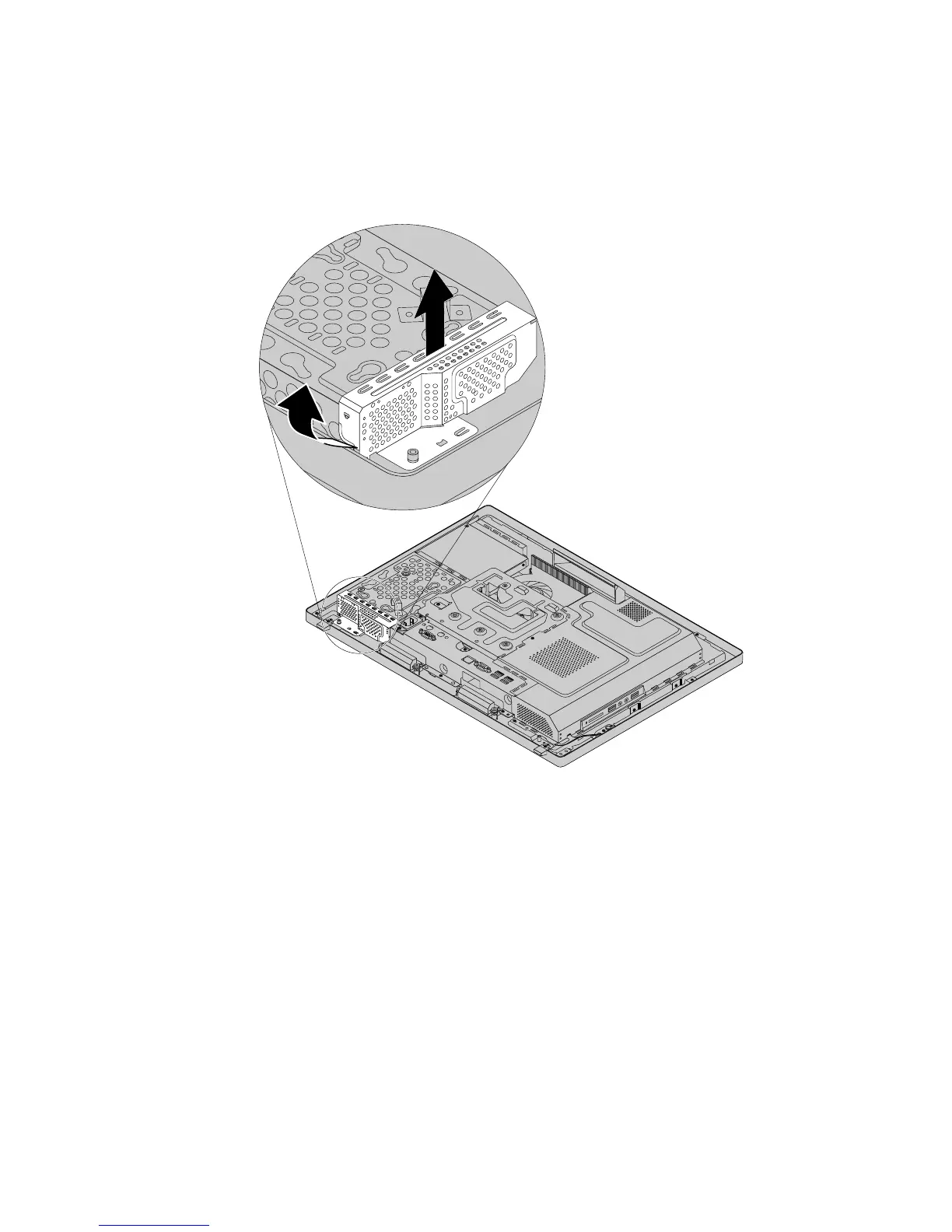
5.Pivotthehard-disk-driveEMIshieldasshowntoremoveitfromthehard-disk-drivebracket,andthen
lifttheEMIshieldoutofthechassis.
Figure12.Removingthehard-disk-driveEMIshield
Chapter9.ReplacingFRUs77












 To Next Page