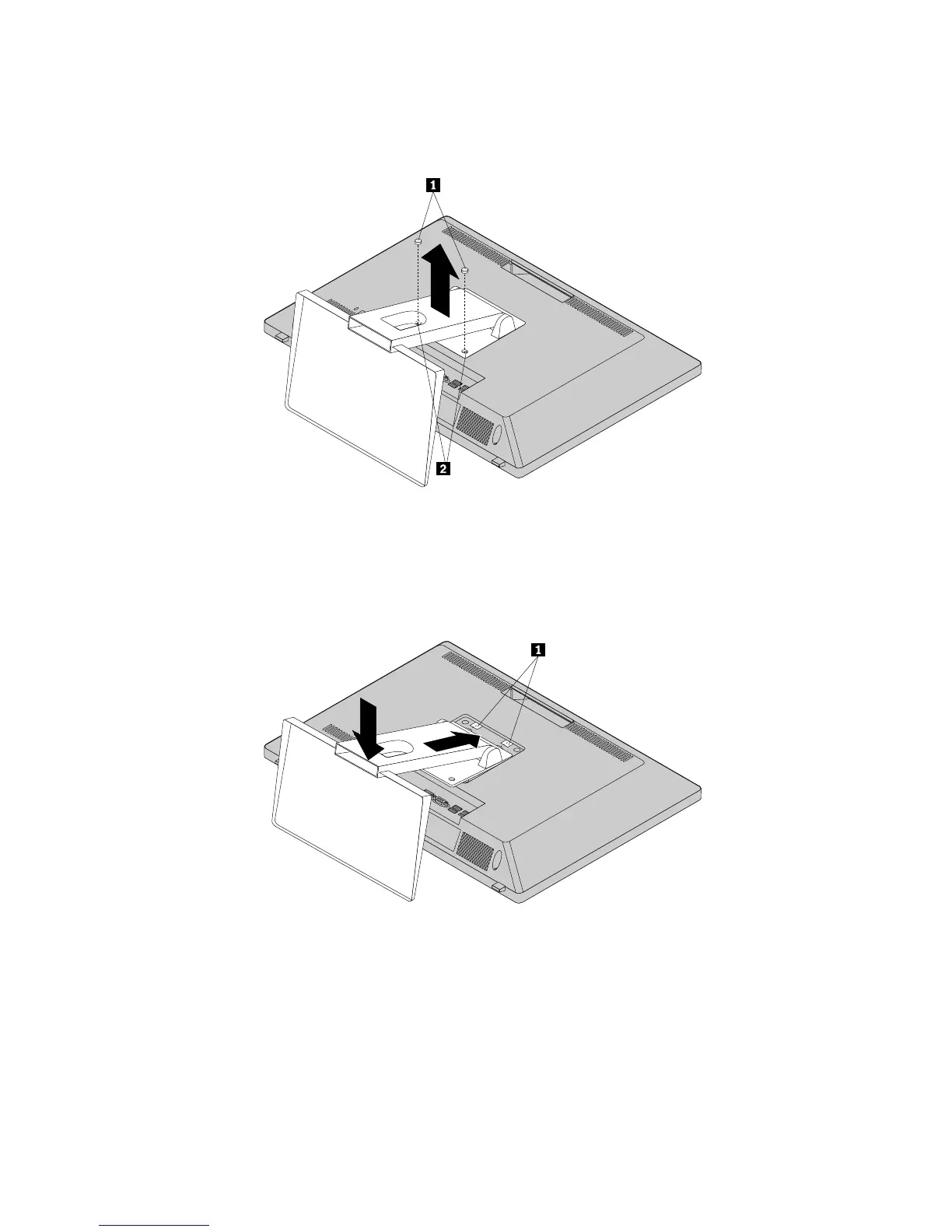
6.Ifyourcomputerisinstalledwithamonitorstand,removethetwoscrewsthatsecurethemonitorstand,
andthenremovethemonitorstandfromthecomputer.
Figure8.Removingthemonitorstand
7.Toinstallthemonitorstand,placethemonitorstandonthecomputersothatthetwoplastictabsonthe
monitorstandalignwiththecorrespondingholesinthecomputer.Installthetwoscrewstosecurethe
monitorstandtothecomputer.
Figure9.Installingthemonitorstand
8.Ifneeded,openthecablemanagerandroutethecablesconnectedtothecomputerthroughthecable
managertokeepyourworkspaceneat.
74ThinkCentreE73zHardwareMaintenanceManual












 To Next Page