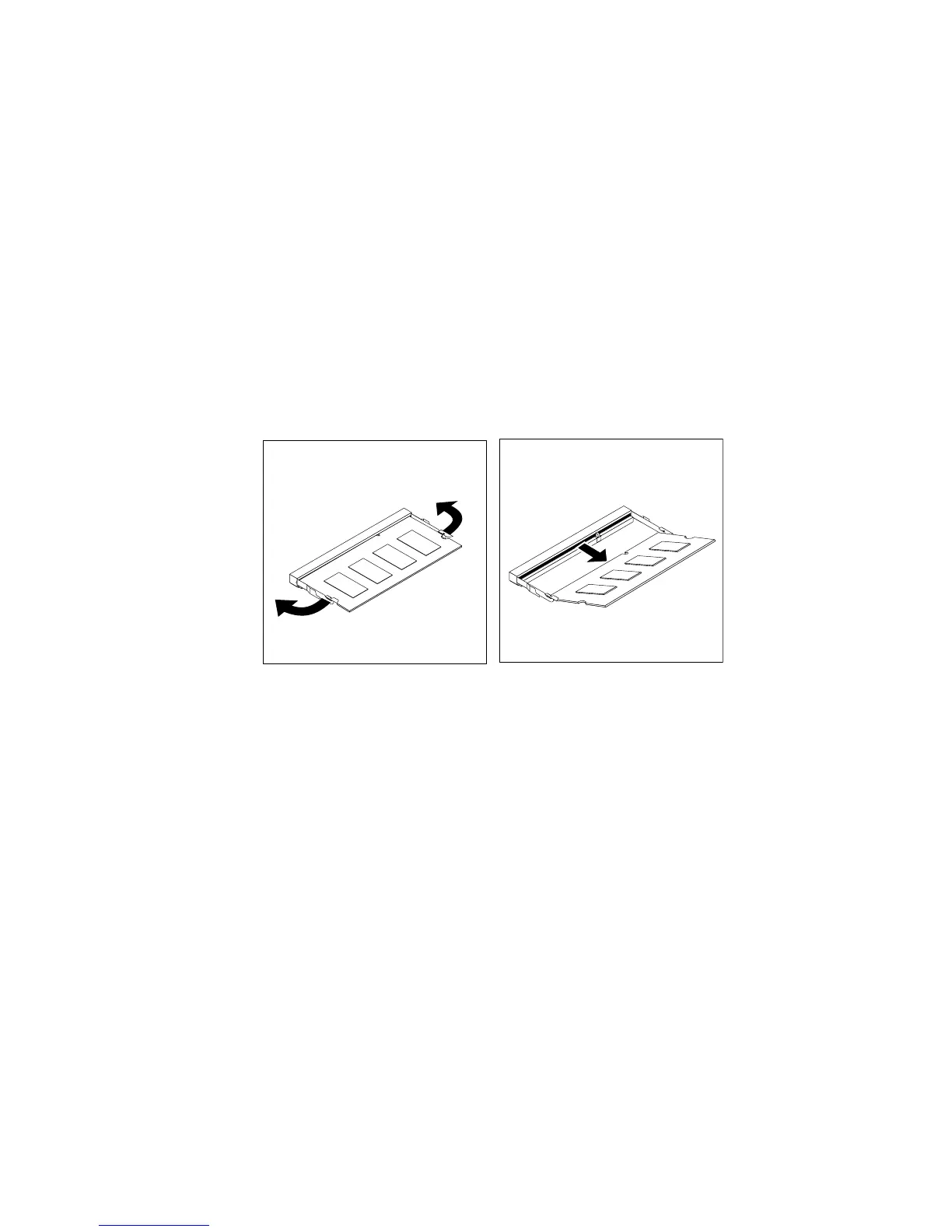
Toinstallorreplaceamemorymodule,dothefollowing:
1.Removeallmediafromthedrivesandturnoffallattacheddevicesandthecomputer.Then,disconnect
allpowercordsfromelectricaloutletsanddisconnectallcablesthatareconnectedtothecomputer.
2.Placeasoft,cleantowelorclothonthedeskorotheratsurface.Holdthesidesofyourcomputerand
gentlylayitdownsothatthescreenisagainstthesurfaceandthecoverisfacingup.
3.Removethecomputercover.See“Removingthecomputercover”onpage75.
4.Locatethememoryslotsonthesystemboard.See“LocatingmajorFRUsandCRUs”onpage66.
5.Removethesystemboardshieldoropenthesystemboardshieldwindowtogetaccesstothebattery.
See“Removingandreinstallingthesystemboardshield”onpage83
.
6.Removeanypartsanddisconnectanycablesthatmightpreventyouraccesstothememoryslots.
7.Dooneofthefollowing:
•Ifyouarereplacingamemorymodule,opentheretainingclipsandremovetheoldmemorymodule
thatiscurrentlyinstalled.
Figure36.Removingamemorymodule
•Ifyouareinstallingamemorymodule,opentheretainingclipsofthememoryslotintowhichyou
wanttoinstallthememorymodule.
98ThinkCentreE73zHardwareMaintenanceManual












 To Next Page