8.Removethememorymodules.See“Installingorreplacingamemorymodule”onpage97.
9.Removethebattery.See“Replacingthebattery”onpage95.
10.RemovetherearI/Oassemblytogainaccesstothesystemboard.See“ReplacingtherearI/O
assembly”onpage84.
11.Notethelocationsofallcableconnectionsonthesystemboardanddisconnectallcables.See
“Locatingpartsonthesystemboard”onpage69.
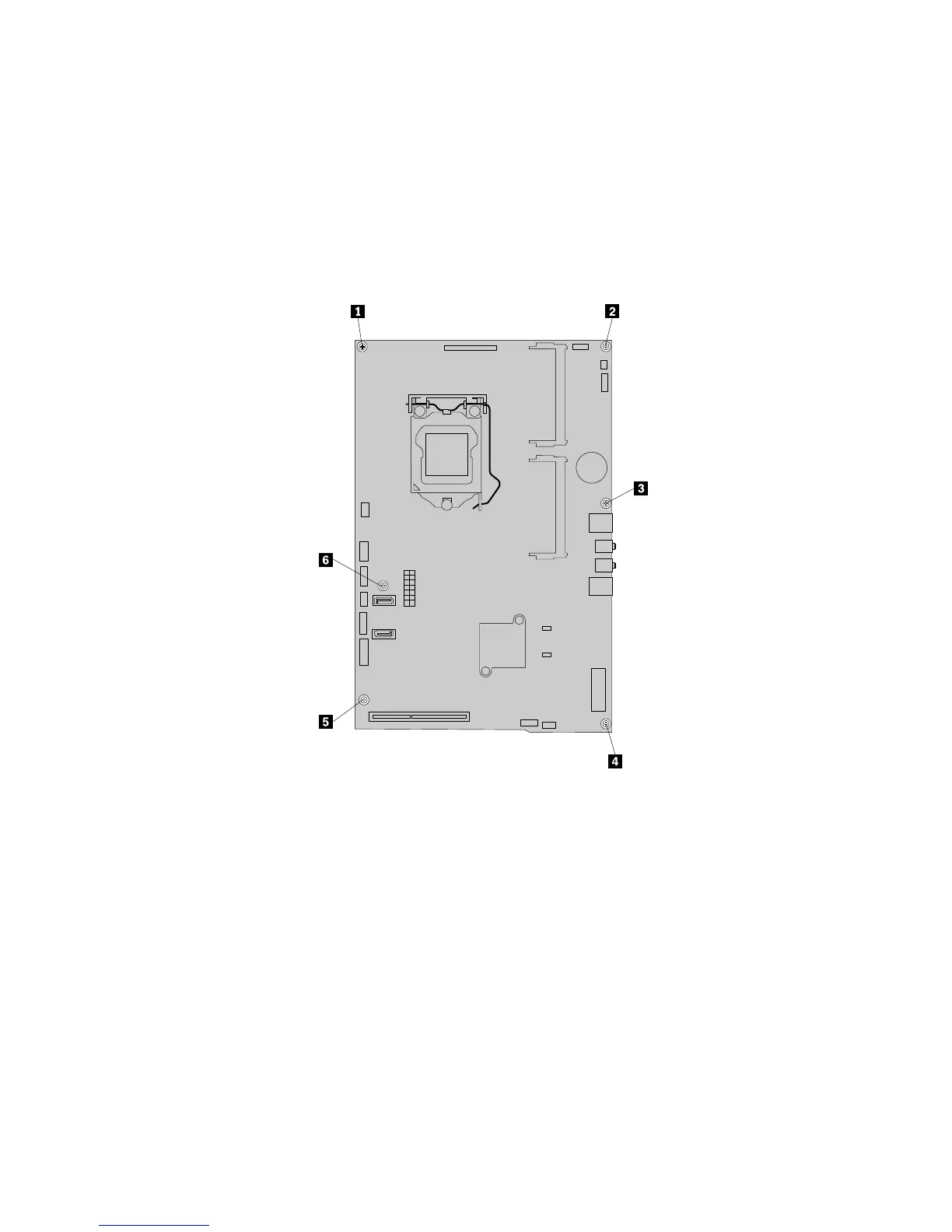
12.Removethesixscrewsthatsecurethesystemboardtothemainbracket.Carefullyliftthesystem
boardoutofthechassis.
Figure40.Removingthesixscrewsthatsecurethesystemboardtothemainbracket
13.Placethenewsystemboardintothechassisandalignthescrewholeswiththoseinthechassis.
14.Reinstallthesixscrewsthatsecurethesystemboardtothemainbracket.
15.ReinstalltherearI/Oassembly.See“ReplacingtherearI/Oassembly”onpage84.
16.Reinstallthebattery.See“Replacingthebattery”onpage95.
17.Reinstallthememorymodules.See“Installingorreplacingamemorymodule”onpage97.
18.Reinstallthemicroprocessor.See“Replacingthemicroprocessor”onpage91.
19.Reinstalltheheatsinkassembly.See“Replacingtheheatsinkassembly”onpage90.
20.Reinstallthesystemboardshield.See“Removingandreinstallingthesystemboardshield”onpage83.
21.Reconnectallcablesthatweredisconnectedfromthesystemboard.See“Locatingpartsonthe
systemboard”onpage69.
22.Goto“Completingthepartsreplacement”onpage108.
Thefailingsystemboardmustbereturnedwithamicroprocessorsocketcovertoprotectthepinsduring
shippingandhandling.
102ThinkCentreE73zHardwareMaintenanceManual












 To Next Page