5.Removethehard-disk-driveEMIshield.See“Removingandinstallingthehard-disk-driveEMIshield”
onpage76.
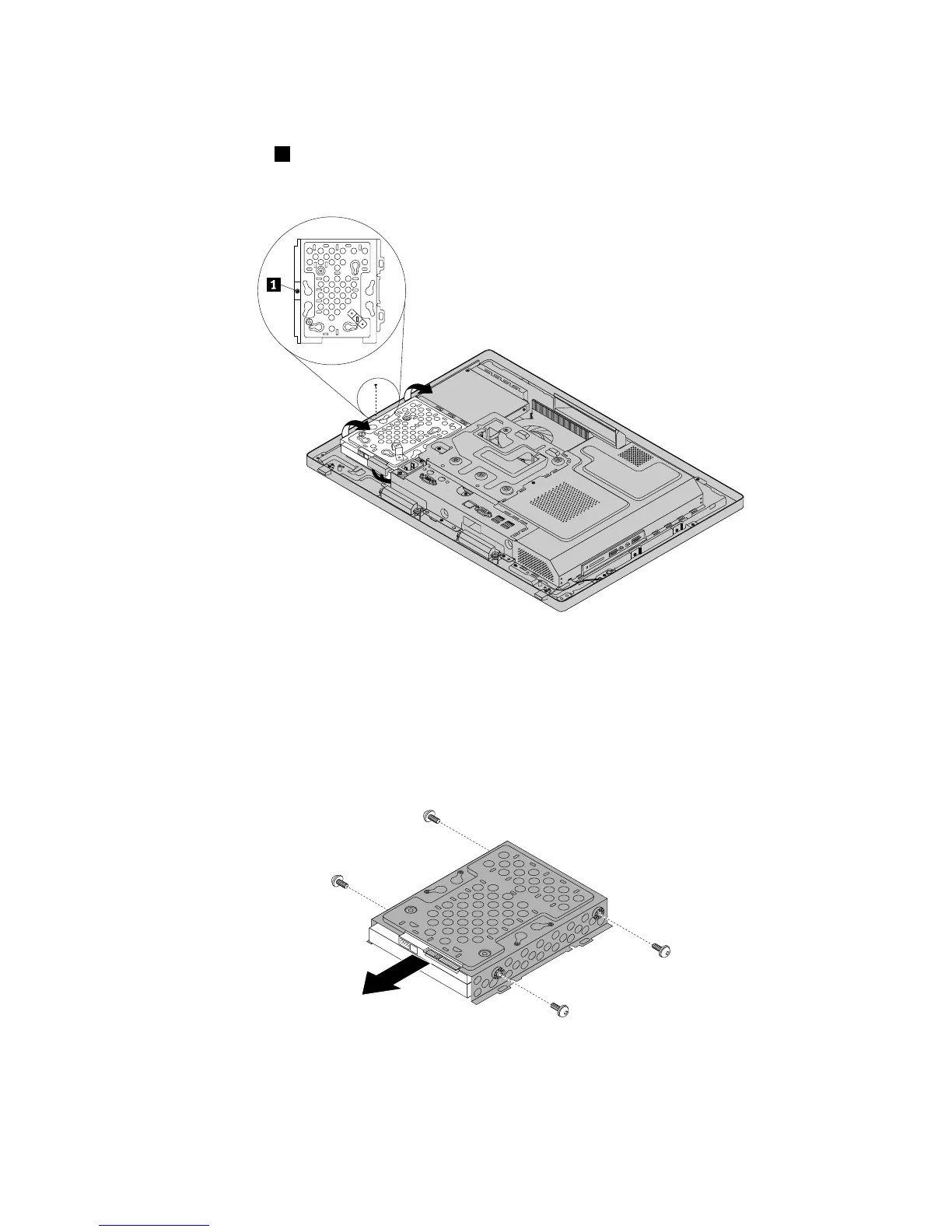
6.Removethescrew1,andthenpivotthehard-disk-drivebracketwiththeharddiskdriveasshownto
removeitfromthechassis.
Figure14.Removingthehard-disk-drivebracketwiththeharddiskdrive
7.Disconnectthecablefromtheharddiskdrive.
8.Removethefourscrewsthatsecuretheharddiskdrivetothebracket,andthenremovetheharddisk
drivefromthebracket.Donottouchthecircuitboardonthebottomoftheharddiskdrive.
Figure15.Removingtheharddiskdrivefromthebracket
9.Toinstallthenewharddiskdrive,positionthenewharddiskdriveinthehard-disk-drivebracketso
thatthefourscrewholesintheharddiskdrivealignwiththecorrespondingholesinthebracket.Then,
installthefourscrewstosecuretheharddiskdrivetothebracket.
Chapter9.ReplacingFRUs79












 To Next Page