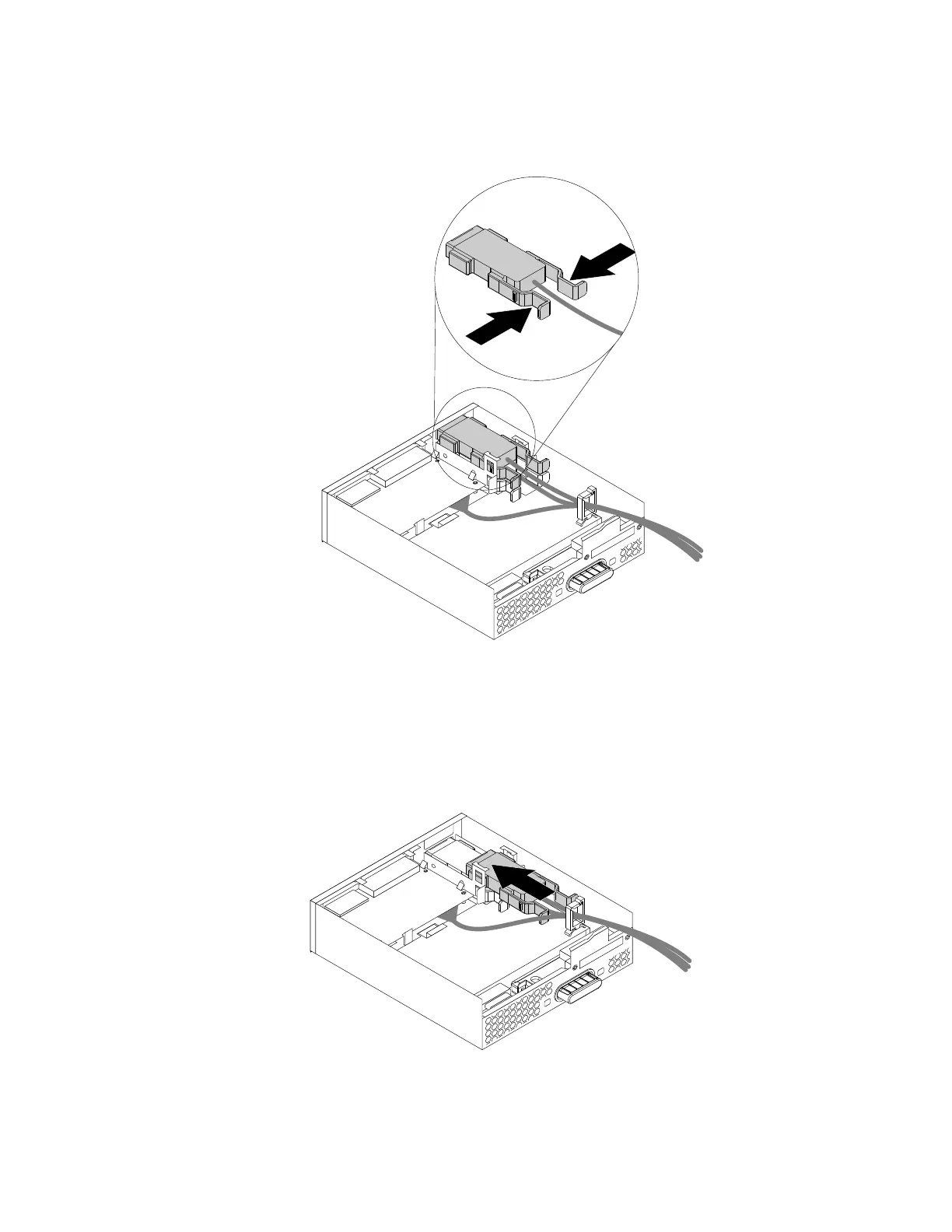
b.PressthetwoclipstowardeachotherasshownandthenpulltheeSATAconnectororIEEE1394
connectoroutoftheflexmodule.
Figure41.RemovingtheeSATAconnectororIEEE1394connectorfromtheflexmodule
4.NotetheorientationoftheeSATAconnectororIEEE1394connectorandroutetheeSATAconnectoror
IEEE1394connectorcableintothecableclip.
5.PlacetheeSATAconnectororIEEE1394connectorintothemetalretainer.TheninserttheeSATA
connectororIEEE1394connectorintothecorrespondingslotintheflexmoduleasshown.
Figure42.InstallingtheeSATAconnectororIEEE1394connectorintheflexmodule
Chapter7.Installingorreplacinghardware75













 To Next Page