Access Point Setup
17
Wireless Screens
There are 6 configuration screens available:
Basic
Virtual Aps
Radius Server Settings
Access Control
Advanced Settings
Wi-Fi Protected Setup
Basic Setting
The settings on this screen must match the settings used by Wireless Stations.
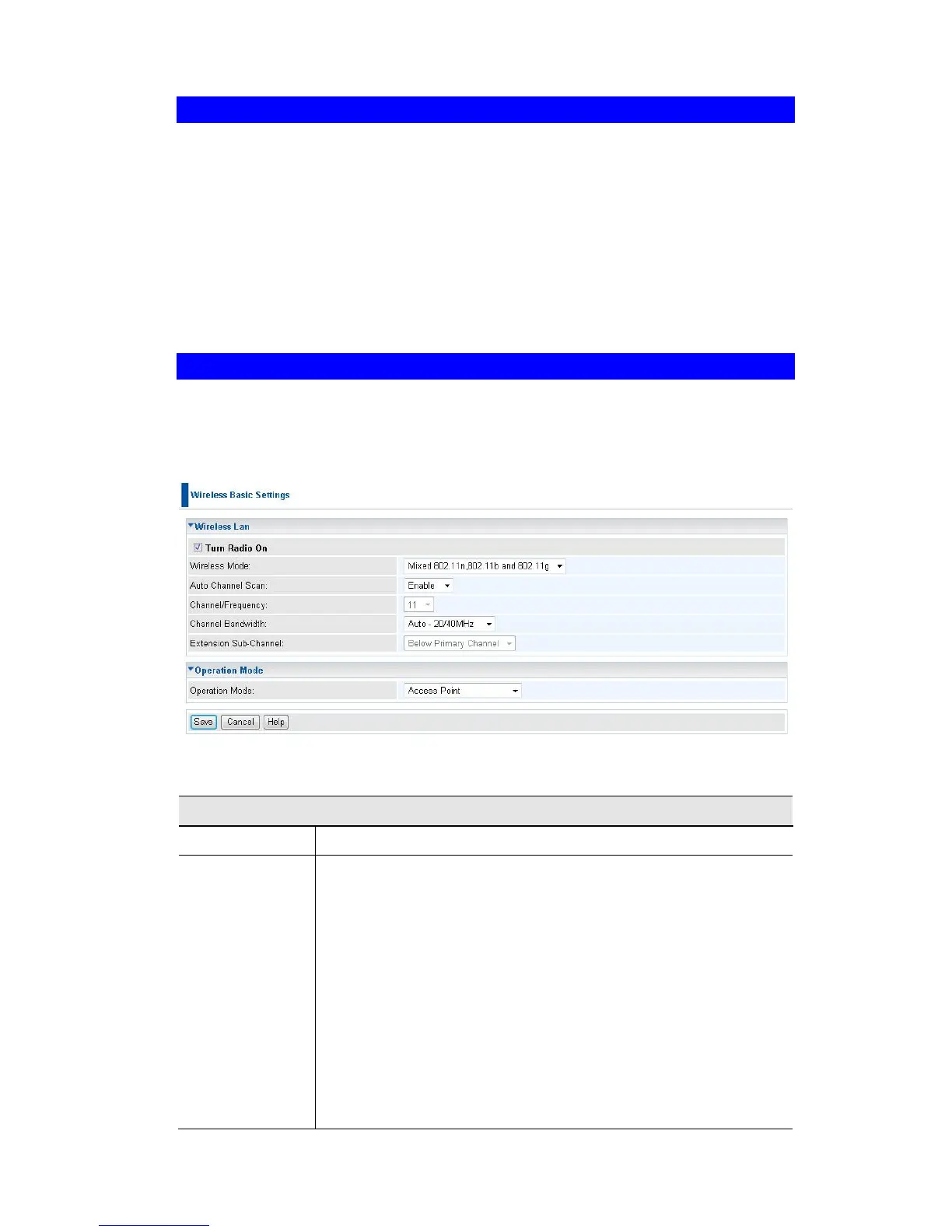
Click Basic Settings on the Wireless menu to view a screen like the following.
Figure 9:Wireless Basic Setting
Data - Wireless Basic Settings Setting
Select the desired option:
Disable - select this if for some reason you do not this AP to
transmit or receive at all.
802.11b - if selected, only 802.11b connections are allowed.
802.11g wireless stations will only be able to connect if they
are fully backward-compatible with the 802.11b standard.
802.11g - only 802.11g connections are allowed. If you only
have 802.11g, selecting this option may provide a perfor-
mance improvement over using the default setting.
802.11n - only 802.11n connections are allowed. If you only
have 802.11n, selecting this option may provide a perfor-
mance improvement over using the default setting.
802.11b and 802.11g - this will allow connections by both















 To Next Page