Wireless Access Point User Guide
36
Advanced Settings
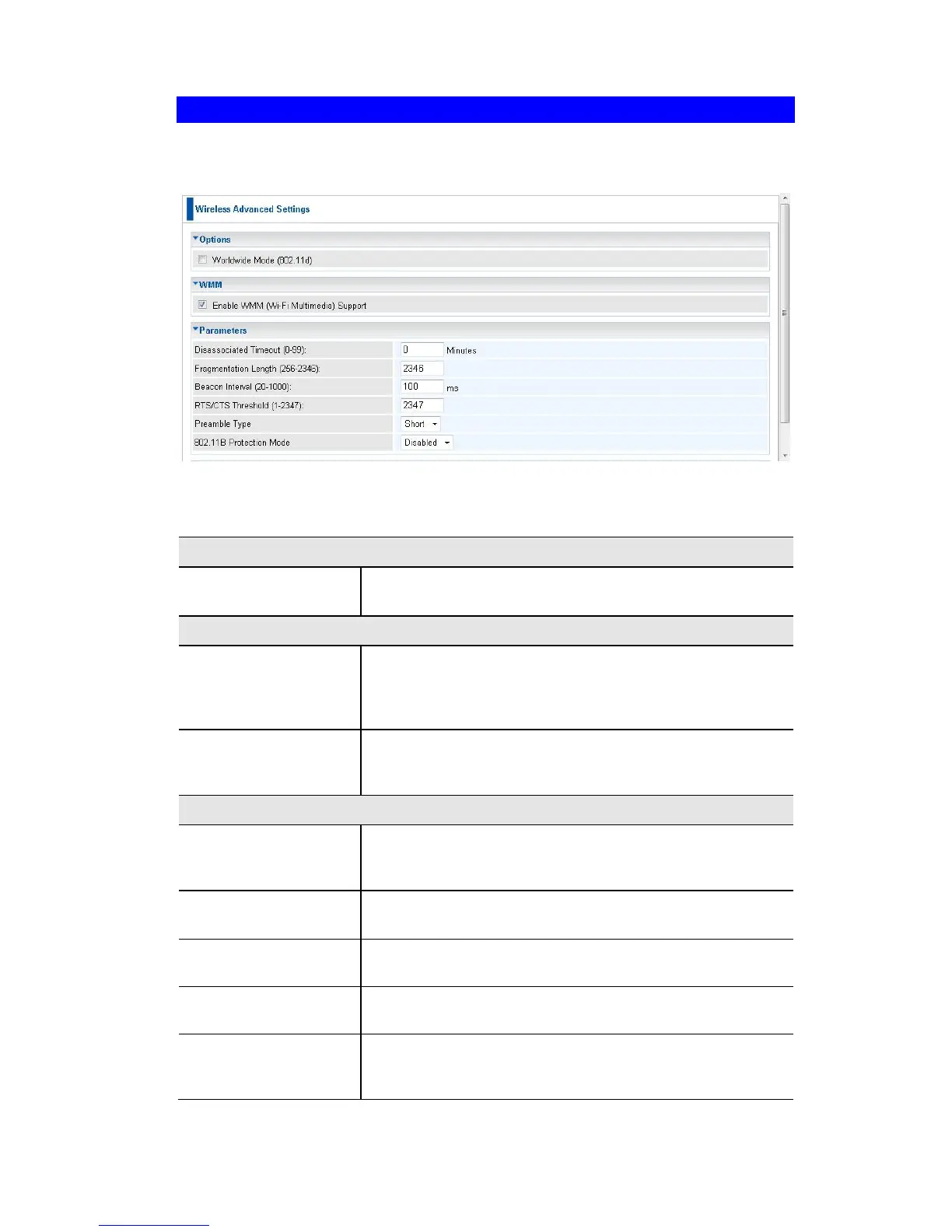
Clicking the Advanced Settings link on the Wireless menu will result in a screen like
the following.
Figure 24: Advanced Settings
Data - Advanced Settings Screen
Enable this setting if you wish to use this mode, and your
Wireless stations support this mode.
Check this to enable WMM (Wi-Fi Multimedia) support in
the Access Point. If WMM is also supported by your wire-
less clients, voice and multimedia traffic will be given a
higher priority than other traffic.
If enabled, then WMM acknowledgement is disabled.
Depending on the environment, disabling acknowledge-
ment may increase throughput slightly.
This determines how quickly a Wireless Station will be
considered "Disassociated" with this AP, when no traffic is
received. Enter the desired time period.
Enter the preferred setting between 256 and 2346. Nor-
mally, this can be left at the default value.
Enter the preferred setting between 20 and 1000. Normal-
ly, this can be left at the default value.
Enter the preferred setting between 1 and 2347. Normally,
this can be left at the default value.
Select the desired option. The default is "Long". The
"Short" setting takes less time when used in a good envi-
ronment.















 To Next Page