Wireless Access Point User Guide
68
Auto Config/Update
To reach this screen, select Auto Config/Update in the Management section of the
menu.
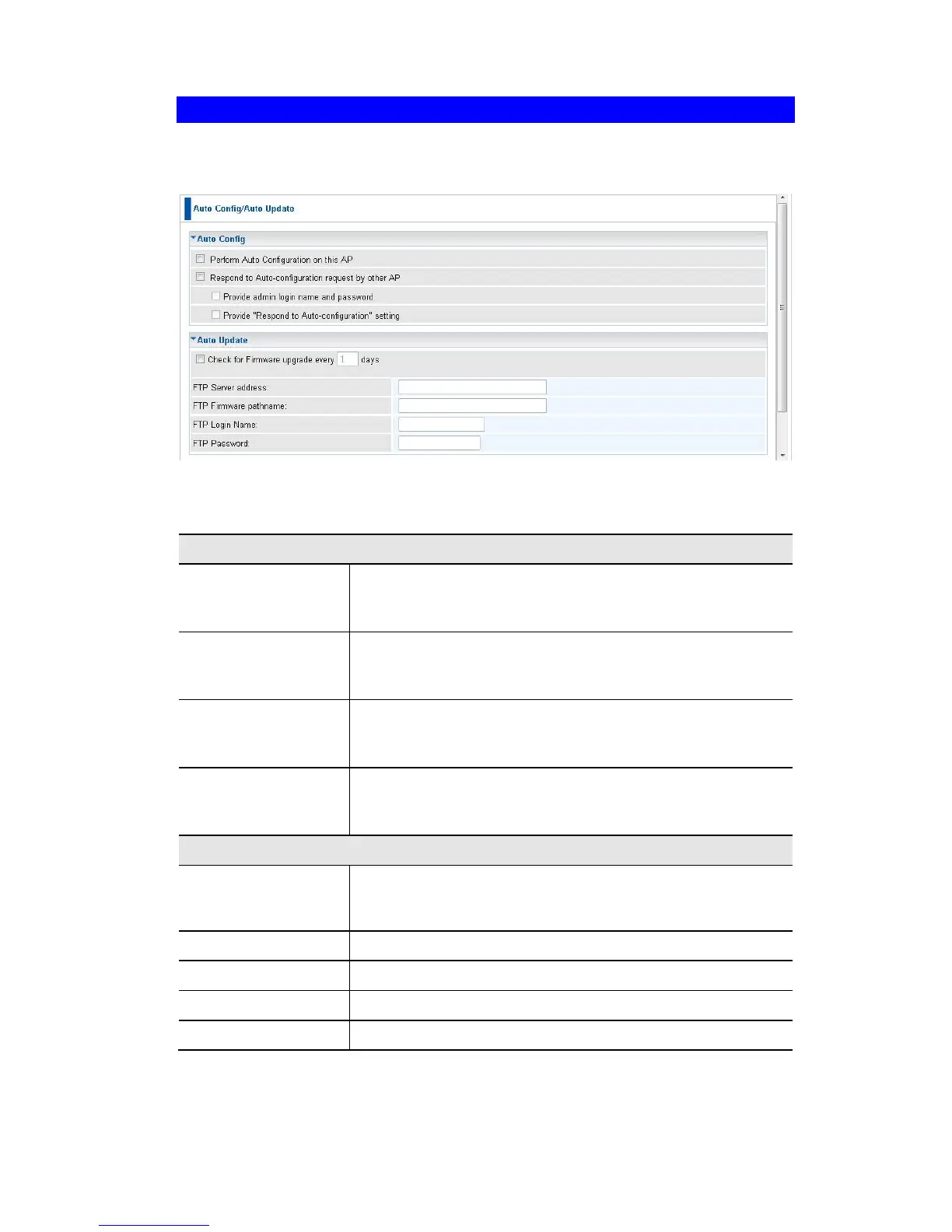
Figure 58: Auto Config/Auto Update Screen
Data - Auto Config/Auto Update Screen
Perform Auto Con-
figuration on this
AP
If checked, this AP will perform Auto Configuration.
Respond to Auto-
configuration re-
quest by other AP
If checked, this AP will respond to other AP’s "Auto Configu-
ration" requests. Otherwise, "Auto Configuration" requests
from other AP will be ignored.
Provide admin login
name and pass-
word
If enabled, the login name and password need to be pro-
vided.
Provide Respond to
Auto-Configuration
setting
If enabled, the "Respond to Auto-configuration" setting need
to be provided.
Check for Firmware
Upgrade..
If enabled, the device will check the firmware upgrade in the
time interval. Enter the desired day value in the following
field.
Enter the address for the FTP server.
Enter the full path of the firmware in the FTP server.
Enter the login name for the FTP server.
Enter the login password for the FTP server.















 To Next Page