PC and Server Configuration
45
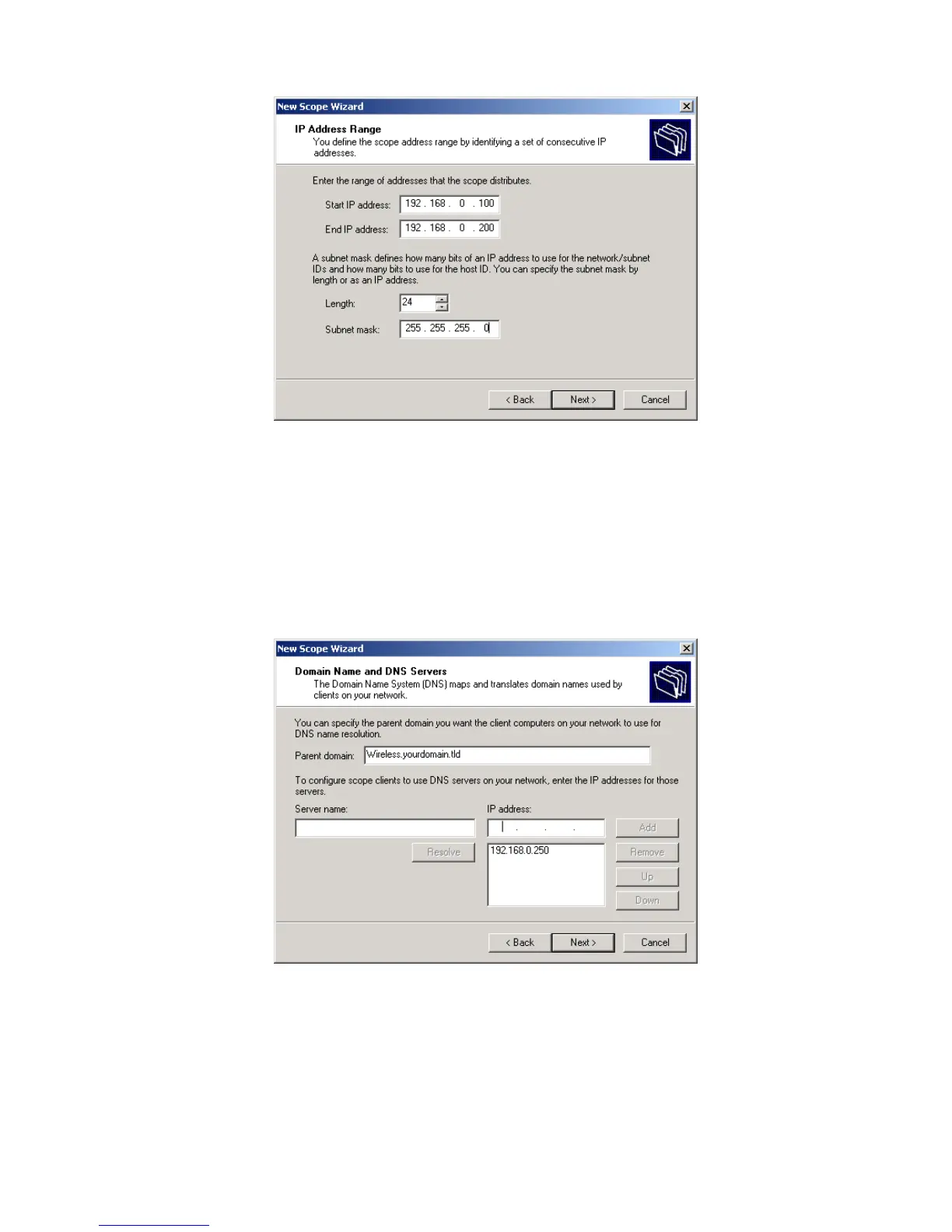
Figure 30:IP Address Screen
6. Add exclusions in the address fields if required. If no exclusions are required,
leave it blank. Click Next.
7. Change the Lease Duration time if preferred. Click Next.
8. Select Yes, I want to configure these options now, and click Next.
9. Enter the router address for the current subnet. The router address may be left
blank if there is no router. Click Next.
10. For the Parent domain, enter the domain you specified for the domain controller
setup, and enter the server's address for the IP address. Click Next.
Figure 31: DNS Screen
11. If you don't want a WINS server, just click Next.
12. Select Yes, I want to activate this scope now. Click Next, then Finish.
13. Right-click on the server, and select Authorize. It may take a few minutes to com-
plete.















 To Next Page