ENGLISH
12
ASSEMBLING AND PREPARING
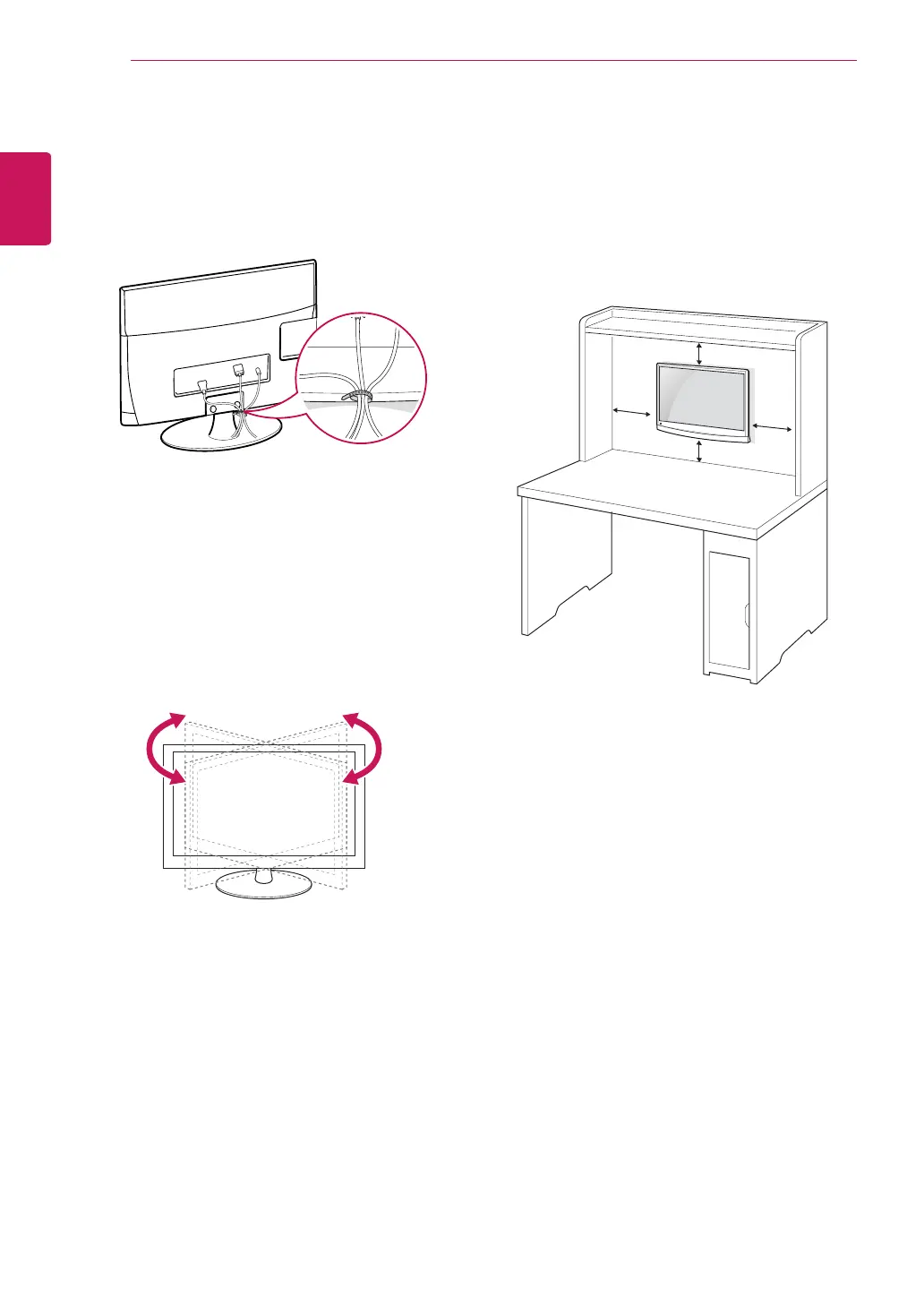
Swivel stand
Swivel179degreesandadjusttheangleoftheTV
tosuityourview.
Tidying cables
Gatherandbindthecableswiththesupplied
cabletie.
Mounting on a wall
Forproperventilation,allowaclearanceof10
cmoneachsideandfromthewall.Detailed
installationinstructionsareavailablefromyour
dealer,seetheoptionalTiltWallMountingBracket
InstallationandSetupGuide.
IfyouintendtomounttheTVtoawall,attachWall
mountinginterface(optionalparts)tothebackof
theset.
WhenyouinstalltheTVusingthewallmounting
interface(optionalparts),attachitcarefullysoit
willnotdrop.
1
Please,Usethescrewandwallmountinterface
inaccordancewithVESAStandards.
2
Ifyouusescrewlongerthanstandard,theTV
mightbedamagedinternally.
3
Ifyouuseimproperscrew,theproductmightbe
damagedanddropfrommountedposition.In
thiscase,LGElectronicsisnotresponsibleforit.
4
VESAcompatibleonlywithrespecttoscrew
mountinginterfacedimensionsandmounting
screwspecifications.
10 cm
10 cm
10 cm
10 cm


 To Next Page