ENGLISH
56
3D IMAGING
Viewing 3D Imaging
1
Playthevideoproducedin3D.
2
Press3D.
3
Wearthe3Dglasses.
4
PresstheNavigationbuttonstoscrolltheOKandpressOK.
5
PresstheNavigationbuttonstoscrolltheshapeandpressOK.
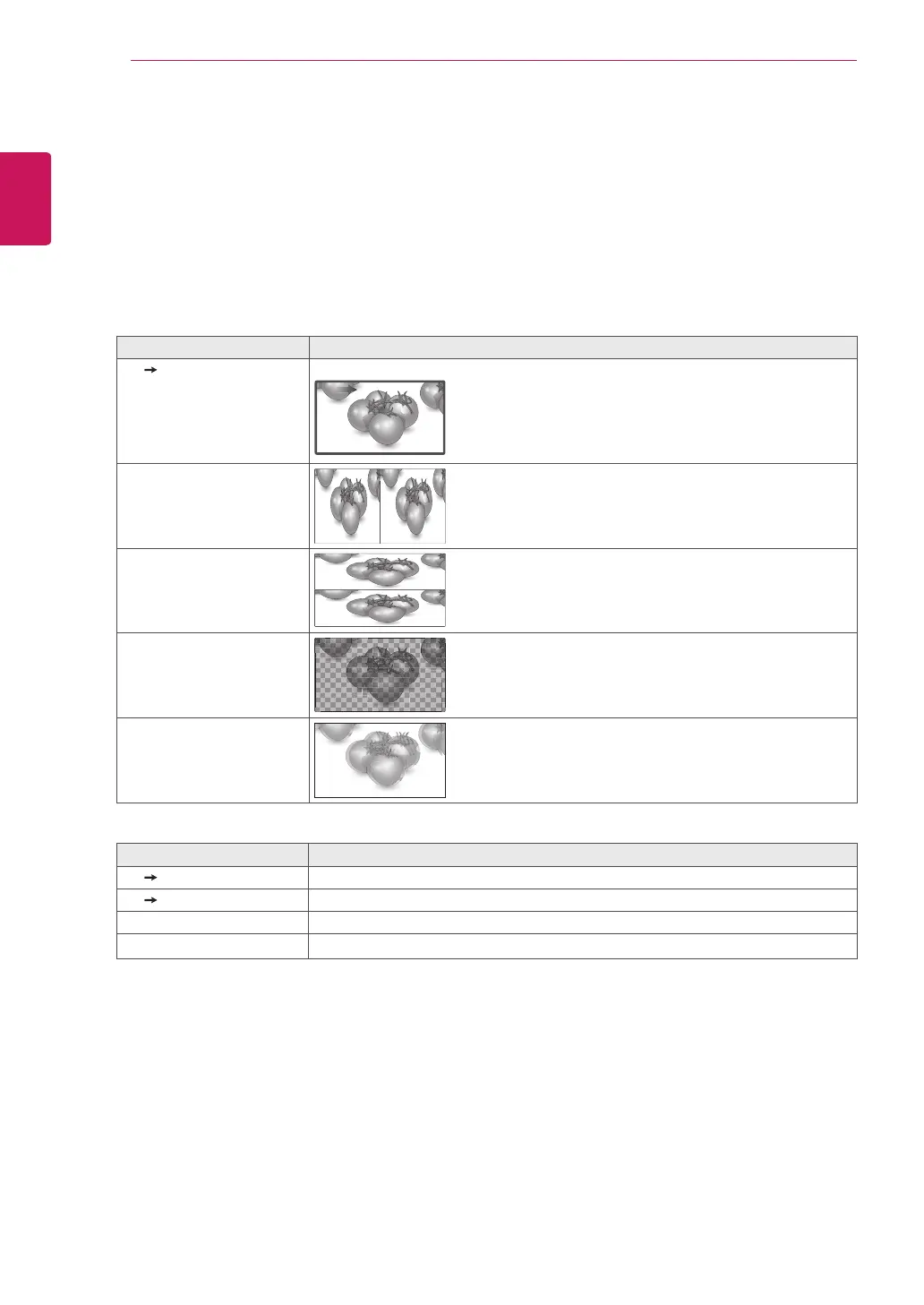
Mode Description
2D 3D Changedfrom2Dimagingto3Dimaging.
2D 3D
Side by Side
Top & Bottom
Checker Board
Frame Sequential
6
Press3Dbuttontoto2D Offor3D Off.
Mode Description
3D 2D Displaysimagesin2Dwithoutany3Deffects.
2D 3D Displaysimagesin3D.
3D Off Displaysimagesinoriginalformat.
Cancel Closethepop-upwindow.



 To Next Page