ENGLISH
38
USING THE MONITOR SET
CONNECTING TO A PC
YourTVsupportsthePlug&Play*featureand
hasthebuilt-inspeakerswithSurroundXthat
reproducessoundclearlywitharichbass.
*Plug&Play:ThefunctionwhenaPCrecognizes
aconnecteddevicethatusersconnecttoaPC
andturnon,withoutdeviceconfigurationoruser
intervention.
ItisrecommendedtousetheTVwiththe
HDMIconnectionforthebestimagequality.
Ifyouwanttouseanoptionalexternal
speakerinsteadofthebuilt-inspeaker,set
theTVspeakerfeaturetooff
(Seep.63).
UseaHighSpeedHDMI™Cable.
PleasecheckthePCenvironmentifyou
cannothearthesoundinHDMImode.
IfyouwanttouseHDMI-PCmode,youmust
settheinputlabeltoPCmode.
NOTE
NOTE
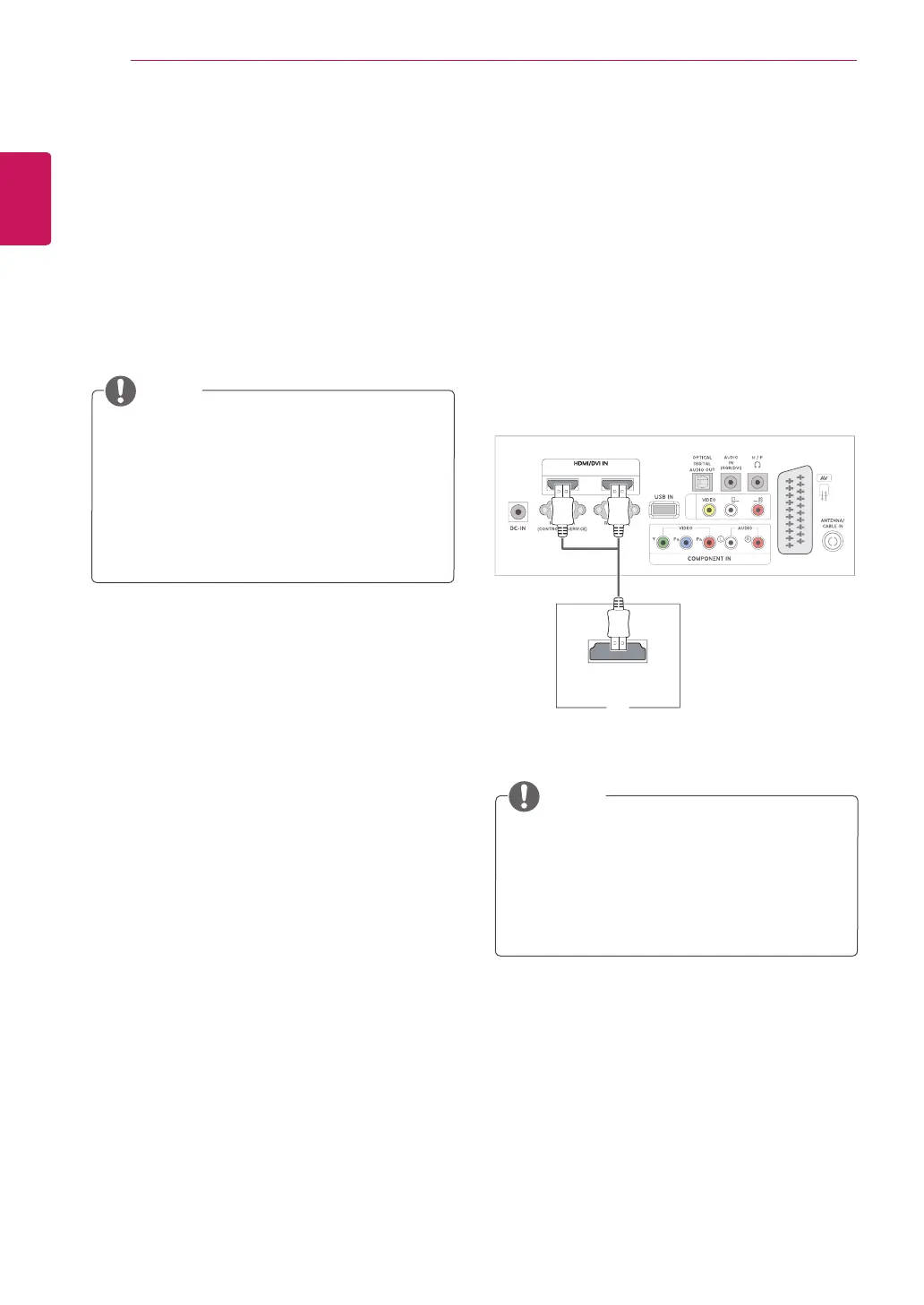
HDMI connection
Transmitsthedigitalvideoandaudiosignalsfrom
yourPCtotheTV.ConnectthePCandtheTV
withtheHDMIcableasshowninthefollowing
illustrations.YoushouldsetPCasaninput
labeltoconnectthePCtotheTVwithanHDMI
connection.Toaddaninputlabel,seeAddingan
InputlabelonSeep.30.
MONO
12
AV IN
HDMI OUT
PC


 To Next Page