ENGLISH
32
WATCHING TV
Language selection (In digital
mode only)(Only DTV)
TheAudiofunctionallowsselectionofapreferred
language.
Ifaudiodatainaselectedlanguageisnot
broadcast,thedefaultlanguageaudiowillbe
played.
UsetheSubtitlefunctionwhentwoormoresubtitle
languagesarebroadcast.Ifsubtitledataina
selectedlanguageisnotbroadcast,thedefault
languagesubtitlewillbedisplayed.
Whenthelanguagesyouselectedastheprimary
forAudio LanguageandSubtitle Language
arenotsupported,youcanselectlanguagein
secondarycategory.
1
PressMENUtoaccessthemainmenus.
2
PresstheNavigationbuttonstoscrollto
OPTION andpressOK.
3
PresstheNavigationbuttonstoscrollto
Audio Language orSubtitle Language and
pressOK.
4
PresstheNavigationbuttonstoscrollto
Desired Language optionyouwantandpress
OK.
5
Whenyouarefinished,pressEXIT.
Whenyoureturntothepreviousmenu,press
BACK.
Audio Language Selection
Whentwoormoreaudiolanguagesarebroadcast,
youcanselecttheaudiolanguage.
1
PressQ.MENUtoaccessthequickmenu.
2
PresstheNavigationbuttonstoscrolltoAudio.
3
PresstheNavigationbuttonstoscrollto
Audio Language optionyouwantandpress
OK.
4
Whenyouarefinished,pressQ.MENU or
EXIT.
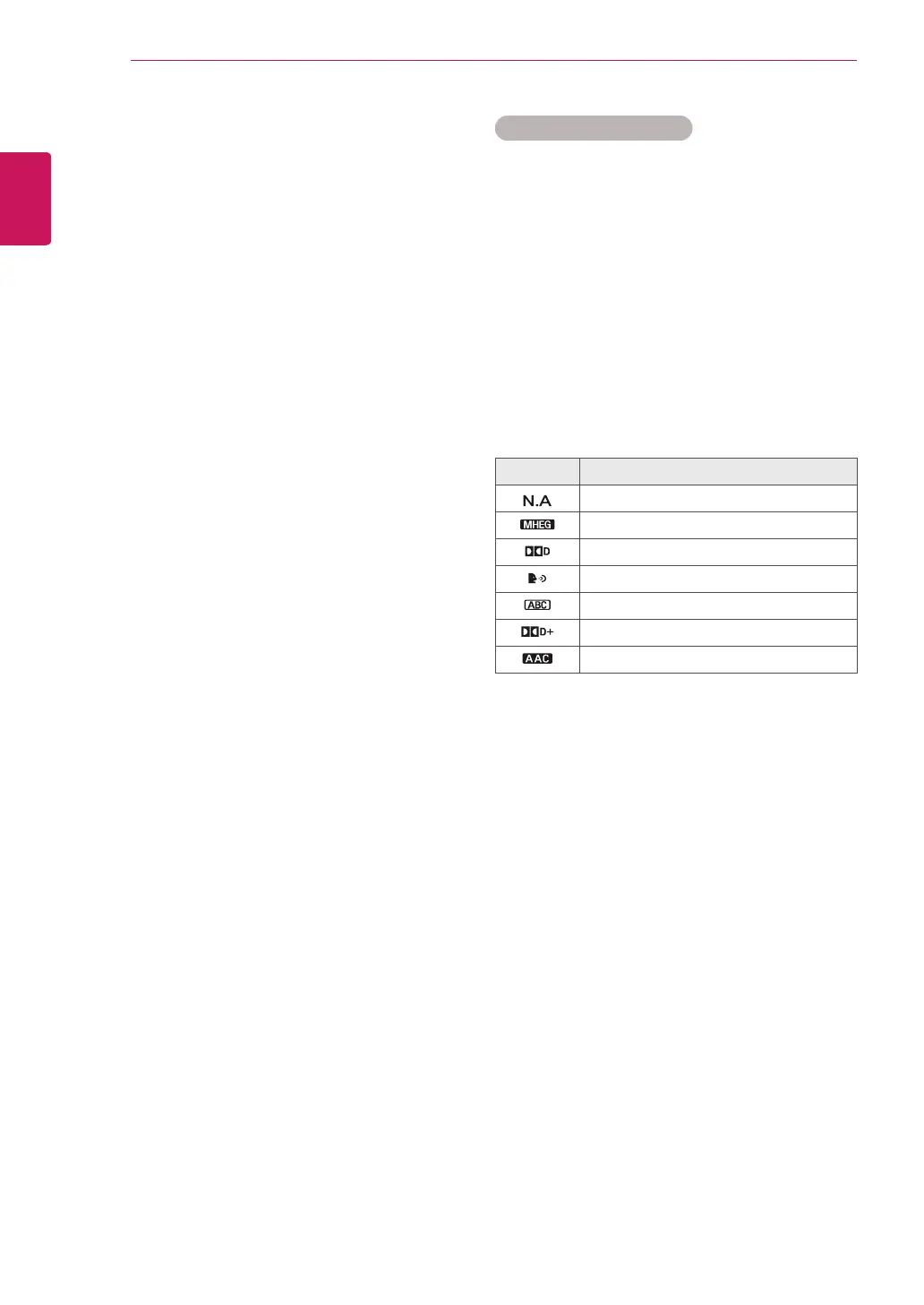
Audio Language OSD Information
Display Status
NotAvailable
MPEGAudio
DolbyDigitalAudio
Audiofor“VisualImpaired”
Audiofor“HearingImpaired”
DolbyDigitalPlusAudio
AACAudio



 To Next Page