ENGLISH
43
ENTERTAINMENT
(MONO
A
DI
ENTERTAINMENT
Using integrated media
features
Connecting USB storage devices
ConnectUSBstoragedevicessuchasaUSBflash
memory,externalharddrive,orMP3playertothe
TVandusemultimediafeatures(“Browsing files”
Seep.45).
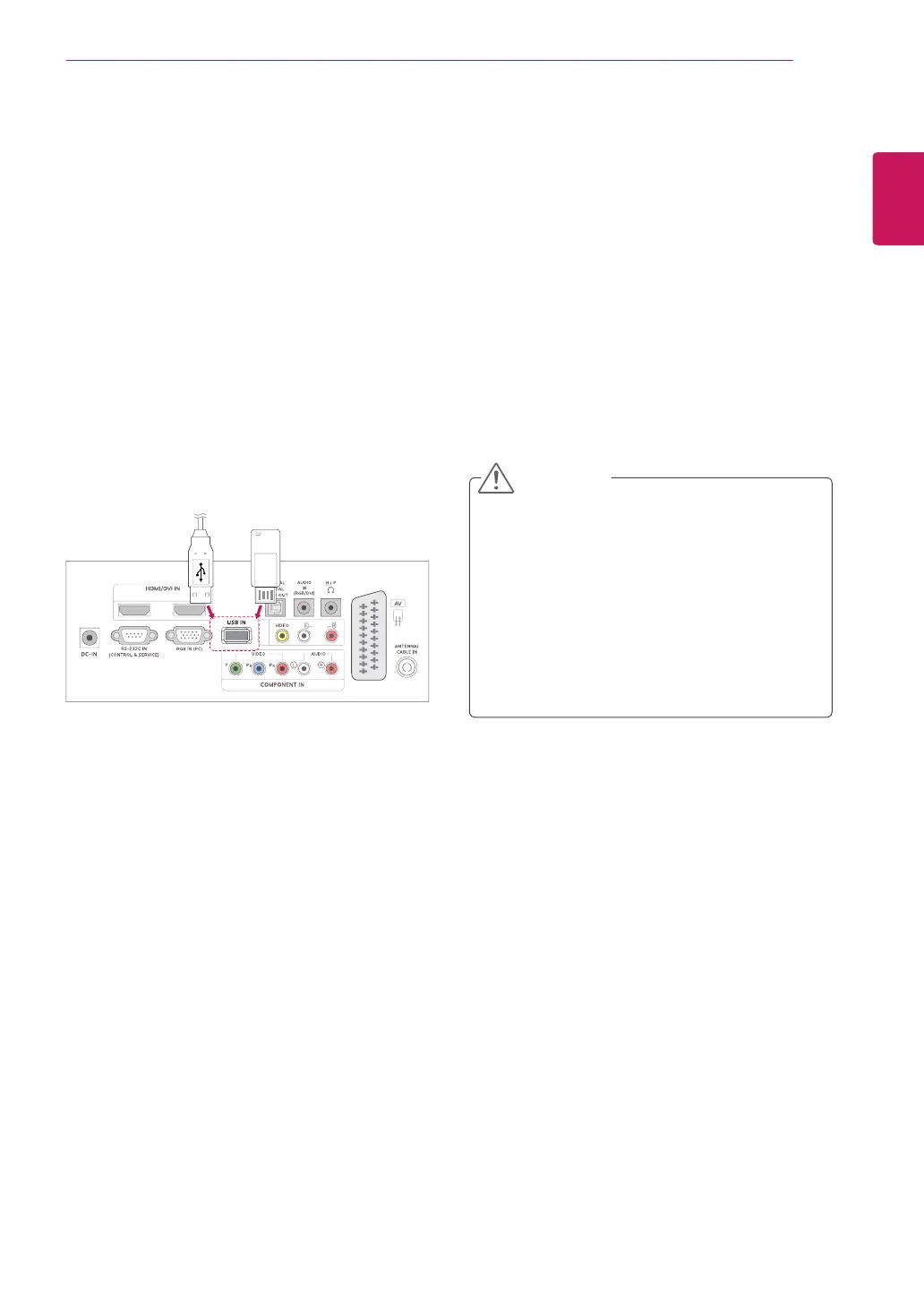
ConnectaUSBflashmemoryorUSBmemory
cardreadertotheTVasshownonthefollowing
illustration.TheUSBscreenappears.
TodisconnectaUSBstoragedevice,makesureto
endtheconnectionproperlytopreventdamagesto
theTVorfiles.
or
1
PressQ.MENUtoaccessthequickmenus.
2
PresstheNavigationbuttonstoscrolltoUSB
DeviceandpressOK.
3
DisconnecttheUSBstoragedeviceonlywhen
themessagesaysthatitissafetoremove.
DonotturntheTVofforremoveaUSB
storagedevicewhiletheUSBstorage
deviceisconnectedtotheTV,asthiscould
resultinlossoffilesordamagetotheUSB
storagedevice.
BackupyourfilessavedonaUSBstorage
devicefrequently,asyoumayloseor
damagethefilesandthismaybenot
coveredbythewarranty.
CAUTION


 To Next Page