ENGLISH
63
CUSTOMIZING SETTINGS
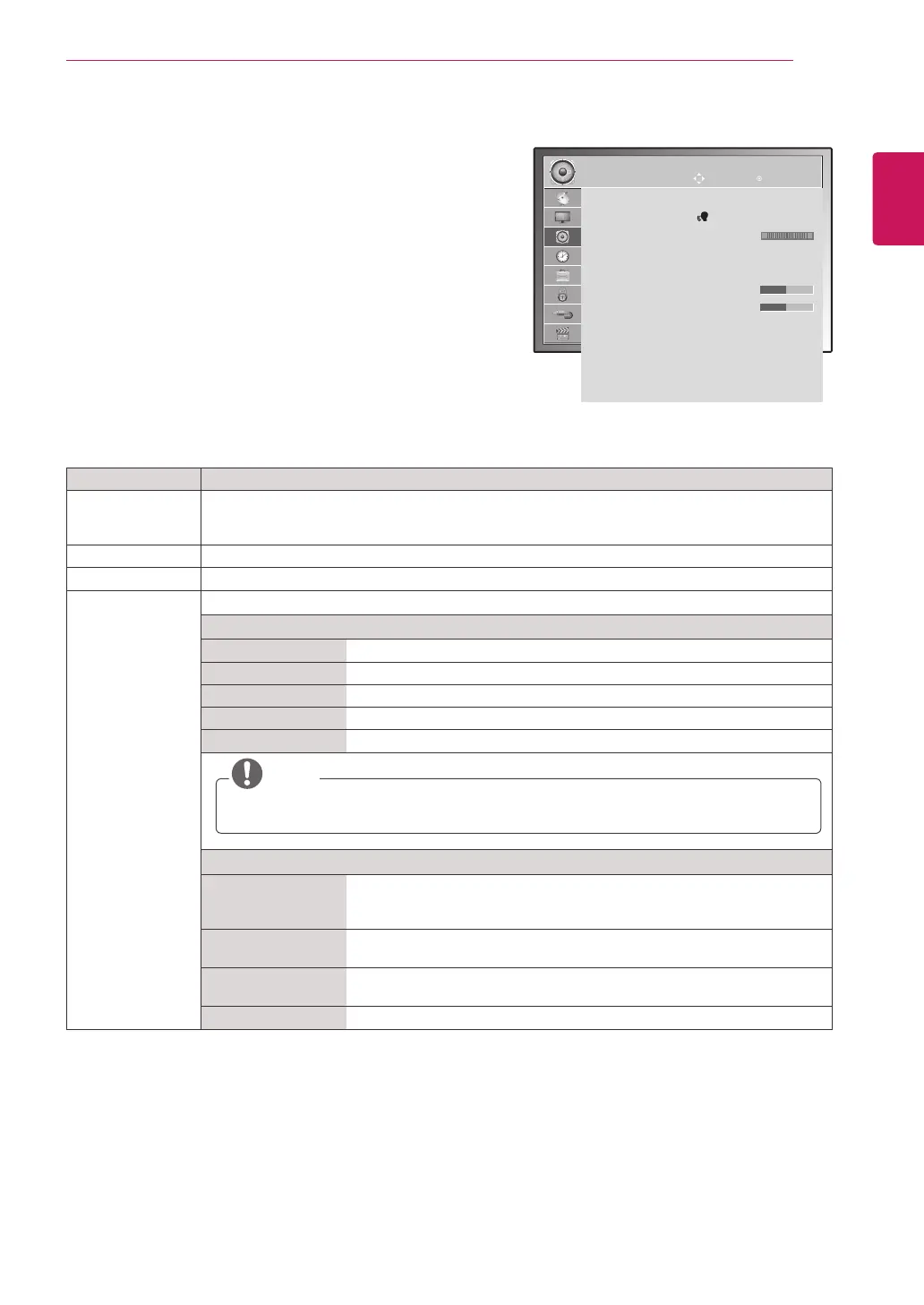
AUDIO settings
1
PressMENUtoaccessthemainmenus.
2
PresstheNavigationbuttonstoscrolltoAUDIOandpress
OK.
3
PresstheNavigationbuttonstoscrolltothesettingor
optionyouwantandpressOK.
-Toreturntothepreviouslevel,pressBACK.
4
Whenyouarefinished,pressEXIT.
Whenyoureturntothepreviousmenu,press
BACK.
Theavailableaudiooptionsaredescribedinthefollowing:
Setting Description
Auto Volume ActivatestheAutoVolumefeaturetokeepthevolumelevelconsistentwheneveryouchange
programmes.Thevolumelevelmaynotbeconsistentduetodifferentsignalconditionsof
broadcastingstations.
Clear Voice ll Bydifferentiatingthehumansoundrangefromothers,ithelpsuserslistentohumanvoicesbetter.
Balance Adjustsbalancebetweentheleftandrightspeakersaccordingtoyourroomenvironment.
Sound Mode Selectsoneofthepresetsoundmodesorcustomizeeachoptionineachmode.
Mode
Standard Selectwhenyouwantstandard-qualitysound.
Music Selectwhenyoulistentomusic.
Cinema Selectwhenyouwatchmovies.
Sport Selectwhenyouwatchsportsevents.
Game Selectwhenyouplaygames.
NOTE
Ifsoundqualityorvolumeisnotatthelevelyouwant,itisrecommendedtouseaseparate
hometheatersystemoramplifiertocopewithdifferentuserenvironments.
Option
SurroundX Providesanenvelopingsurroundsoundwithcleardialogandbassusing
justtwospeakers.SurroundXisapatentedSurroundtechnologythat
solvestheproblemofplaying5.1multichannelcontentsovertwospeakers.
Treble Controlsthedominantsoundsintheoutput.Whenyouturnupthetreble,it
willincreasetheoutputtothehigherfrequencyrange.
Bass Controlsthesoftersoundsintheoutput.Whenyouturnupthebass,itwill
increasetheoutputtothelowerfrequencyrange.
Reset Resetsthesoundmodetothedefaultsetting.
AUDIO
Auto Volume : Off
Clear Voice ll : Off 3
Balance 0
Sound Mode : Music
ꔈSurround X : Off
ꔈTreble 50
ꔈBass 50
ꔈReset
Digital Audio Out : PCM
TV Speaker : On
DTV Audio Setting : Auto
Move OK
L
R
ImageshownmaydifferfromyourTV.



 To Next Page