ENGLISH
72
MAKING CONNECTIONS
Connecting to a Camcorder,
Camera, HD receiver, DVD,
VCR player or Gaming
device
ConnectaCamcorder,Camera,HDreceiver,DVD,
VCRplayerorGamingdevicetotheTVandselect
anappropriateinputmode.
NOTE
DVI OUT
12
2
A
DI
AUDIO OUT
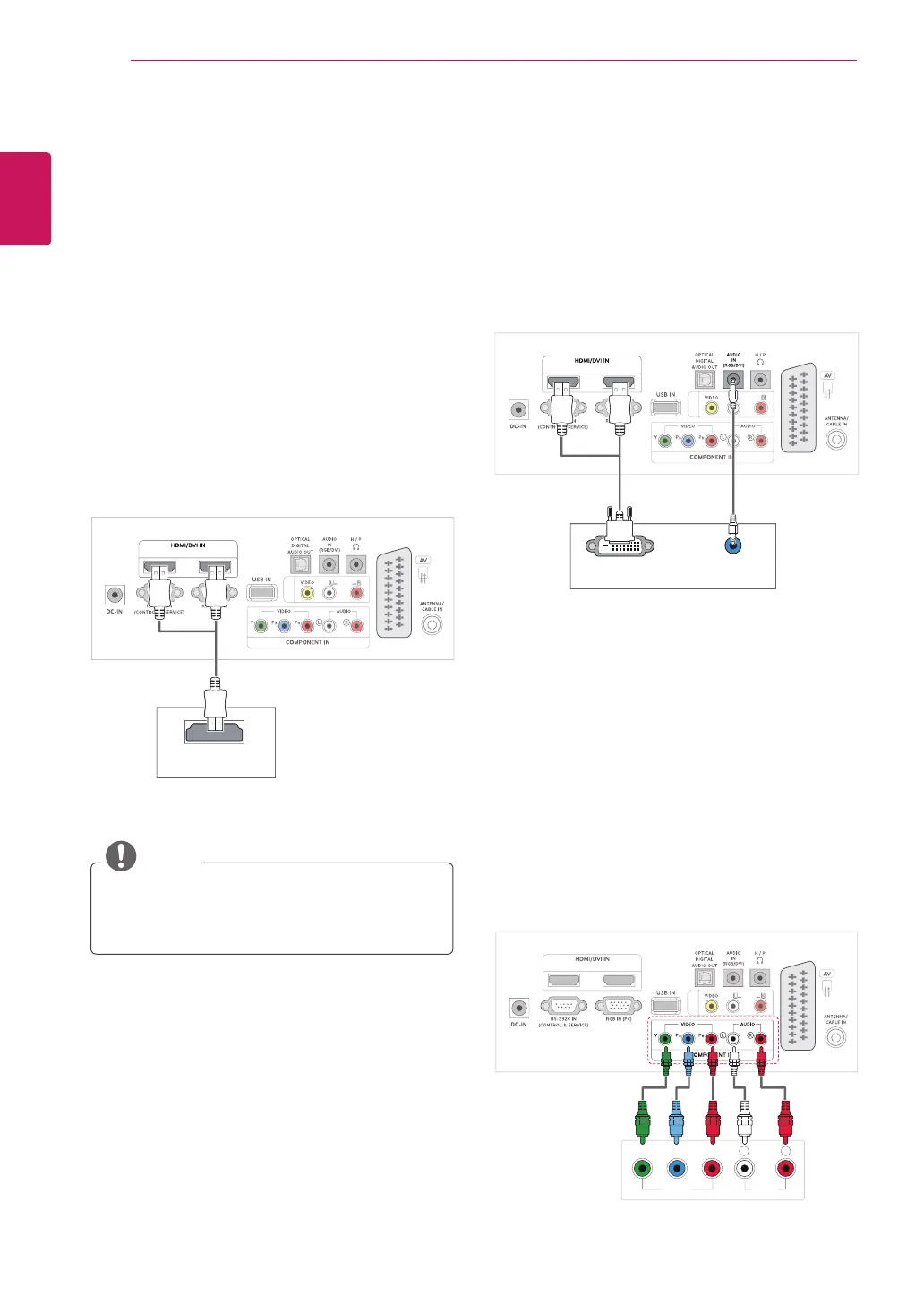
HDMI connection
Transmitsthedigitalvideoandaudiosignalsfrom
anexternaldevicetotheTV.Connecttheexternal
deviceandtheTVwiththeHDMIcableasshown
onthefollowingillustration.
DVI to HDMI connection
Transmitsthedigitalvideosignalfromanexternal
devicetotheTV.Connecttheexternaldeviceand
theTVwiththeDVI-HDMIcableasshowninthe
followingillustration.Totransmitanaudiosignal,
connectanoptionalaudiocable.
UseaHighSpeedHDMI™Cable.
HighSpeedHDMI™Cablesaretestedto
carryanHDsignalupto1080pandhigher.
2
VIDEO AUDIO
Y P
B
P
R
L R
MONO
A
DI
Component connection
Transmitstheanalogvideoandaudiosignalsfrom
anexternaldevicetotheTV.Connecttheexternal
deviceandtheTVwiththecomponentcableas
shownonthefollowingillustration.Todisplay
imagesbyusingprogressivescan,makesureto
usethecomponentcable.



 To Next Page