ENGLISH
73
MAKING CONNECTIONS
AV IN2
(MONO)
AUDI0
VIDEO AUDIO(MONO) L R
AUDIO/ VIDEO
2
MONO
A
DI
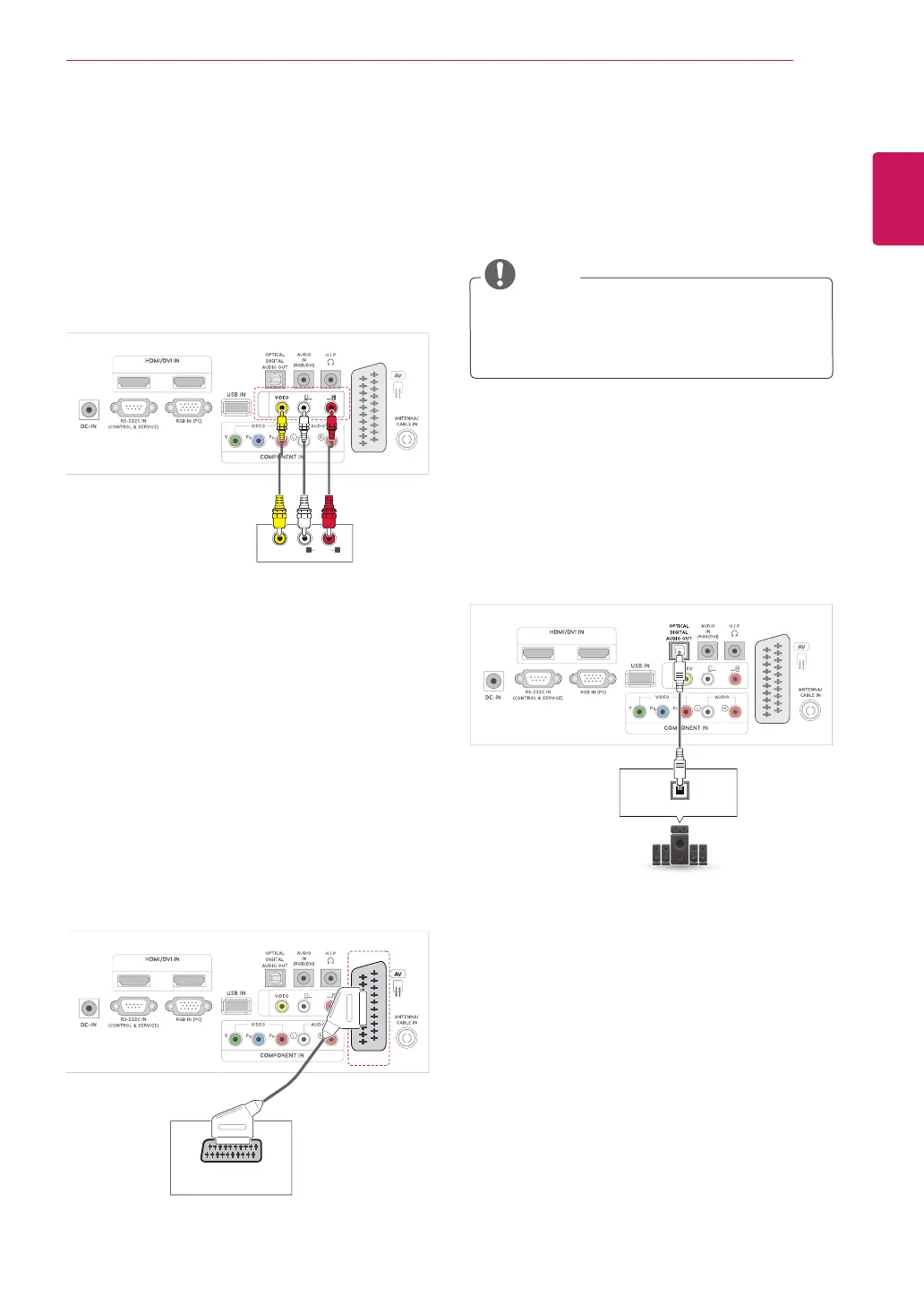
Composite connection
Transmitstheanalogvideoandaudiosignalsfrom
anexternaldevicetotheTV.Connecttheexternal
deviceandtheTVwiththecompositecableas
shownonthefollowingillustration.
Euro Scart connection
Transmitsthevideoandaudiosignalsfroman
externaldevicetotheTV.Connecttheexternal
deviceandtheTVwiththeEuroScartcableas
shownonthefollowingillustration.Todisplay
imagesbyusingprogressivescan,makesureto
usetheEuroScartcable.
Connecting to an audio
system
Useanoptionalexternalaudiosysteminsteadof
thebuilt-inspeaker.
NOTE
Ifyouuseanexternalaudiodeviceinstead
ofthebuilt-inspeaker,settheTVspeaker
featuretooff(Seep.63).
Digital optical audio connection
TransmitsthedigitalaudiosignalfromtheTVtoan
externaldevice.Connecttheexternaldeviceand
theTVwiththeopticalaudiocableasshownon
thefollowingillustration
2
(MONO)
A
DI
OPTICAL AUDIO IN



 To Next Page