ENGLISH
8
ASSEMBLING AND PREPARING
YoucansetthePowerindicatortoonoroffbyselectingOPTIONinthemainmenus.
NOTE
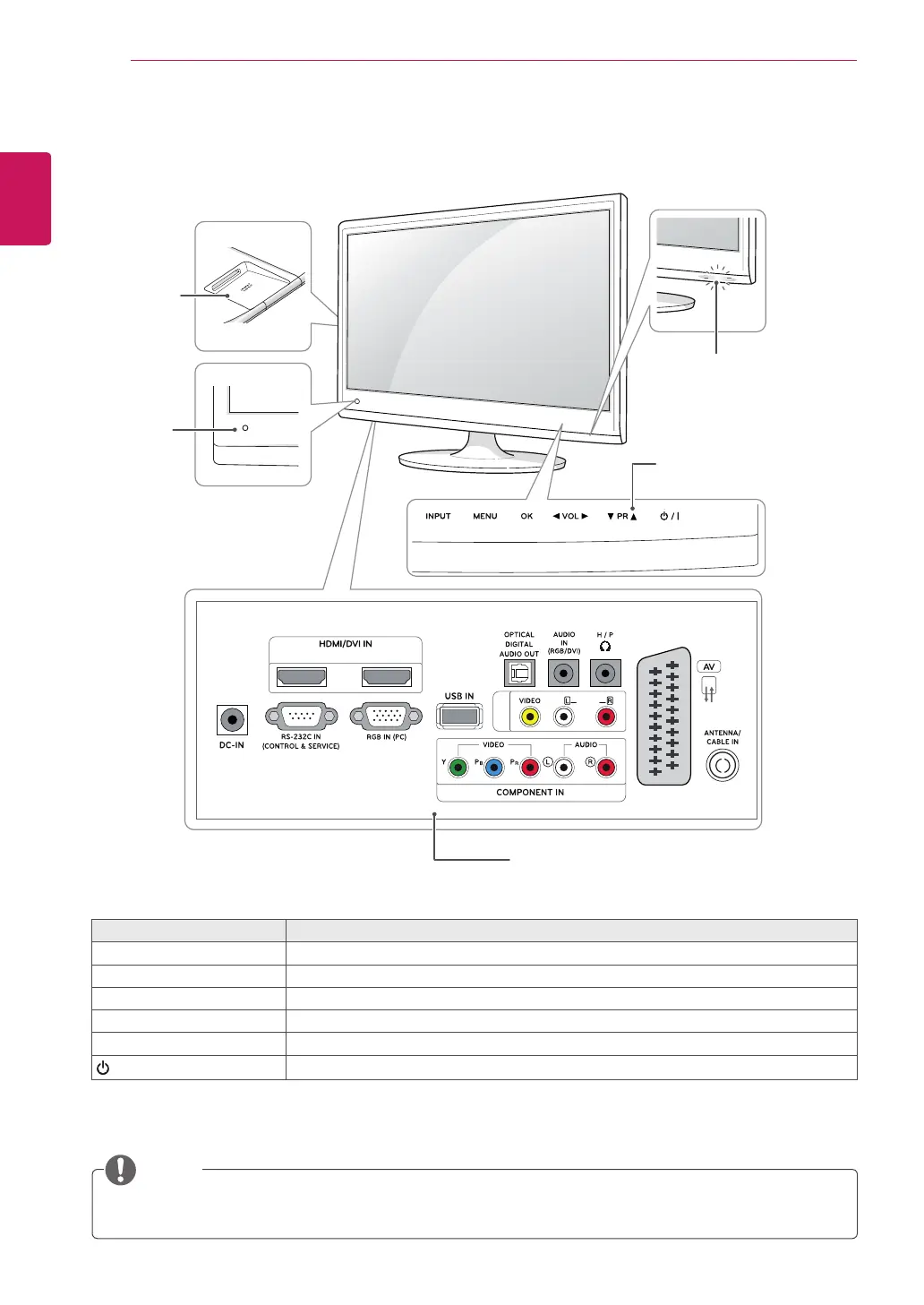
Parts and buttons
Touch button Description
INPUT Changestheinputsource.
MENU Accessesthemainmenus,orsavesyourinputandexitsthemenus.
OK Selectsthehighlightedmenuoptionorconfirmsaninput.
◄VOL► Adjuststhevolumelevel.
▼PR▲ Scrollsthroughthesavedprogrammes.
/I
Turnsthepoweronoroff.
Allofthebuttonsaretouchsensitiveandcanbeoperatedthroughsimpletouchwithyourfinger.
(MONO)
12
AUDI0
AV IN2
Remote
Control
Sensor
PCMCIA
Card Slot
(ONLY DTV)
Power Indicator
Lighting On: Turned on
Lighting Off: Turned off
Connection panel (Seep.70)
Touch Buttons



 To Next Page