41
3.1 Running a Sequence Running a sequence 22Hz-22kHz bandwidth
Over 100 ready-made test sequences are currently available on the LA101, as listed in
table 3.1, all constructed from the test segments listed in table 3.2 (and the control
segments listed in table 4.1). They differ in the tests that are carried out and the levels of
the test signals used; each being primarily intended for a particular purpose. The first-
time user should connect the two units directly at first, turn on the LA102 loudspeaker
and then try sequence operation.
Press
on both units to put them into sequence mode. After pressing on the
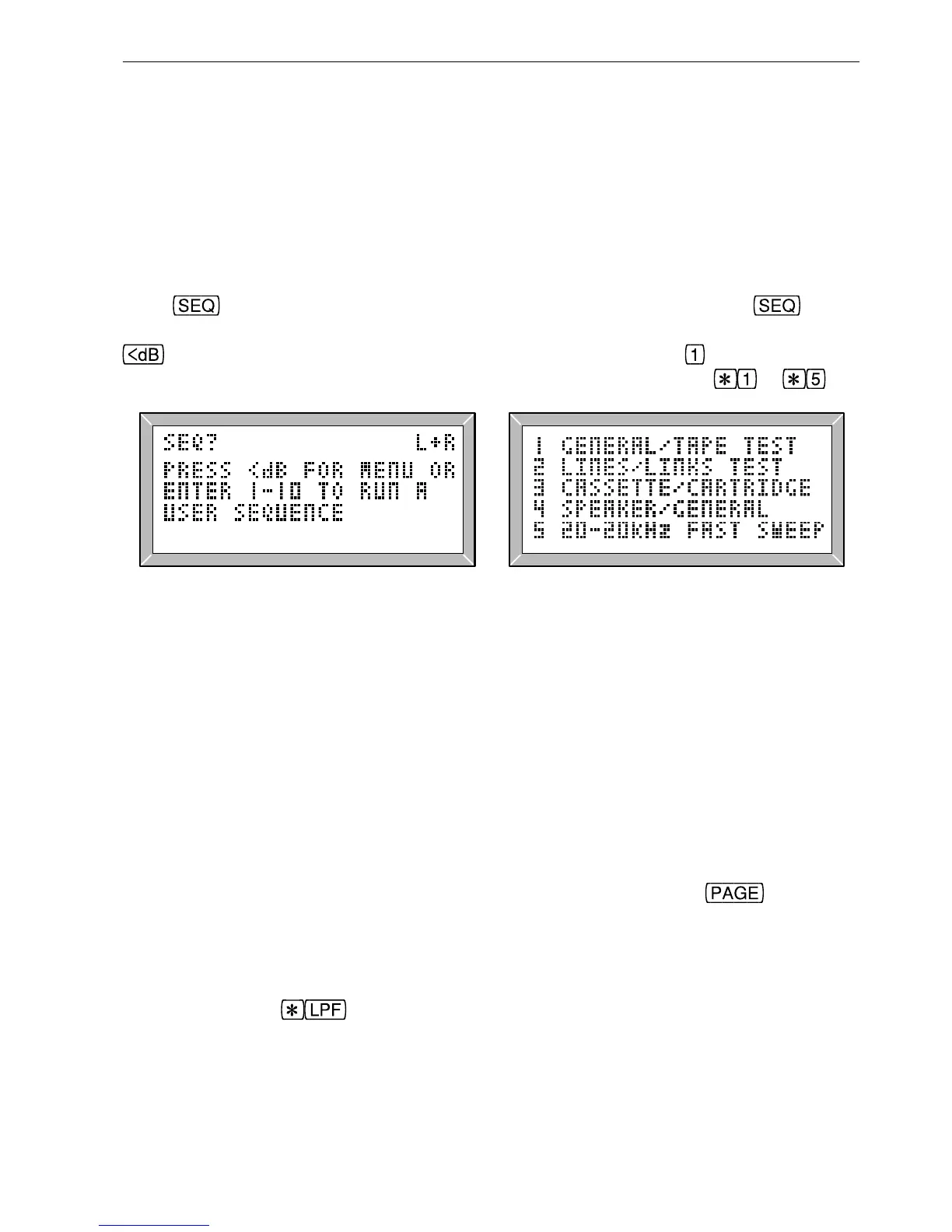
LA101 (fig. 3.3), a menu listing the available sequences can be displayed by pressing
(fig. 3.4). Now enter a sequence number on the LA101 (press to run the general/
tape sequence for example). Sequences 6 to 10 are selected by pressing
to .
Fig. 3.3 The Sequence Prompt Fig. 3.4 The Sequence Menu
The LA102 should respond immediately by displaying a + character followed by the
source message (usually the serial number of the oscillator) and a string of letters
denoting receipt of the various test segments for each channel. For sequence 1 this will
be ‘TRCINZ.’ for the left channel and ‘TRCIN.’ for the right channel (segment Z
measures phase between the two channels and therefore only needs to run once). The ‘.’
represents the sequence terminator which the LA101 sends to indicate the end of a
sequence.
When both channel tests are complete the LA102 will go into page mode and display a
graph of frequency response for the left channel (unless tolerances are in use, in which
case it will display the title page with tolerance information). If the unit does not go into
page mode automatically, perhaps because an error occurred, pressing
will ensure
that it does.
Note that sequence mode is independent of the frequency, level and measurement option
settings made in manual mode, as the sequence system specifies all of these parameters.
However, pressing
on the LA102 when it is in SEQ mode will toggle the 22Hz to
22kHz filter on frequency sweep and tone segments (‘
22-22kHz’ is displayed on the
screen) and this will eliminate interference from bias breakthrough on some tape
machines. It should not normally be used as it imposes its own response errors.
3. Sequence Testing



 To Next Page