character is used to print a value without tolerance testing, and also that an empty field,
after a
/ field will also cause the corresponding results line to be suppressed (since empty
tolerance fields always default to the last field which had an entry). It is not possible to
apply a tolerance to suppressed results values (because the printout would be very
misleading if an invisible value failed). The simplified results printout would look like
this:
NOISE CCIR 468-3 Q-Pk (Rel) (N)
PK WTD -39.7* -41.6 -40
CROSSTALK (rel) (C) 0dB
1kHz -45.3 -46.9
10kHz -43.2 -42.7
If this facility is being used to suppress some results values without tolerance testing, the
“TOLERANCE n PASSED” message printed at the top of the test sheet is redundant. In
such cases, it can be suppressed by putting a slash character (/) at the start of the tolerance
(as the first character, in place of the quoted title). Only printer output is affected, the
results displayed on the LCD are always shown in full, and are never suppressed.
5.6 The LA102 Tolerance Editor Tolerance testing Pass/fail testing Tolerance editor Tolerance number
User tolerances are entered from the keyboard using a built in editor (or from a remote
computer) and stored in non-volatile memory. Hold
and press to obtain the
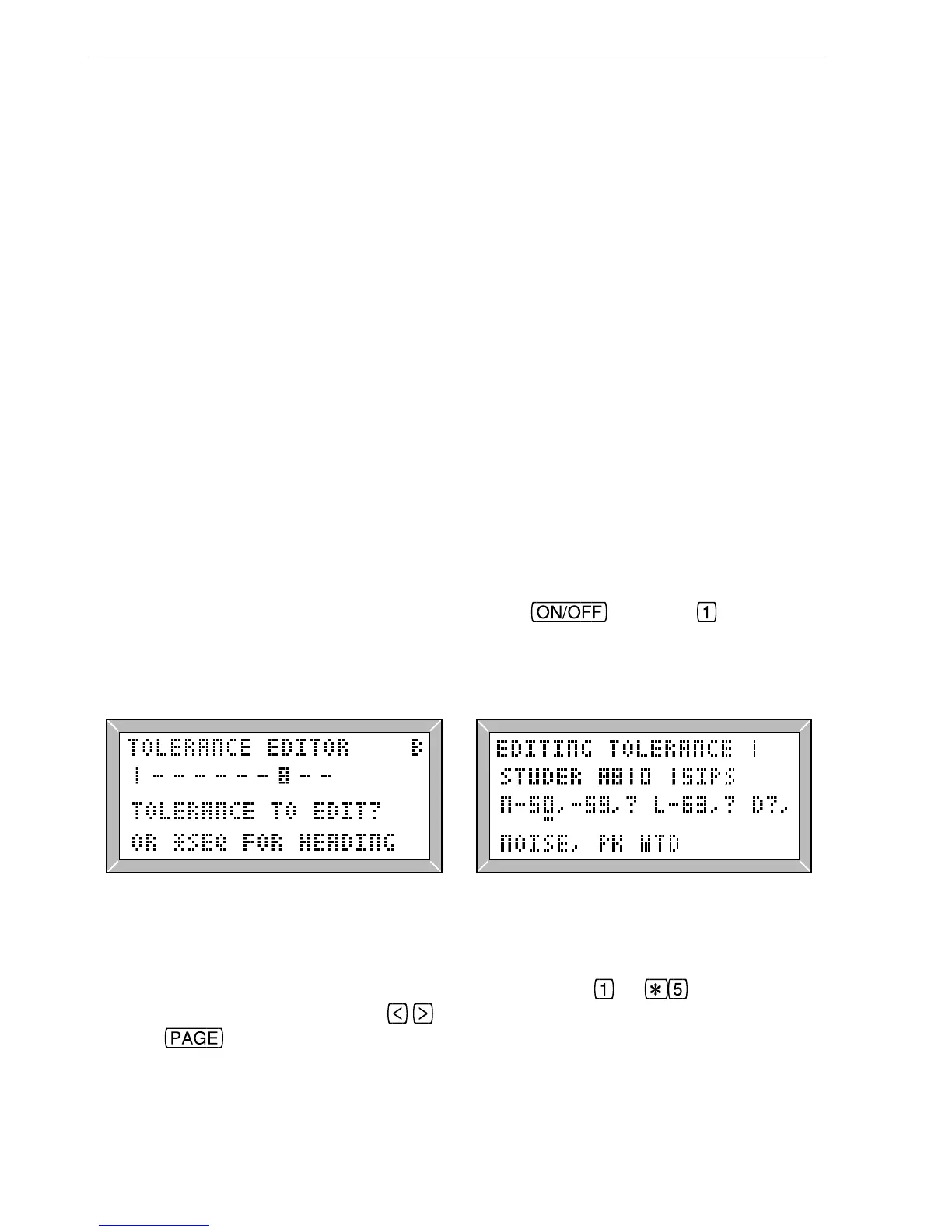
LA102 tolerance editor. User tolerances that are defined are indicated by a number
(1-10), while undefined tolerances are represented by a dash (‘−’) as shown in fig 5.5.
Editor
keys
Fig. 5.5 The LA102 Tolerance Editor Fig. 5.6 Editing a Tolerance
Enter the number of the tolerance to be edited by pressing
to . To view a pre-
defined tolerance (11 to 20) use the
buttons to select the tolerance number and then
pressing
. Pre-defined tolerances can be copied to a user tolerance - see later in
this section.
The tolerance definition is a single line of text up to 250 characters in length (fig. 5.6).
96
5. Tolerance Testing



 To Next Page