1.6 The Configuration Menu Configuration letters Configuration options Setting configurations Initial settings
The configuration menu is obtained on either unit by holding and pressing
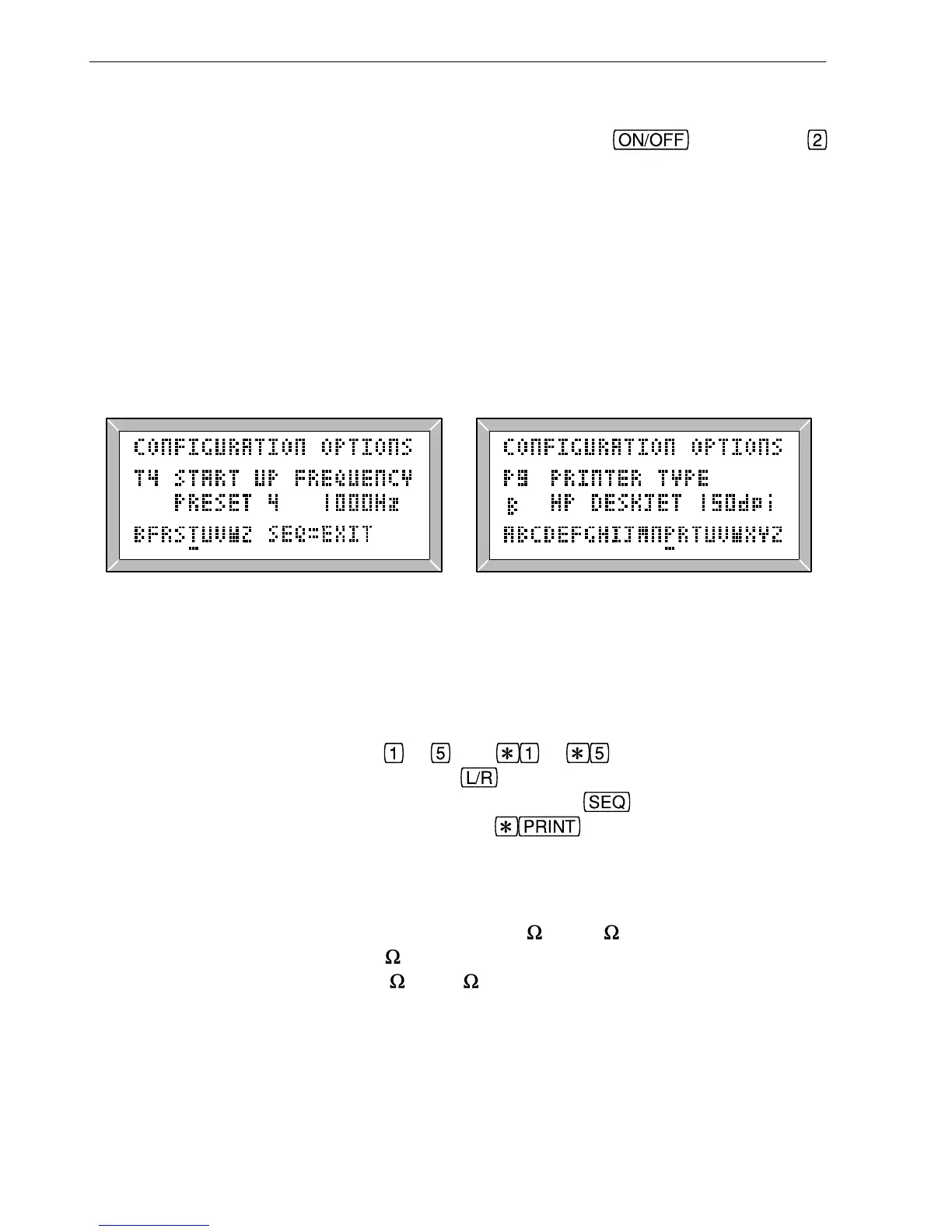
(Figs 1.4 & 1.5). It offers the possibility of changing many configuration parameters such
as printer baud rate, printer type, print format, and default impedance. The full list is
shown in table 1.6. Each configuration is given a letter (A-Z) and may be set to one of
several options, each represented by a number. For example, configuration P1 indicates
that the printer configuration (P) is set to Epson (1), while configuration P8 will indicate
that the LA102 is configured for a HP Deskjet printer. Similarly, configuration V will
determine the default loudspeaker volume in the range 0 (off) to 15 (maximum volume).
The configurations in the LA101 and LA102 are completely independent although similar
functions have been given the same letter wherever possible.
Fig. 1.4 LA101 Configuration Editor Fig. 1.5 LA102 Configuration Editor
When the configuration options are displayed (figs. 1.4 & 1.5) the left hand pair of keys
in the centre row can be used to cycle through the various configurations, and the right
hand pair will change the option number (these keys repeat if held). The various options
are displayed when selected. Keys
to , and to (representing 6 to 10) can
also be used to set the various options and
will restore the Lindos/Recommended
default option. Exit the menu by resetting or pressing
. The current LA102
configuration settings can be printed by pressing
when the configuration menu
is displayed (see sections 8.1 & 8.2).
Printing LA102 configuration settings
1.7 Connectors B-gauge jack sockets oscilloscope output trigger output Balanced inputs and outputs Impedance switching jack sockets
The LA101 output is balanced and floating, with 75 or 600 output impedance at the
front B-gauge jack sockets and 10
output impedance at the rear XLR sockets. The
LA102 has balanced inputs with 600
or 10k input impedance at both the front and rear
sockets (which, unlike the LA101, are connected in parallel). See section 2.21 for details
of impedance switching and appendix B for pin connections.
PO jack sockets Studio output audio sockets
The BNC sockets on the back of the LA102 allow monitoring of distortion residue and
other filtered signals on an oscilloscope and are also suitable for connecting high
12
1. Introduction



 To Next Page