the frequency to be stepped up or down between 5Hz and 31.5kHz in convenient one-
third octave steps. For finer control (32 steps per octave) hold the
key while operating
these keys (see appendix F for a full list of frequencies). Two keys marked
allow similar adjustment of output level between -100dB and +26dBu in 1dB steps, or
0.01dB steps with the
key held. All of these keys repeat if held. The horizontal bar
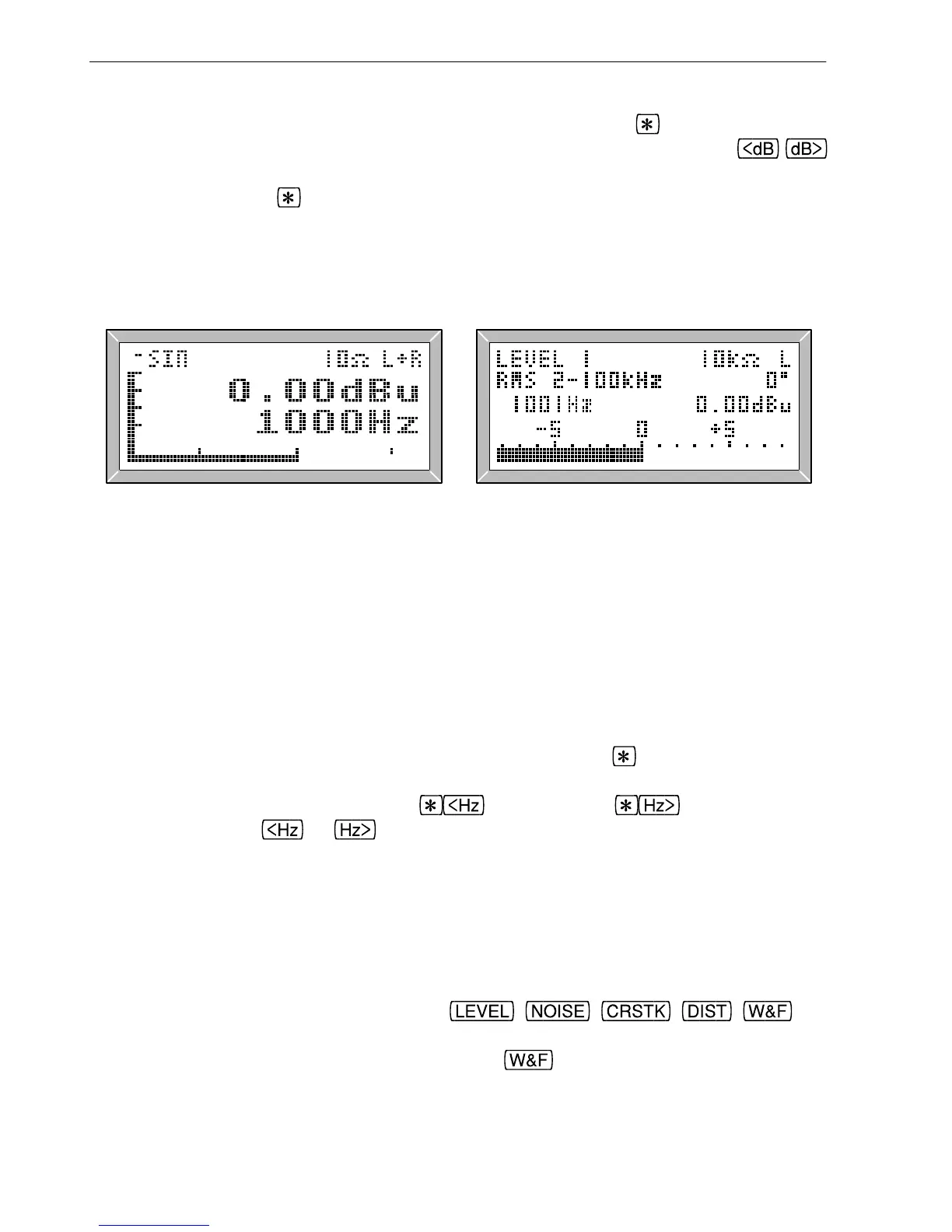
graph indicates output frequency, with marks at 100Hz, 1kHz and 10kHz (the end points
of the bar graph represent 20Hz and 20kHz), while the vertical bar graph indicates output
level in dB, with marks at +20dB, 0dB, -20dB, -40dB and -60dB.
Fig. 2.1 LA101 Manual Mode Fig. 2.2 LA102 in Manual Mode
Do not be put off by the fact that some frequencies read differently on the two units (eg
10000Hz on the LA101 is shown as 10080Hz on the LA102). The LA101 can only
synthesize a limited number of frequencies, so it displays the true IEC third-octave
frequency but generates the nearest synthesised frequency. This is convenient and
perfectly satisfactory for most purposes, with the maximum difference between true and
displayed frequencies being around 1%.
The LA101 will always display the true frequency after the
key has been used to
change the frequency in a fine step, so to see the true frequency being generated for any
particular third-octave, simply press
followed by . Changing the
frequency using the
or keys will always set the next third octave frequency.
The LA101 can be made to always display the true frequency by setting configuration F2
(see section 1.6), but most users find the rounded values more convenient.
2.3 Measuring Tones Measuring tones Level range Input level
The LA102 displays signal level, frequency and phase difference between channels
automatically at switch-on, and displays the level as a bar graph as well as a numerical
reading (fig. 2.2). The five function keys,
, , , , can
be used to select the measurement, as described in sections 2.10-2.18 (with various
miscellaneous measurements also available on the
key).
The measurement range extends from -120dB to +28dB, and all measurements are
16
2. Manual Operation



 To Next Page