45
3. Sequence Testing
to 1, 2 or 3 (the number determines the number of copies). This makes the LA102 print
the results whenever it receives a sequence and is useful where the LA102 is being used at
a remote site to test a line or link, or even where a series of routine tests are being
performed and printouts of each are required. Similarly, automatic results storage is also
possible, see section 3.20. Setting configuration A to 5 causes the LA102 to enter
sequence mode after switching on or resetting. This setting, may be used in conjunction
with configuration Y to automatically store up to 5 sets of sequence results without any
operator intervention.
3.5 Storing Results in Memory Storing results in memory Memory menu Results memories Clear results memory
Up to six sets of stereo sequence results can be held in non-volatile memory for later
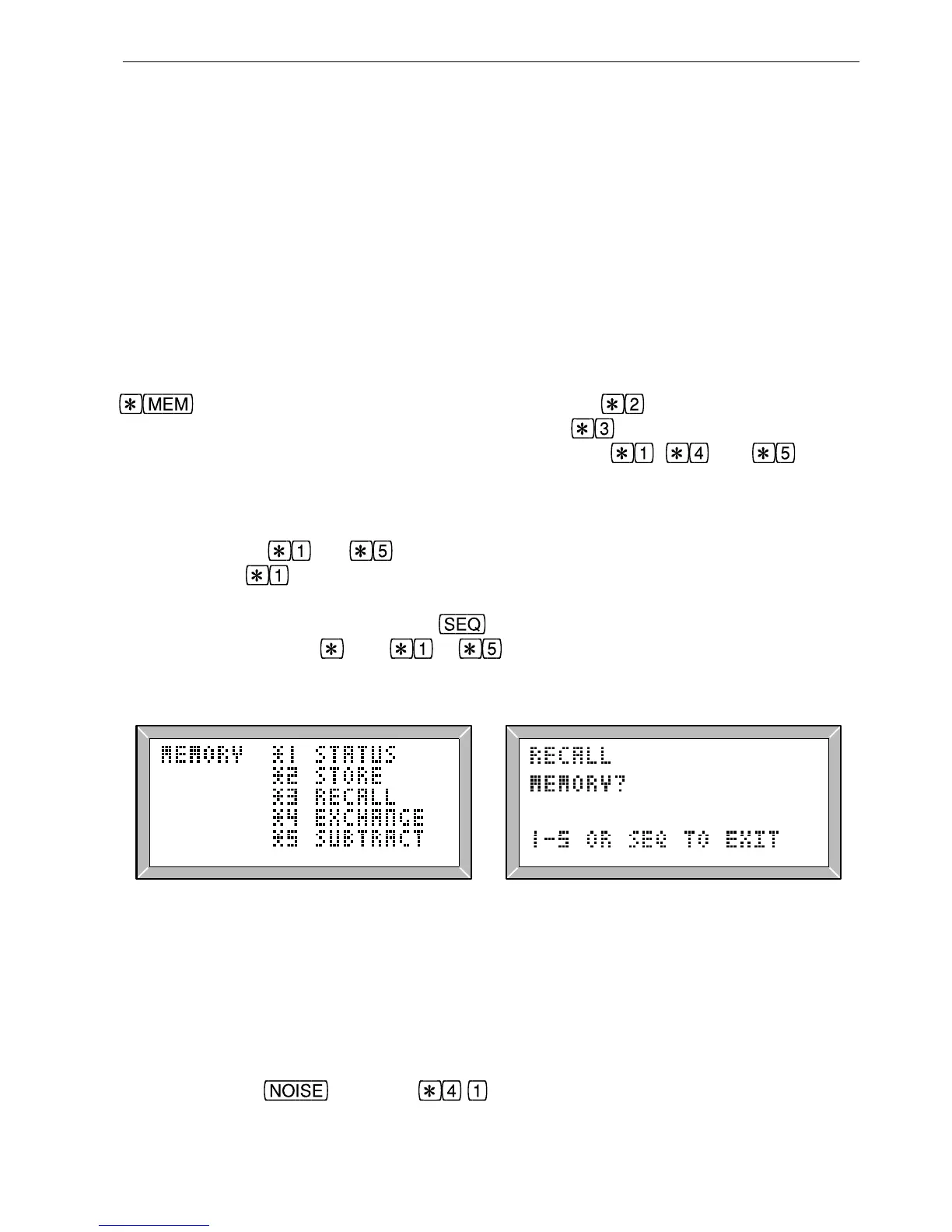
comparison, printing or transfer to a computer. A menu (fig 3.12), obtained by pressing
from PAGE or SEQ mode, lists five operations: saves the results from the
‘working’ memory (0) to a specified memory (1 to 5).
recalls results (fig 3.13) from
a specified memory (1 to 5) to the working memory (0).
, and are for
status (show the source ID and segment list for a memory), exchange (gives, instant
comparison between memories) or subtract (each sample in a chosen memory is
subtracted from the sample in memory 0). Note that these operations can also be carried
out by pressing
to directly without entering the menu (with the small
restriction that
cannot be used from the graph page). When an operation has been
selected the memory number should be entered by pressing 1-5. At this stage, the
operation can be aborted by pressing
, or a different operation can be selected by
pressing the appropriate
key ( to ). Menu display Memory 0 Pass/fail testing
Fig. 3.12 Memory Operations Menu Fig. 3.13 Recalling Results
For convenience the same results page is displayed after a memory operation (providing
equivalent results are available), so results in different memories can be compared easily.
For example, to compare the noise results in the current memory, with those stored in
memory 1, press
and then to exchange the two results memories. The
noise figures which were in memory 1 will then be displayed and the same operation can



 To Next Page