5.7 Editing Tolerances on a Remote Computer Tolerance testing Pass/fail testing
The Lindos Support Software (appendix A.2) provides a tolerance editor for editing
tolerances on a remote computer. Tolerances can be saved to disk for later use, and
transferred from the computer to the LA102.
If more than 10 tolerances are frequently used the Lindos Support Software should be
used to store the tolerances on disk and transfer them to the LA102 as necessary. The
Support Software also makes it easier to edit Tolerance definitions using a full-size
keyboard so the LA102 tolerance editor can be ignored. Unlike sequence definitions,
tolerances are often relatively large (typically 120 characters), so the support software is
generally preferred if available.
Computer support software
5.8 Example Tolerance
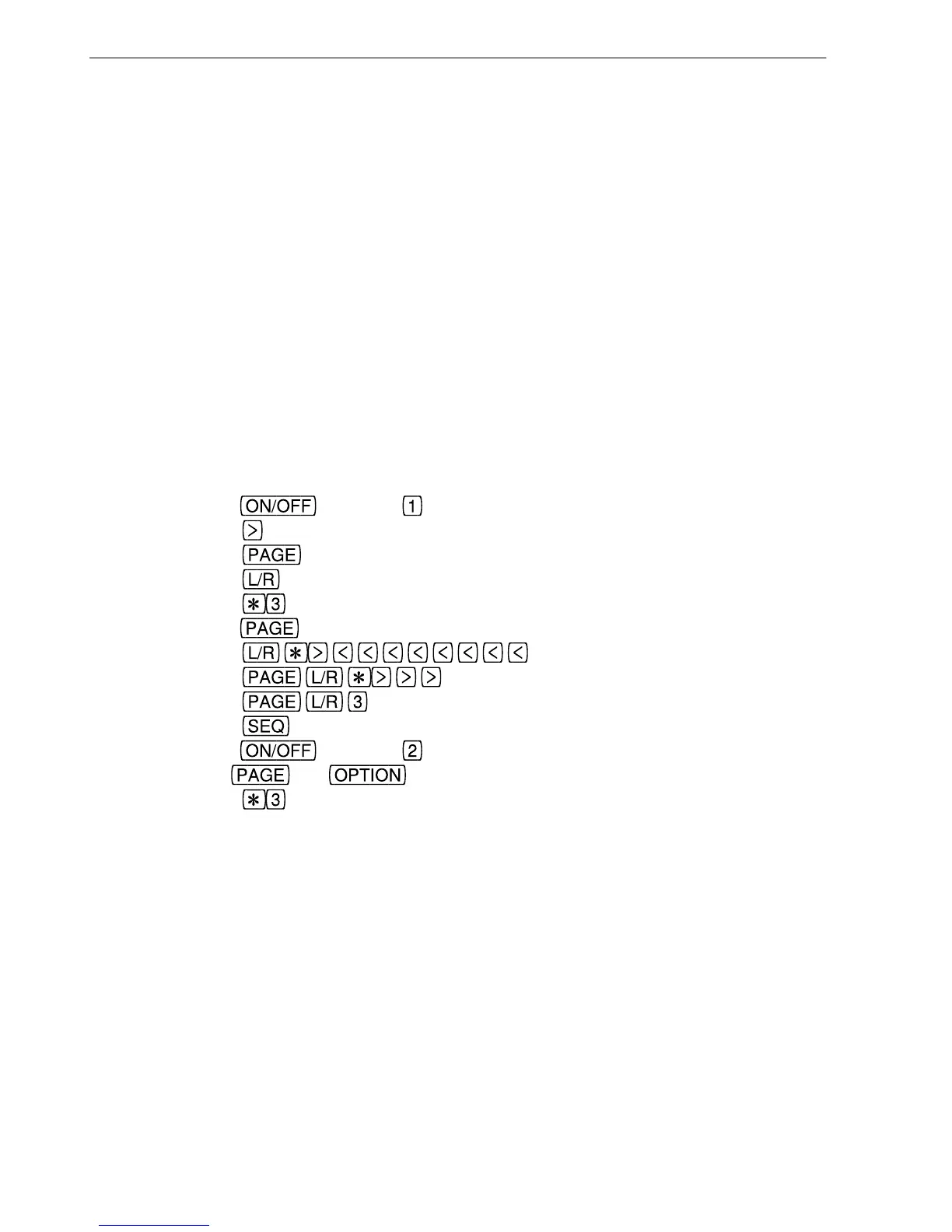
To copy tolerance ‘EPS81 <40km’ (tolerance 17) into user tolerance 8, and add the
specification that the channel difference at 1kHz must be less than 0.3dB (ie ‘TV±1<.3’)
Hold
and press to obtain the tolerance editor (fig 5.7)
Press
7 times to select tolerance 17 (fig 5.8)
Press
to enter viewing mode (fig 5.9)
Press
to enter copy mode (fig 5.10)
Press
to select user tolerance 8 (fig 5.11)
Hold
until cursor is at the space after ‘TV±1’
Press
to insert a ‘<’ character
Press
to insert a ‘.’
Press
to insert a ‘3’ (fig. 5.12)
Press
to exit from the editor
Hold
and press to obtain the configuration menu
Use
and to position the cursor under the T (fig 5.13)
Press
to ensure that tolerance 8 is applied to all sequence results
After entering a user tolerance it is wise to run a sequence, print the results and check the
tolerance column to ensure it is as intended and that no commas or numbers have been
omitted.
98
5. Tolerance Testing



 To Next Page