4.6.2 Terminal Block as a Command Input Device (Fwd/Rev run
commands)
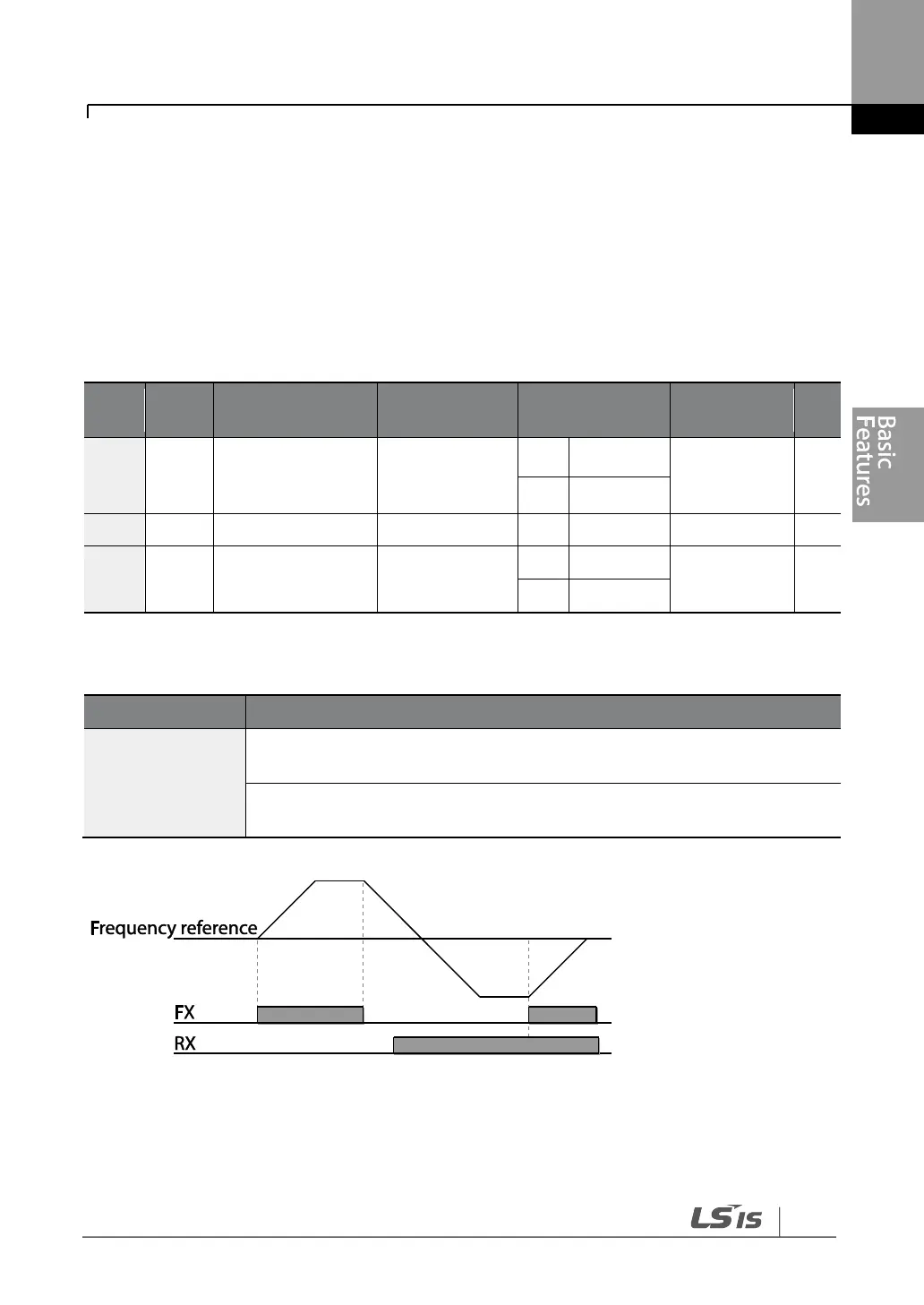
Multi-function terminals can be selected as a command input device. This is configured by
setting DRV-06 (command source) in the Drive group to ‗1 (Fx/Rx)‘. Select 2 terminals for
the forward and reverse operations, and then set the relevant codes (2 of the 7 multi-
function terminal codes, IN-65–71 for P1–P7) to ‗1 (Fx)‘ and ‗2 (Rx)‘ respectively. This
application enables both terminals to be turned on or off at the same time, constituting a
stop command that will cause the inverter to stop operation.
Operation
direction for
Keypad
Px terminal
configuration
Fwd/Rev Command by Multi-function Terminal – Setting Details
Assign a terminal for forward (Fx) operation.
Assign a terminal for reverse (Rx) operation.


 To Next Page