4.6.4 RS-485 Communication as a Command Input Device
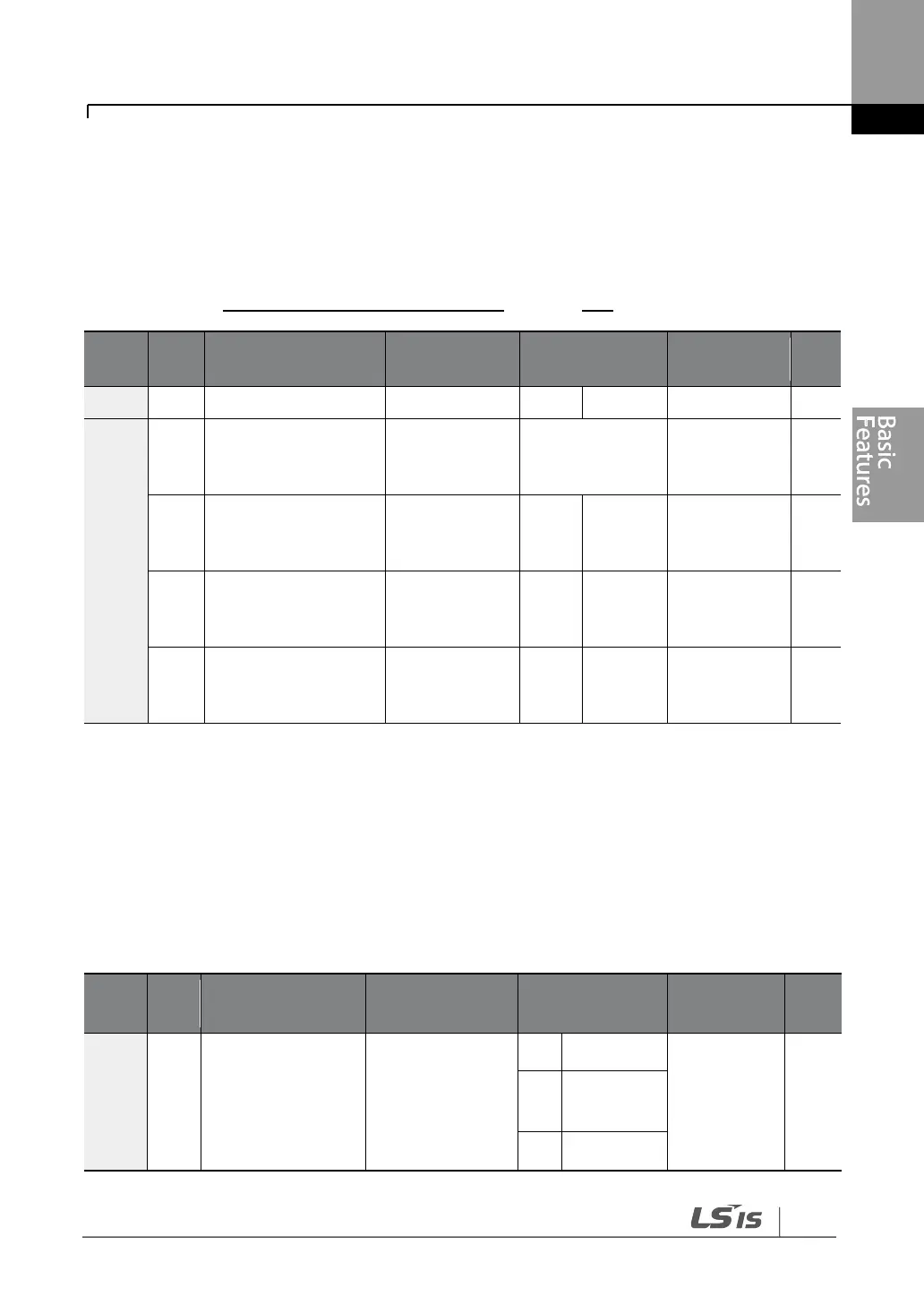
Internal RS-485 communication can be selected as a command input device by setting
DRV-06 (command source) in the Drive group to ‗3 (Int 485)‘. This configuration uses upper
level controllers such as PCs or PLCs to control the inverter by transmitting and receiving
signals via the S+, S-, and RS-485 signal input terminals at the terminal block. For more
details, refer to 7 RS-485 Communication Features on page 349.
Integrated
communication
inverter ID
Integrated
communication
protocol
Integrated
communication
speed
Integrated
communication
frame setup
*If AP1-40 is set to ‗4(Serve Drv)‘, MaxComID is ‗8‘, and if COM-02 is set to ‗4(BACnet),
MaxComID is ‗127‘. Otherwise MaxComID is ‗250‘
4.7 Forward or Reverse Run Prevention
The rotation direction of motors can be configured to prevent motors to only run in one
direction. Pressing the [REV] key on the keypad when direction prevention is configured,
will cause the motor to decelerate to 0 Hz and stop. The inverter will remain on.


 To Next Page