Learning to Perform Basic Operations
3.2.3 Switching between Groups in Parameter Display Mode
After entering Parameter mode from Monitor mode, press the [Right] key to move to the
next code. Press the [Left] key to go back to the previous code.
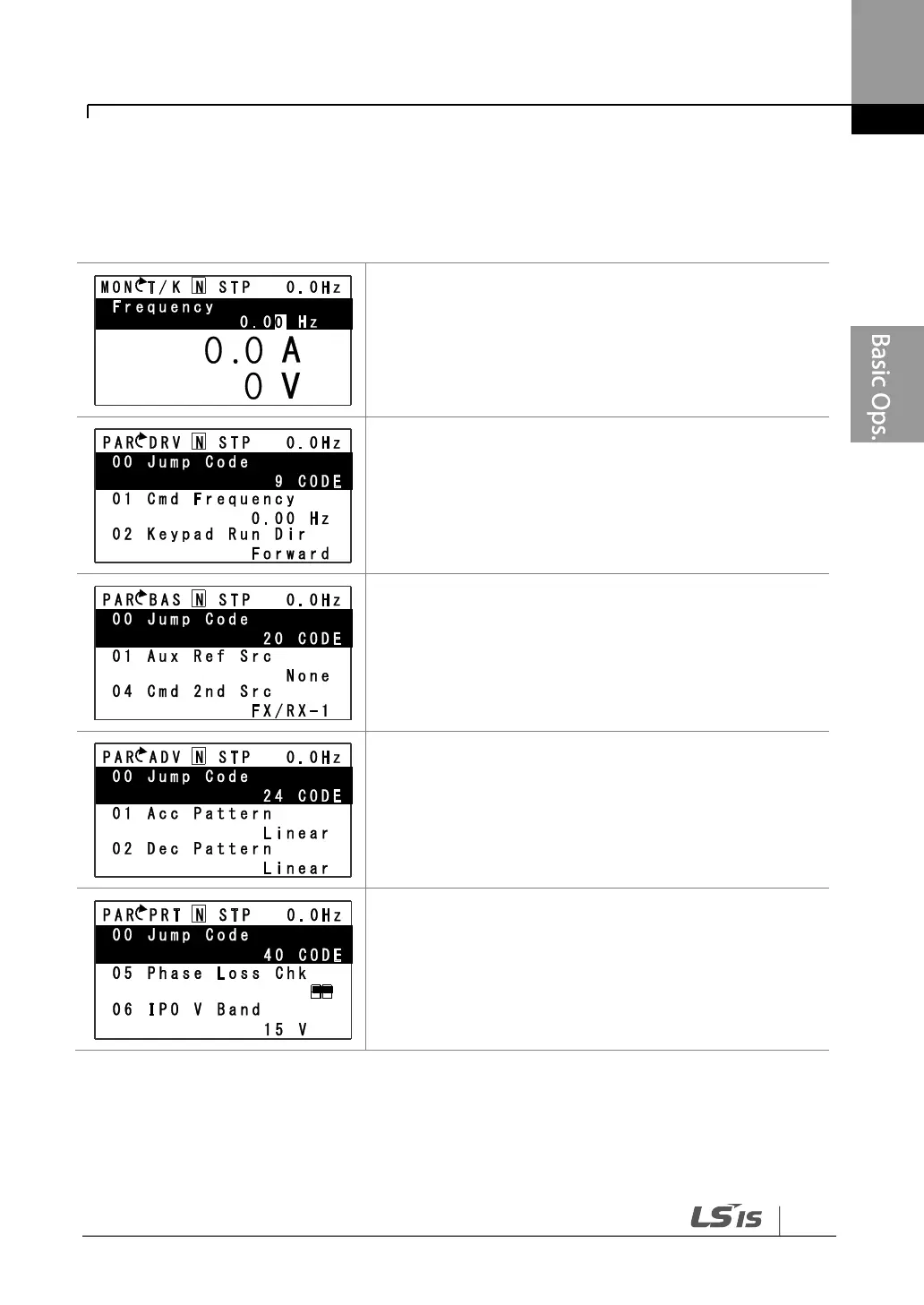
The keypad OFF LED is turned OFF, and the keypad
displays Monitor mode.
• Press the [Mode] key to change the mode.
Parameter mode is displayed.
• The Drive group is currently selected.
• Press the [Right] key.
• The Basic group is selected.
• Press the [Right] key.
• The Advanced group is selected.
• Press the [Right] key 9 times.
• The Protection group is selected.
• Press the [Right] key.


 To Next Page