Instrument Operation - 31
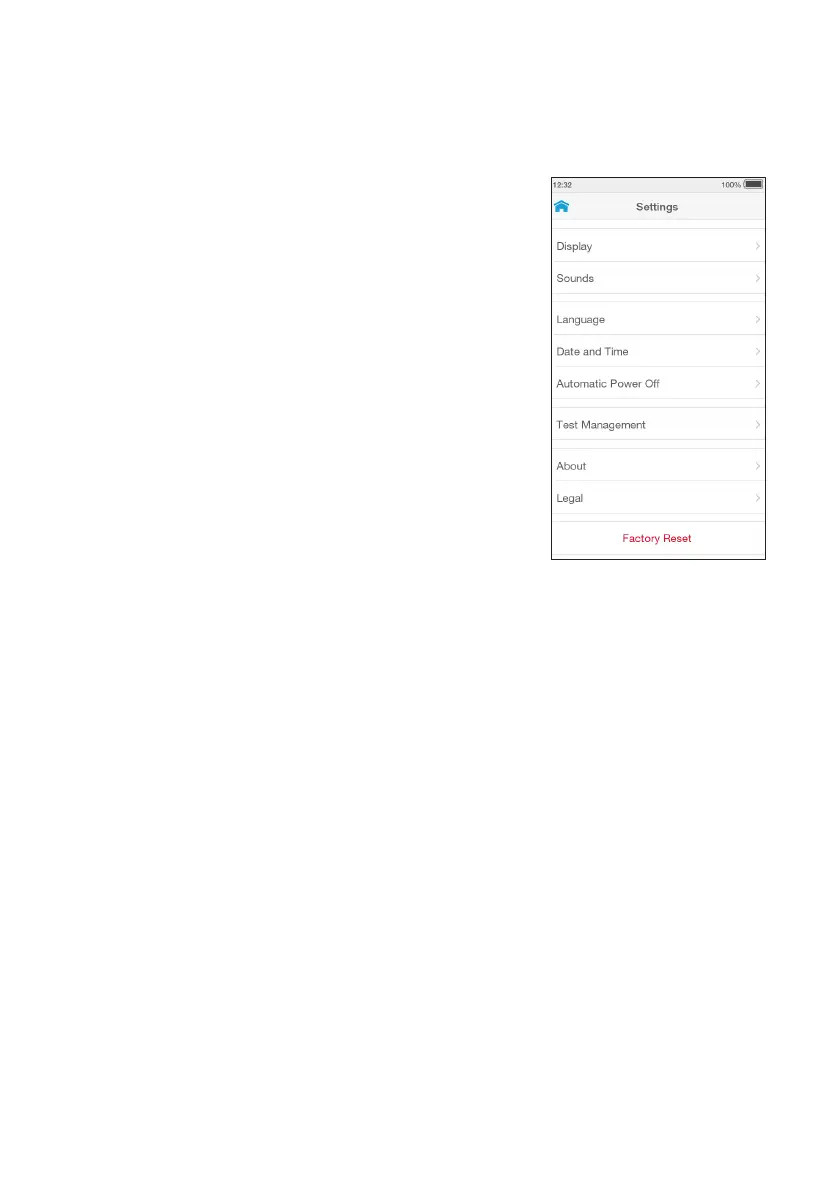
4.2.2 Administrator Settings Menu
An Administrator has additional options for setting
preferences and settings.
Language
Sets the language of the text appearing on the display.
The language is set to English by default. A different
language can be selected from the list.
Date and Time
Sets the date and time of the Instrument. The time can
be set in a 24-Hour format if required.
IMPORTANT: It is important that this is accurate to ensure
the correct date and time is on the Test Result.
Automatic Power Off
Sets an automatic power off time between 1 and
18hours (default is 18 hours).
Test Management
Allows an Administrator to:
• Pre ‘Install Lot Calibration File’.
• Set the ‘Assay Units’. Selects units of measure for
Test Results. Select the Test from the list.
One or more Result Unit Formats can be selected by
using the sliders that sets one or multiple result
units for that Test.
• Set the ‘Number Format’, to set the decimal separator
for results to either “.” or “,”, according to local
preferences. For instance, a result can be
represented as either “9.8 mg/L” or “9,8 mg/L”.
• The ‘Pooled Test’ slider enables Pooled Testing
on the Instrument.
NOTE: For further information on Test Management
refer to section 4.6.
Factory Reset
Deletes all data currently stored on the Instrument, including result history,
settings and Lot Calibration Files.
IMPORTANT: Factory reset should only be used under the instruction of LumiraDx.



 To Next Page