Instrument Operation - 53
4.8 Quality Control
The LumiraDx Instrument has a number of built-in QC functions. In addition to
these, LumiraDx Quality Controls can be used to meet compliance requirements
as required.
To perform QC testing with LumiraDx Quality Controls, you will need:
• LumiraDx Instrument
• LumiraDx Test Strips
• LumiraDx Quality Controls
Preparing for a QC test requires the same steps as preparing to perform a
patient test. The only difference in the test method is the use of Quality Controls
instead of patient samples.
Instruments being managed in a Connected mode may have the Quality
Control policy set in the Connect Manager system to:
• Off
• Mandatory – If the Quality Control policy has expired users are unable to
perform a patient test, until a Quality Control Test has been performed with
a status of PASS.
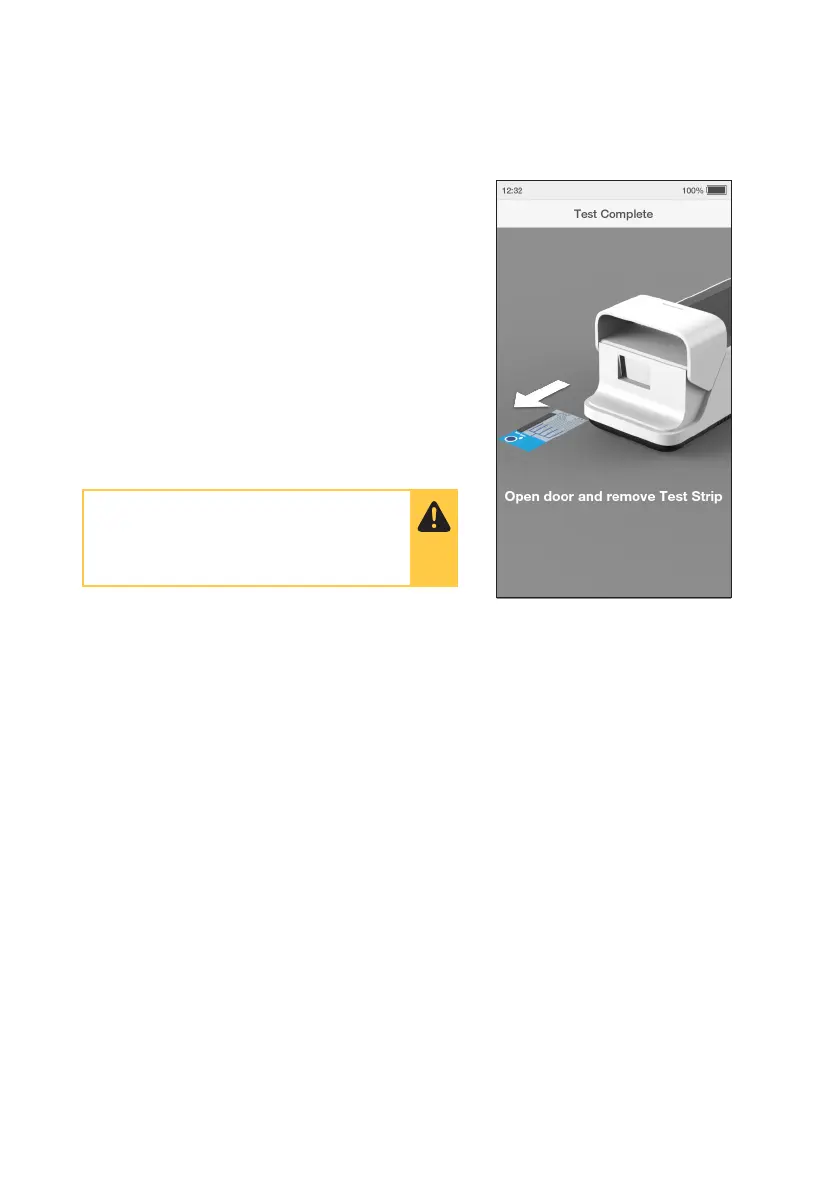
14. Remove and Dispose of Test Strip
The Instrument will prompt to remove the Test Strip.
Gently pull the blue label end of the Test Strip to
remove and dispose.
IMPORTANT: Keep the test strip horizontal when
removing from the Instrument.
Disinfect the Instrument at least once per day
when in use or if contamination is suspected,
unless recommended otherwise for specific
tests. Refer to the “Cleaning and Disinfecting”
chapter in this Platform User Manual for further
information.
Close the Instrument door.
Dispose of all Test Strips used for patient
testing safely in accordance with local
regulations and procedures.



 To Next Page