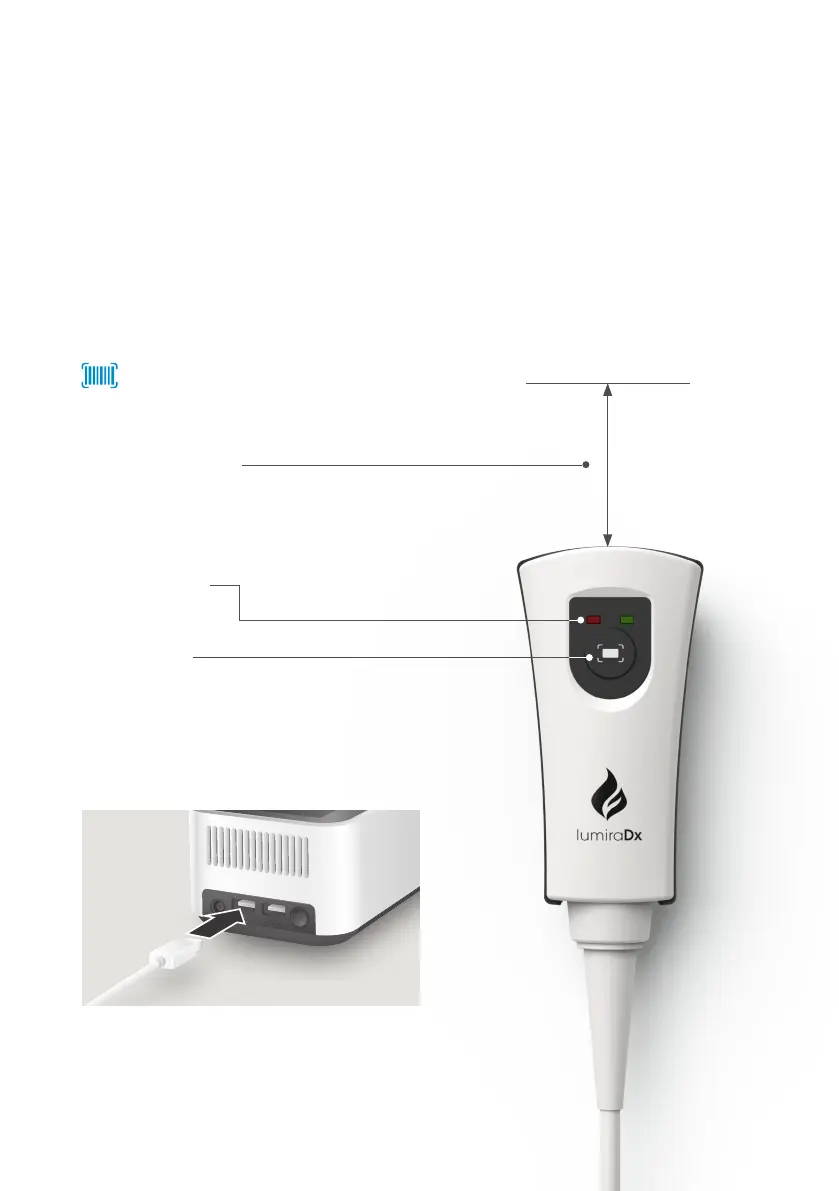
10.1 LumiraDx Barcode Scanner
The LumiraDx Barcode Scanner can be used to:
1) Capture patient or sample IDs.
2) Easily enter quality control Lot numbers.
2) Enter an operator username to log in to a LumiraDx Instrument. This can only be
used if the Instrument is in connected mode. Please contact Customer Services to
learn more.
10 Ancillary Devices
84 - Ancillary Devices
Scanning distance
Hold scanner approximately 15 cm
from barcode.
Scanner lights
Scan button
Press button to scan. A successful scan will
be indicated by a beep sound and green
light.
Barcode symbol on screen indicates that
you can scan for data entry. Tap symbol
for Barcode Scanner instructions.
Insert USB connecter into one of the USB
ports at the rear of the Instrument.



 To Next Page