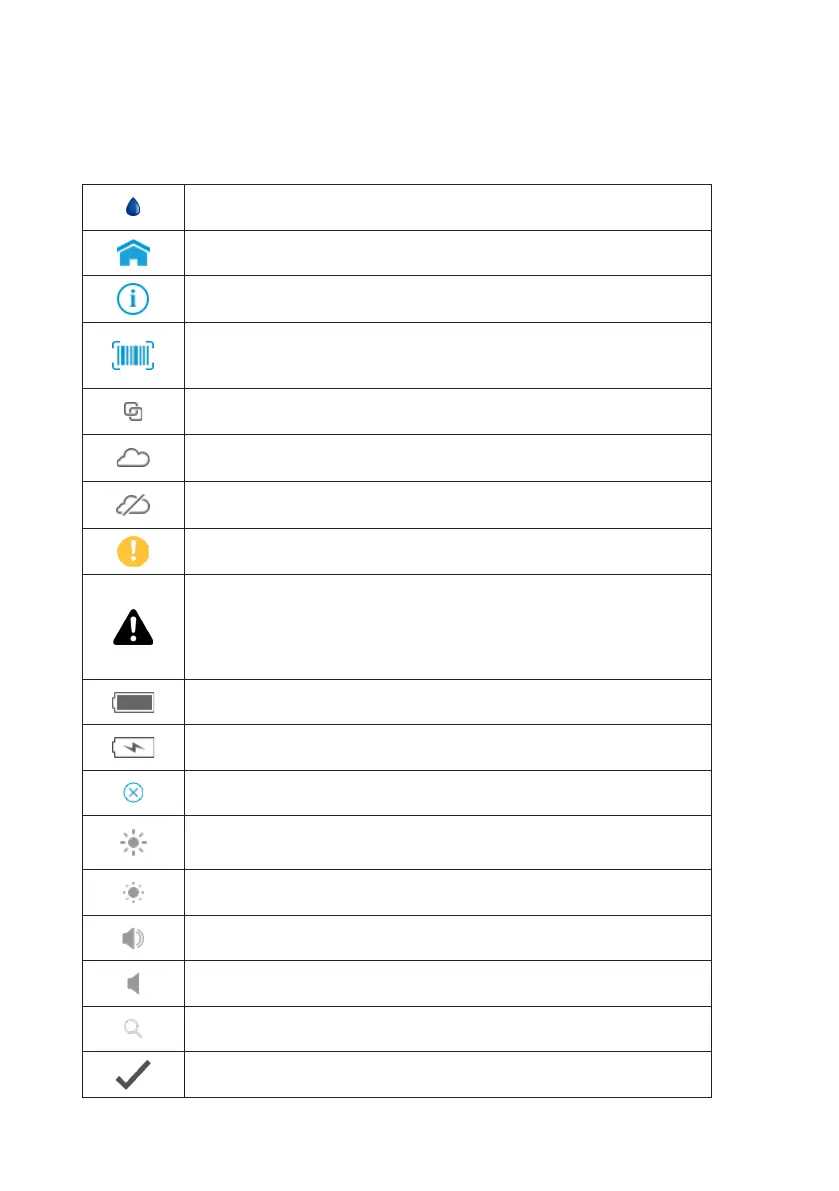
The icons and buttons that appear on the touch-screen during normal operation
of the LumiraDx Instrument are shown here, along with their respective meanings.
Instrument Icons and Buttons
Indicates the patient’s biological sample
Return to the home screen
Info button - used to reveal additional information, such as test
or patient information
Indicates which fields barcode scanning is available as a means of
data input. When pressed as a button, displays barcode scanning
instructions
Indicates when the Instrument is connected to Connect Manager
Indicates that the Instrument has an active connection to an
Electronic Health Record (EHR).
Indicates that the Instrument connection to an Electronic Health
Record (EHR) is not active
Notification - Highlights an area which requires attention
Caution - Highlights an error or precautionary statement which
requires attention. Refer to safety-related warnings and precaution
notes in the Instructions for Use accompanying this product,
e.g. Platform User Manual, Test Strip Product Insert or Quality Control
Product Insert
Indicates the status of the battery
Displayed when the battery is in a charging state
Icon which acts as a button - clears the text input field of all data
Indicates the high end of the touch-screen brightness slider
Indicates the low end of the touch-screen brightness slider
Volume (high)
Volume (low)
Indicates a text field which can perform a search function
Indicates confirmation of a completed action
6



 To Next Page