10.2 LumiraDx Printer
The LumiraDx Printer can be used to print a Patient or Quality Control (QC) test result
onto an adhesive paper.
Patient and QC test results can be printed from the Instrument result page following
a test, or from the test details page in the Instrument Result History.
10.2.1 Setting up the LumiraDx Printer
Check the paper
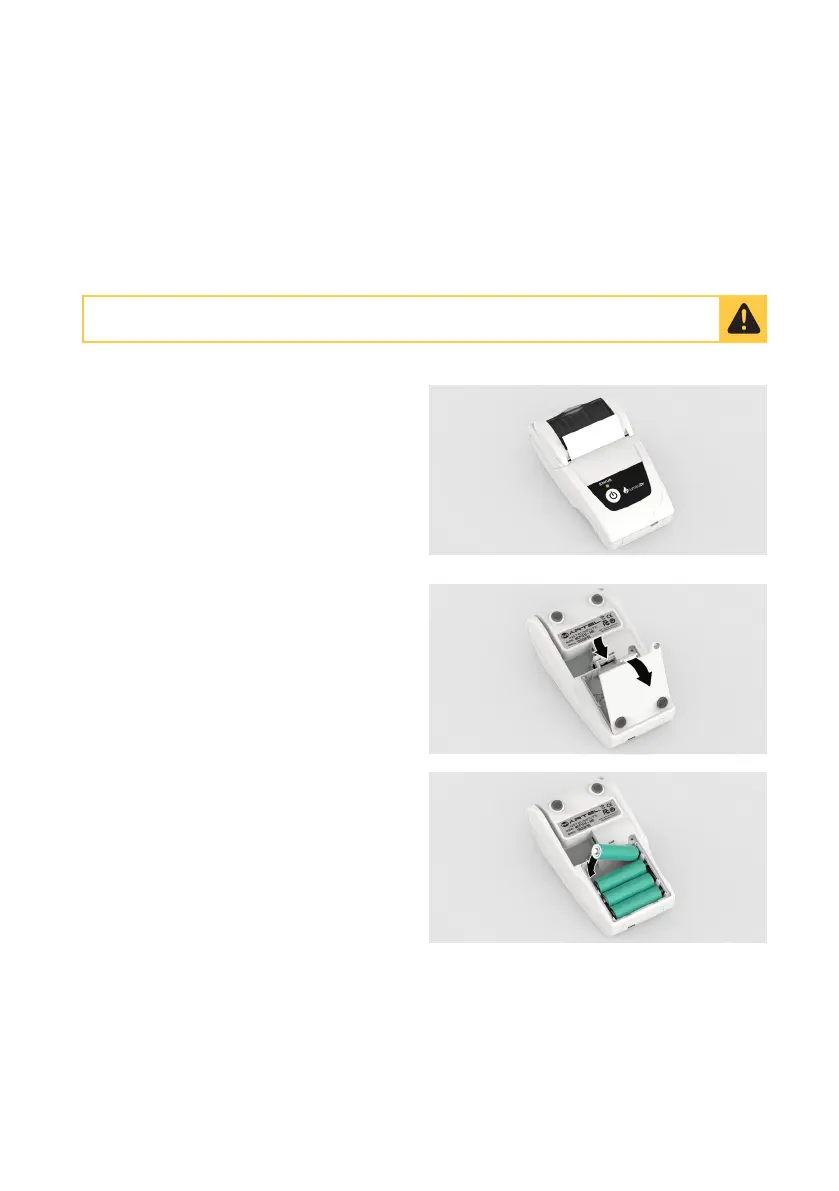
The printer comes with a roll of adhesive
paper already installed.
Ensure the paper passes through the
paper exit slot.
Insert the batteries
Turn the Printer over to see the underside.
Remove the sticker over the battery
compartment.
Unclip and lift off the battery cover.
Insert the supplied rechargeable batteries
into the Printer paying attention to the ‘+’
and ‘-‘, then replace the cover.
Fully charge the batteries for 16 hours before first use.
Ancillary Devices - 89



 To Next Page