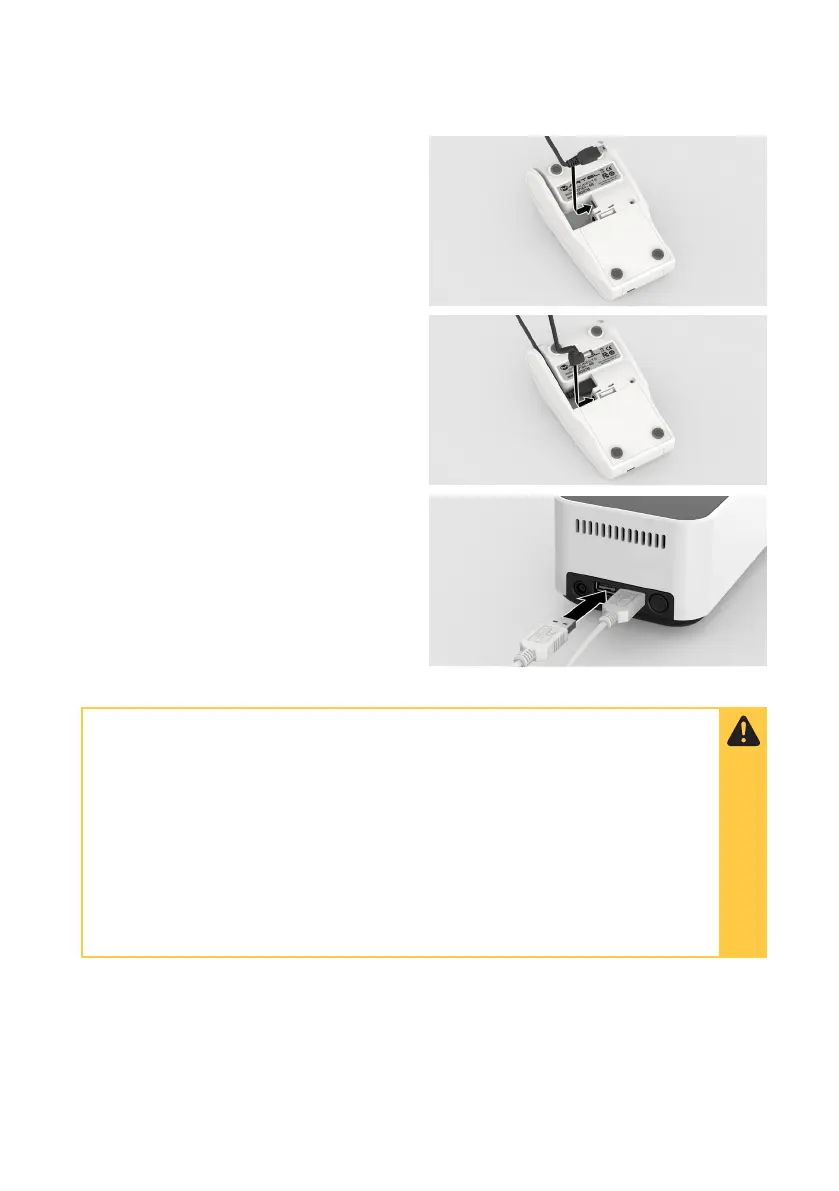
Connect the printer
Connect the USB cable and power cable
to the Printer.
Fully charge batteries for 16 hours before
first use by connecting the Printer to a
power source.
Insert the USB connector into one of the
USB ports at the rear of the Instrument and
press the Printer power button.
• Take care when transporting to prevent damaging the Printer and
batteries.
• Keep away from fire and heating sources.
• Avoid batteries contacting with oxidizers and acid.
• Do not expose the batteries to excessive physical shock or vibration.
• Do not short-circuit.
• Keep batteries out of the reach of children.
• Only use 1.5V NiMH AA cell rechargeable batteries.
90 - Ancillary Devices



 To Next Page