10.1.2 LumiraDx Barcode Scanner Basic Setup Process
Setting up the LumiraDx Barcode Scanner should take about 5 minutes.
Please read through these instructions before starting to setup the scanner.
You will need the following items:
• LumiraDx Barcode Scanner.
• LumiraDx Instrument.
• LumiraDx Test Strip.
• Patient sample ID, if you use these in your institution.
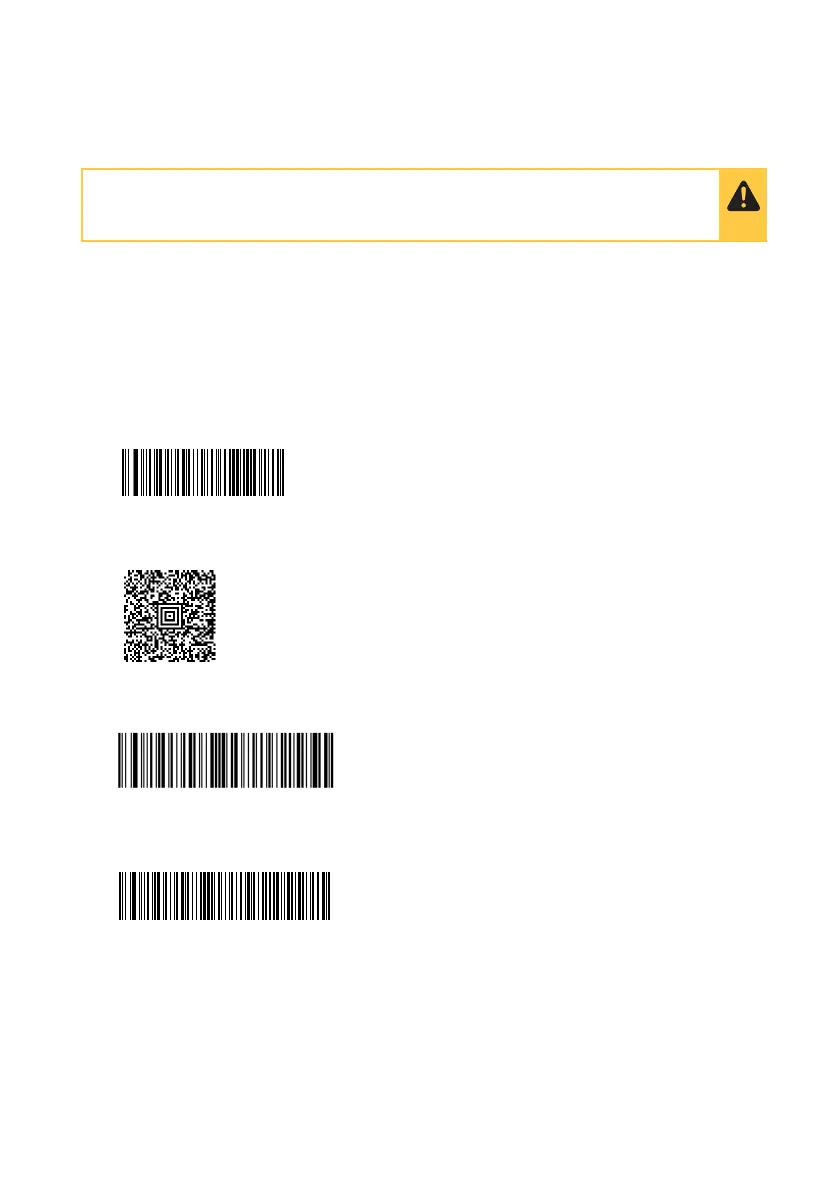
1. Connect the Barcode Scanner to the USB port of the LumiraDx Instrument and wait for
5 seconds. Then scan this barcode:
2. Listen for a single audible tone and look for the green LED on the Barcode Scanner to
flash. Wait for 5 seconds. Then scan the following barcode:
3. Listen for a single audible tone and look for the green LED on the Barcode Scanner to
flash. Wait for 5 seconds. Then scan the following barcode:
4. Listen for a single audible tone and look for the green LED on the scanner to flash.
Wait for 5 seconds. Then scan the following barcode:
5. Repeat section 10.1.1 to check your Barcode Scanner is setup correctly. If you are
experiencing problems contact Customer Services.
If you use 2D or more complicated barcodes, you’ll need to contact Customer Services
to complete the setup process.
88 - Ancillary Devices
DEFAULT
HOSTCFG 0
DLYGDRD 500



 To Next Page