Instrument Operation - 33
4. Set Date and Time
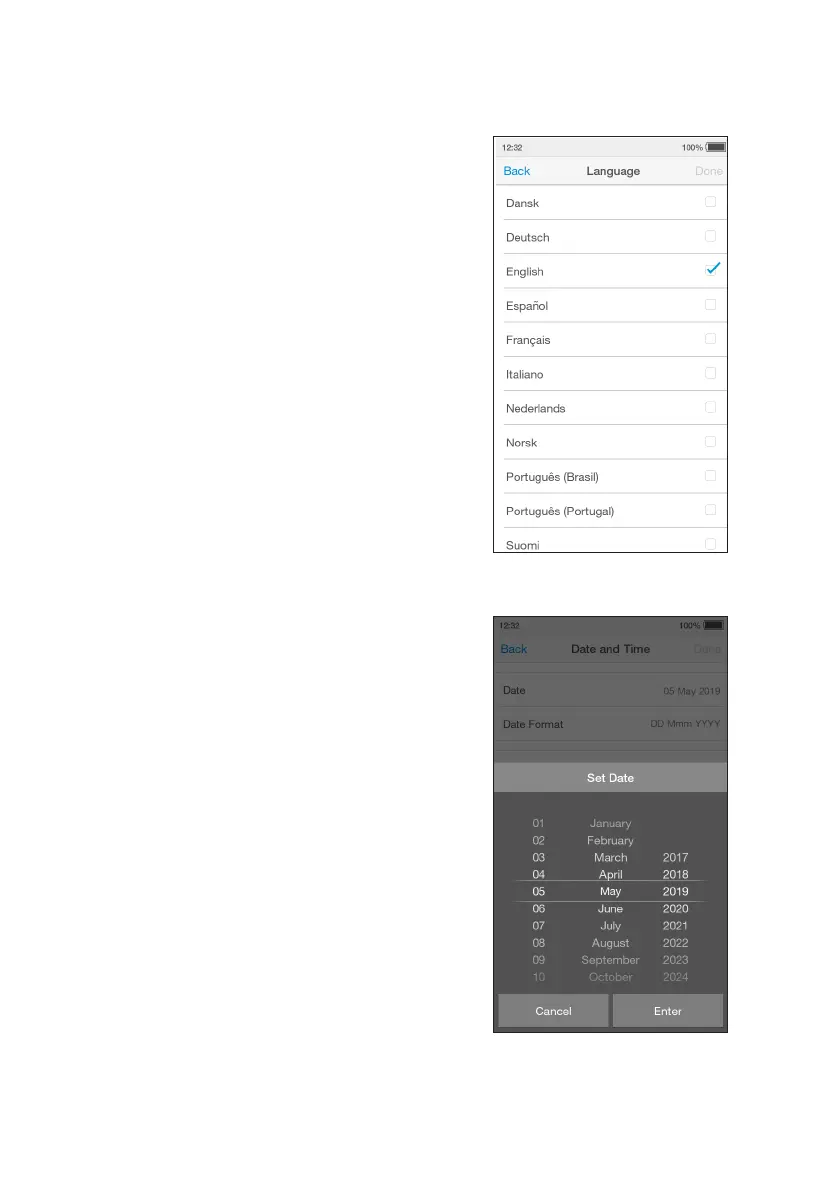
Go to ‘Settings’ and tap ‘Date and Time’.
Tap the date field and use the selection
wheel to set the current date. Tap ‘Enter’.
Tap the time field and use the selection
wheel to set the current time. Tap ‘Enter’.
Tap ‘Done’, then check the date and time
are correct and tap ‘Confirm’ to save.
Return to the home screen and tap ‘Logout’.
3. Set Language
The language is set to English by default. To
set a different language go to ‘Settings’ and
tap ‘Language’.
Choose a language from the list for the text
appearing on the display. The currently set
language is ticked.
Tap ‘Done’ to save and return to the Settings
menu.



 To Next Page