60 - Instrument Operation
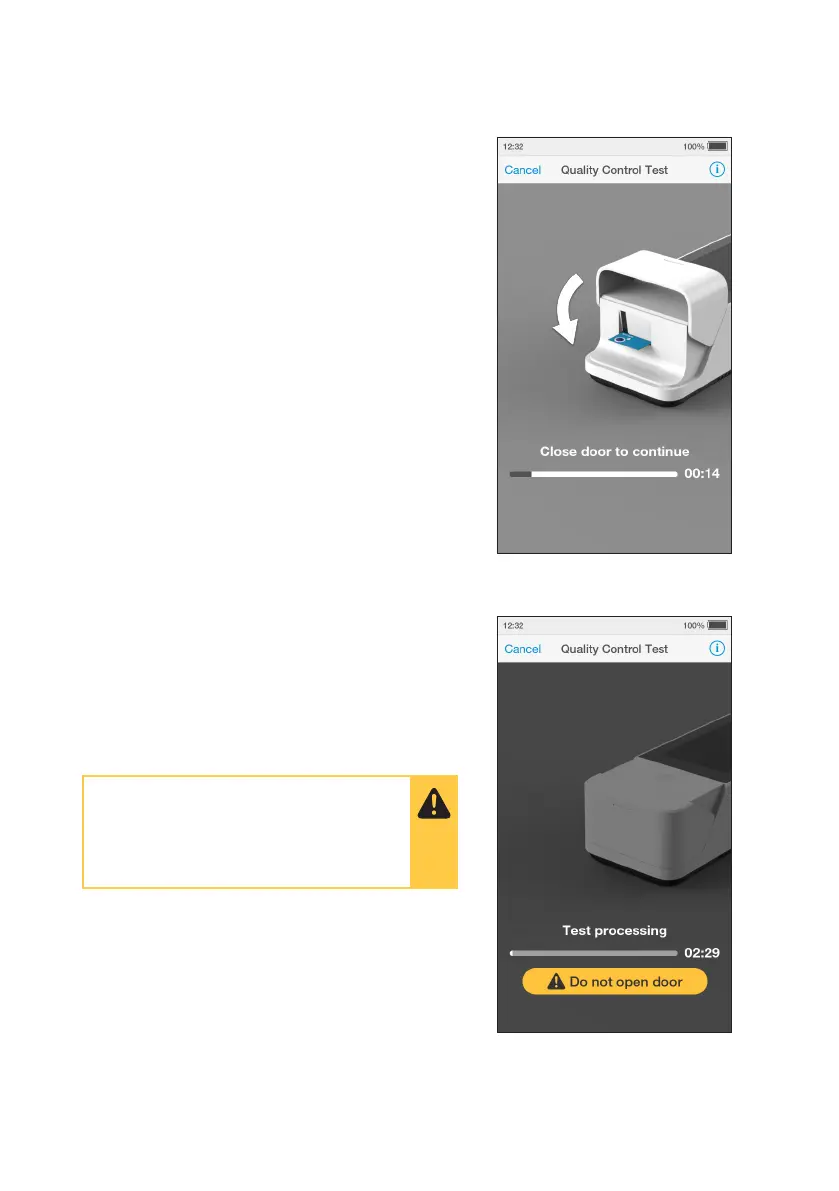
11. Immediately Close Door to Continue
The Instrument display will display a prompt
to close the door.
The test will start and a progress bar will be
displayed whilst the test is processing.
Note: Pay attention to the countdown for
closing the door to avoid test errors. This will
be displayed as a countdown bar for only
a few seconds. If the door is not closed by
the end of the countdown the Instrument will
sound and display an error message.
12. QC Test Processing
The QC test will start and a progress bar will
be displayed whilst the test is processing.
Note: Each test type has a different
processing time.
Do NOT open the door or move the
Instrument during the test or an error
will result and the test result will not be
saved.



 To Next Page