Document Name:
LX Eos user’s manual
7 Flarm radar page
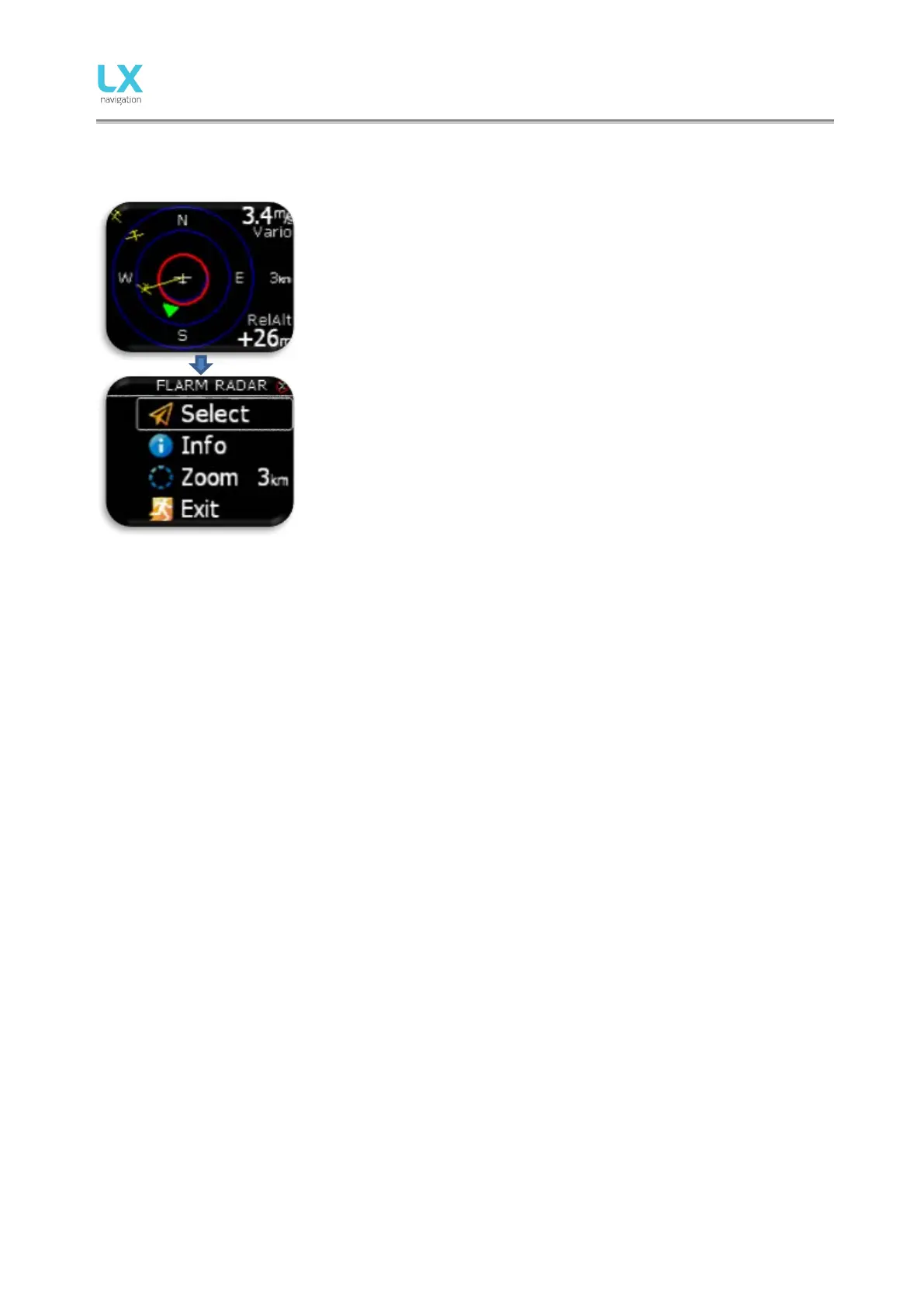
The graphic display is divided into 2 or 3 circles (depends on zoom
setting). Last circle represents zoom distance. The white glider symbol is
always positioned in the middle of the screen and shows the current
position of the plane.
Near gliders are displayed as yellow. All gliders located in radio range will
be shown simultaneously on the display.
ADSB object detected will be shown as green triangle pointing to its
tracking direction.
Non directional object are represented as red circle, which represents
relative distance from plane.
On the right the selected zoom is displayed. In top right corner vario
information of selected Flarm object is shown and on bottom right corner
its relative altitude compared to your plane is displayed.
The graphic display orientation is always track up. To improve orientation,
N, E, W and S are added to the display.
Note!
Gliders presented as a dot on the screen, are gliders where pilots have intentionally activated the PRIVACY
mode on their Flarm unit. Gliders in privacy mode send limited data strings and can’t be visualized
completely. However, all warnings will appear regardless of privacy mode.
To access Flarm radar option, press enter on this page.
Configuration with LX Joy:
When LX Joy is connected to LX Eos standalone configuration, up/down keys will change zoom settings on
Flarm radar page.



 To Next Page