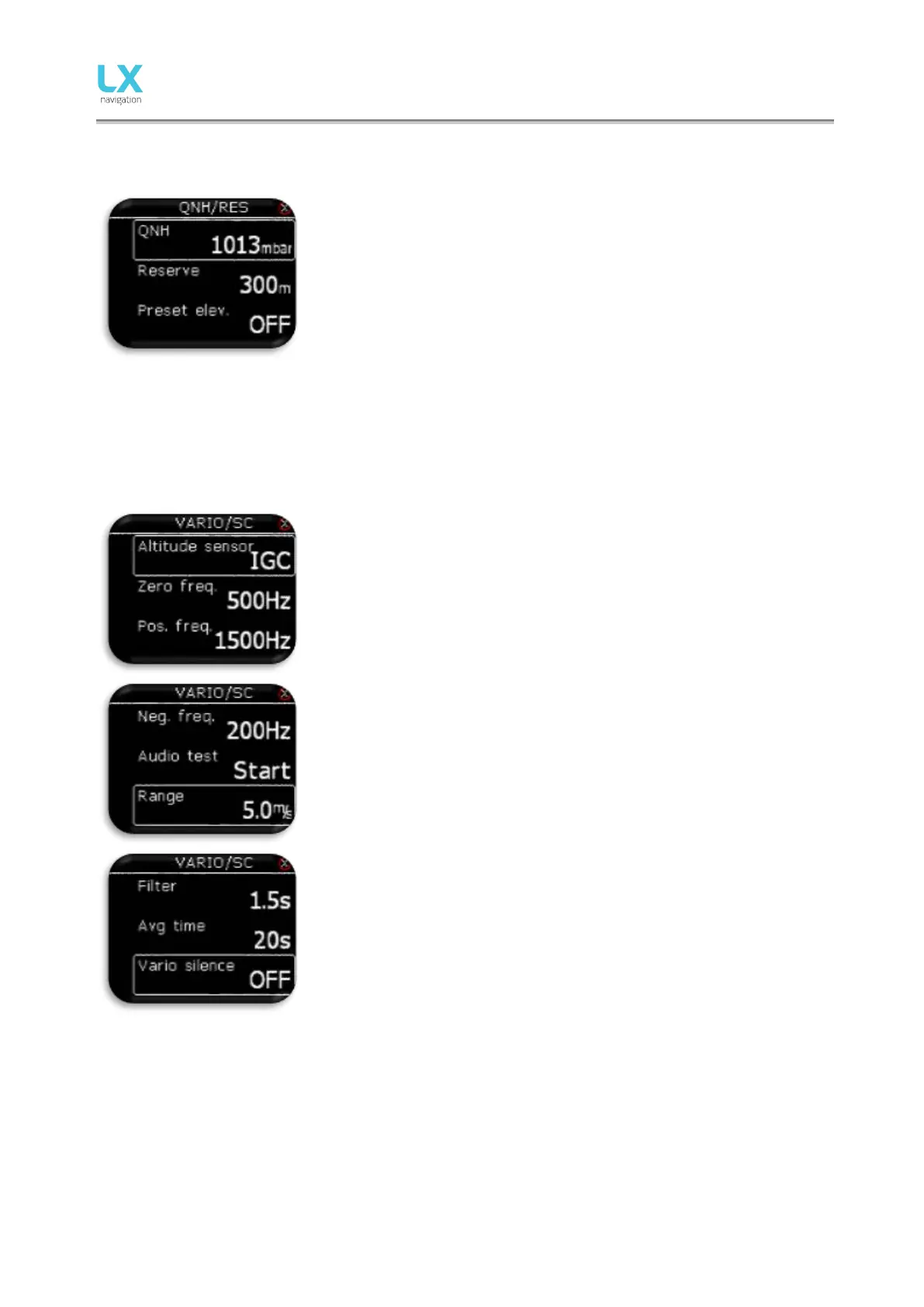
14.2 QNH/Res
Pilot should set actual QNH and elevation of the airport where he will take-,
off on initial setup screen. After change of QNH during flight, pilot can
change altitude information to which final glide will calculate. If QNH is
changed on the ground, altitude will not be corrected and will still be the
same as set on initial setup.
Reserve is the safety arrival altitude that instrument adds to the required
final glide altitude so that the glider arrives over navigated destination with
selected reserved altitude.
Pre-set elevation can be set to QFE or any elevation value from 2m –
2000m. This pre-set elevation will be offered at initial setup. If pre-set
elevation is set to OFF, elevation based on 1013mBar or GPS altitude will
be offered at power on.
14.3 Vario/SC
In this menu pilot can set following settings:
- Altitude sensor setting sets from which sensor displayed altitude
and altitude used in FG will be taken from. Pilot can choose
between IGC sensor (canopy pressure) or from sensor connected
to TE/Pst static intake.
- Zero frequency is a frequency generated at 0 m/s
- Positive frequency is frequency at maximum climb shown on scale
(depends on range setting).
- Negative frequency is frequency at maximum sink shown on scale
(depends on range setting).
- Audio test will generate vario movement from +6m/s to -6m/s so
user can check audio setting in this range.
- Range is the scale for vario. Three options are available – 2.5, 5
and 10 m/s (5, 10 and 20 kts, according to user selected units).
- Filter defines the dynamic of vario needle and sound. The smaller
the time the faster is response and vice versa.
- Avg time is setting that defines integration period for averaging the
vario dat a in s ec onds .
- Vario silence will mute vario beep for all vario values less then set
val ue.
TE Level is the level of electronic TE (total energy) compensation for
variomet er. S el ec tion of el ec tronic c ompens at ion m et hod is done aft er
selection of TE level. 0% means total energy compensation using a TE
probe. After an input of a percentage, which is more than zero the special
software routines will be activated and will provide an electronic
compensation process.
The TE compensation can be fine-tuned during flight with the following



 To Next Page