Document Name:
LX Eos user’s manual
13 Logbook / statistic page
13.1 Logbook
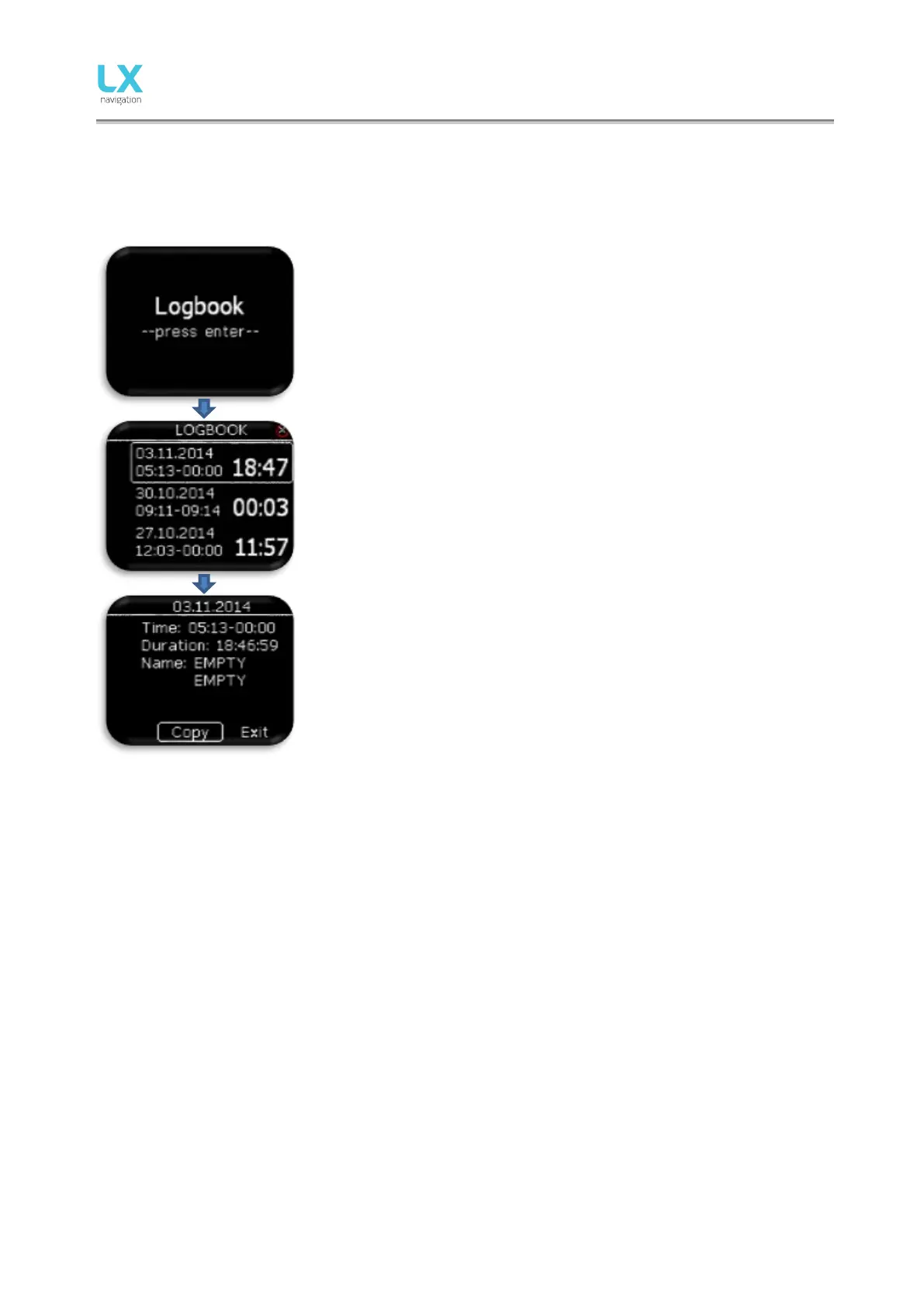
On the ground (flight recorder is not running) logbook can be accessed by
pressing enter on logbook page.
Pilot can copy take-off / landing time to personal logbook and transfer
flight to external SD card for OLC upload.
Last 50 flights are listed. Any older flights will be erased from logbook list.
Press enter on selected flight to open flight info, where “copy” option is
available to transfer flight to external SD card.
Flight is copied to external SD card to LX/FLIGHT folder
After flight has been transfer, “Copy OK” is displayed. Press enter to
continue.
In LX Zeus configuration, flight can be downloaded from LX Zeus logbook page to LX Zeus USB key.



 To Next Page