Document Name:
LX Eos user’s manual
14 Setup
Under setup, pilot can set all parameters of the unit. Setup page can be accessed only if LX Eos is used as
standalone unit. When connected to LX Zeus, all information is automatically synchronised between LX
Zeus and LX Eos. In case of backup operation with LX Zeus, Setup will appear automatically.
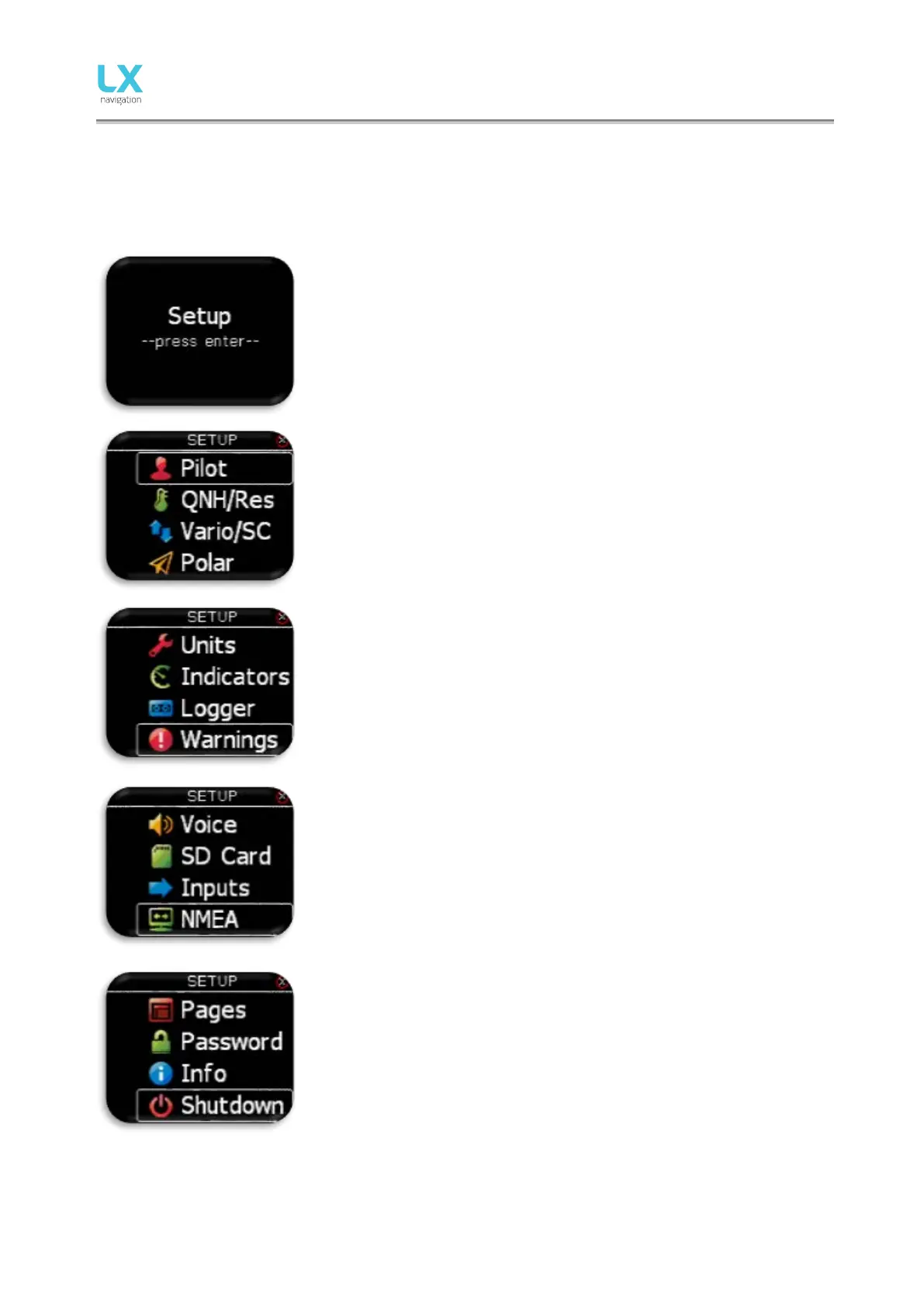
To enter setup, press enter. All setup options will be shown as a list. Use
rotary switch to select one.
- Select / set new pilot (name, surname, weight, co-pilot).
- Set actual QHN setting and reserve altitude.
- Set vario / SC parameters (filter, range, average time…).
- Select / set polar of the plane.
- Set units.
- Set displayed values on vario page (upper number, lower number...)
- Set flight recorder parameters (interval, event...)
- Set displayed / processed warnings.
- Set voice settings (volume, mix).
- Access to SD card functions.
- Set user defined inputs (gear, SC, VP, event…).
- Set NMEA options (BaudRate, output messages sent to other units…).
- Enable / disable main pages.
- Access passwords protected functions.
- Unit information.
- Shutdown option.



 To Next Page