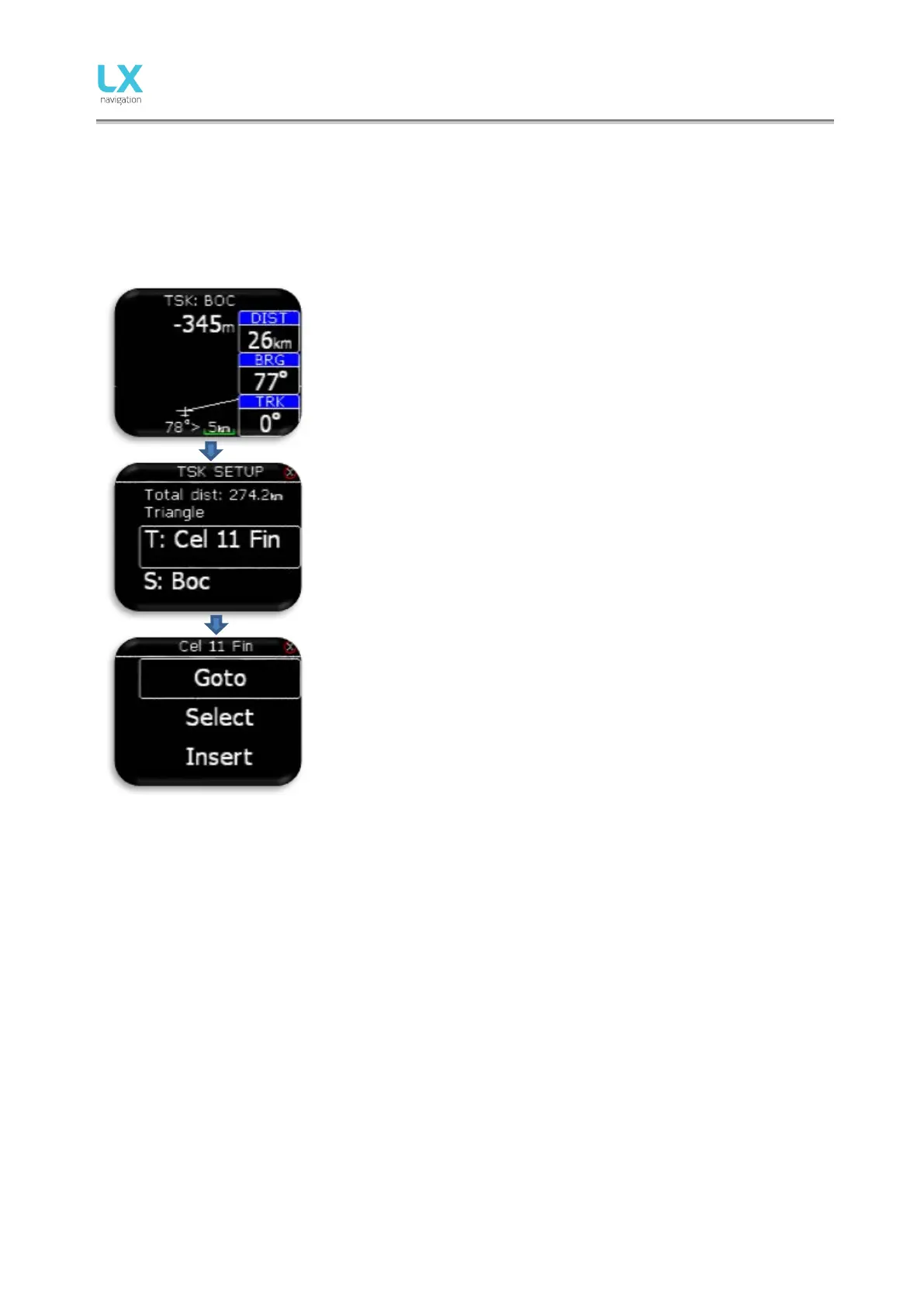
On the top of this page pilot can find name of navigated TP. Under the
name, final glide to the end of the task is displayed. Navbox-es shows
track (TRK), bearing (BRG) and distance (DIST) to the navigated point.
Under the plane, steering symbol information will give pilot information
for how many degries (°) does he need to correct his track to fly directly
to the point.
Configuration with LX Joy:
When LX Joy is connected to LX Eos standalone configuration,
up/down keys will change zoom settings on TSK page. In configuration
without LX Joy or LX Zeus configuration, zoom change is not possible!
Pressing enter, “TSK SETUP” is activated where task TP can be added,
selected or removed from task. TP database must be first uploaded
using Setup/SD Card/Load TP option.
On first row task total distance and task type is shown.
Additional options will be offered to the pilot only in standalone
configuration or in backup mode. In LX Zeus configuration, TSK TP
options must be set on LX Zeus.
Additional options:
- Goto: Navigate to that point on task.
- Select: Select new point. See TP select.
- Insert: Insert new point before selected one.
- Delete: Delete this point.
- Zone: Edit TP zone. See next chapter.



 To Next Page