Document Name:
LX Eos user’s manual
Airbrakes:
If any of inputs is selected as airbrakes, gear warning will be announced at next conditions:
- airbrake is out during first 10min of flight (take-off / aero tow time).
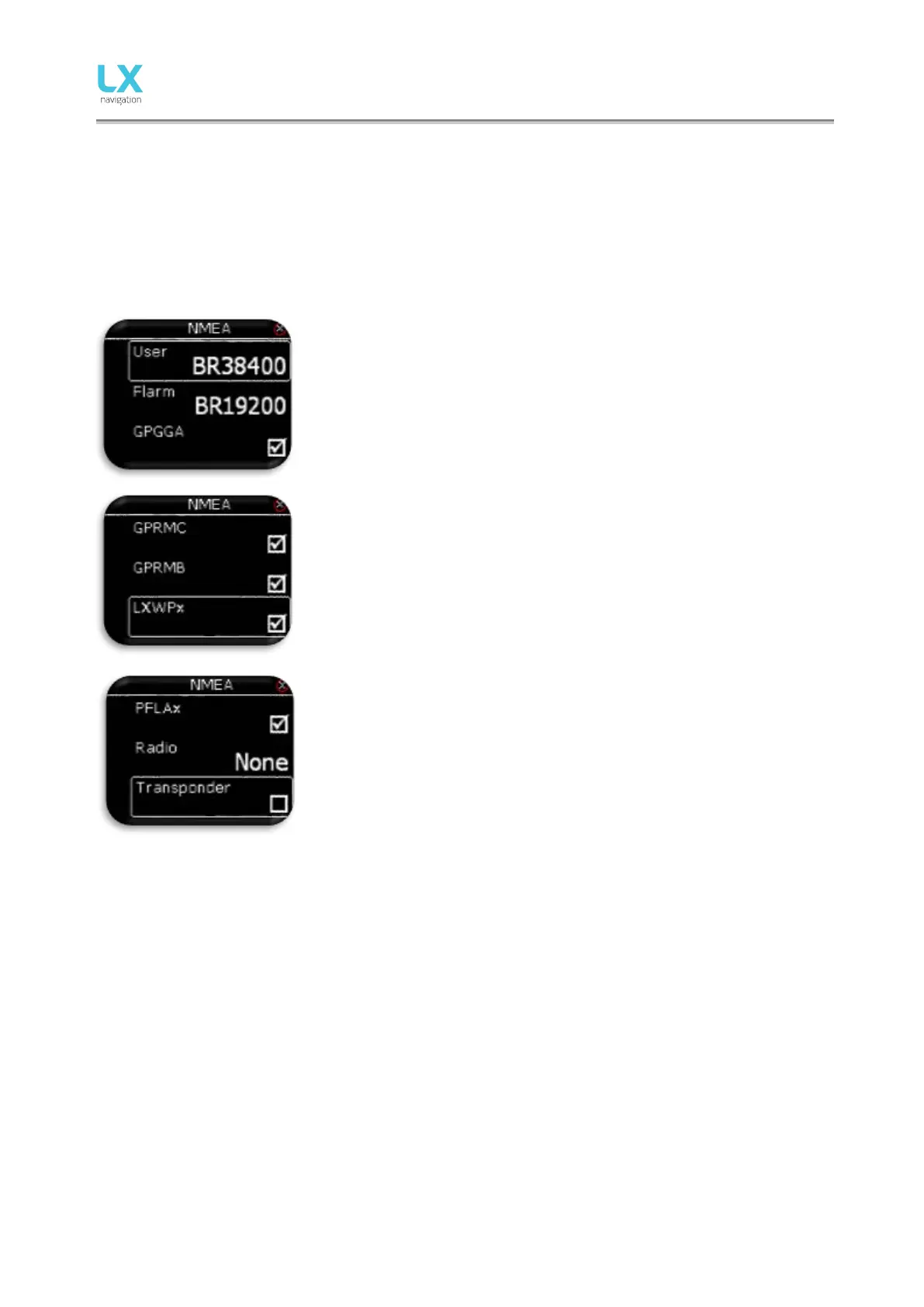
14.12 NMEA
This setup page is used to set which data is being sent to third party unit connected thru BT or user port.
The pilot can set baudrate for communication over User port or Flarm port.
Pilot can select from: BR4800, BR9600, BR19200, BR38400, BR57600
and BR115200 options.
LX Eos is capable of sending NMEA data to third party units such as PDA
or PNA. The data is available on the connector marked as USER and BT
port. Five data strings are offered.
Selected (checked box) NMEA data will be sent over User port and
Bluetooth.
- GPGGA – Global Positioning System 3D-Fix Data.
- GPRMC – Recommended Minimum Specific GPS/TRANSIT
Data.
- GPRMB – TP navigation info.
- LXWPx – sentences contain pressure and altitude information in
addition to IAS data.
- PFLAx – Flarm traffic info. Data must be enabled, if Flarm data is
required on a PDA.
- Radio – Enable this option when radio is connected to user port.
Control over the radio is only possible in configuration with LX
Zeus. LX Eos as stand alone will not be able to control radio!
- Transponder – If enabled, baudrate on Flarm port will go to 9600
and GPS data will be transmitted on Flarm port.
When Radio option is enabled all other outputs on User port
are disabled, but are still present on BT port.



 To Next Page