Document Name:
LX Eos user’s manual
14.6 Indicators
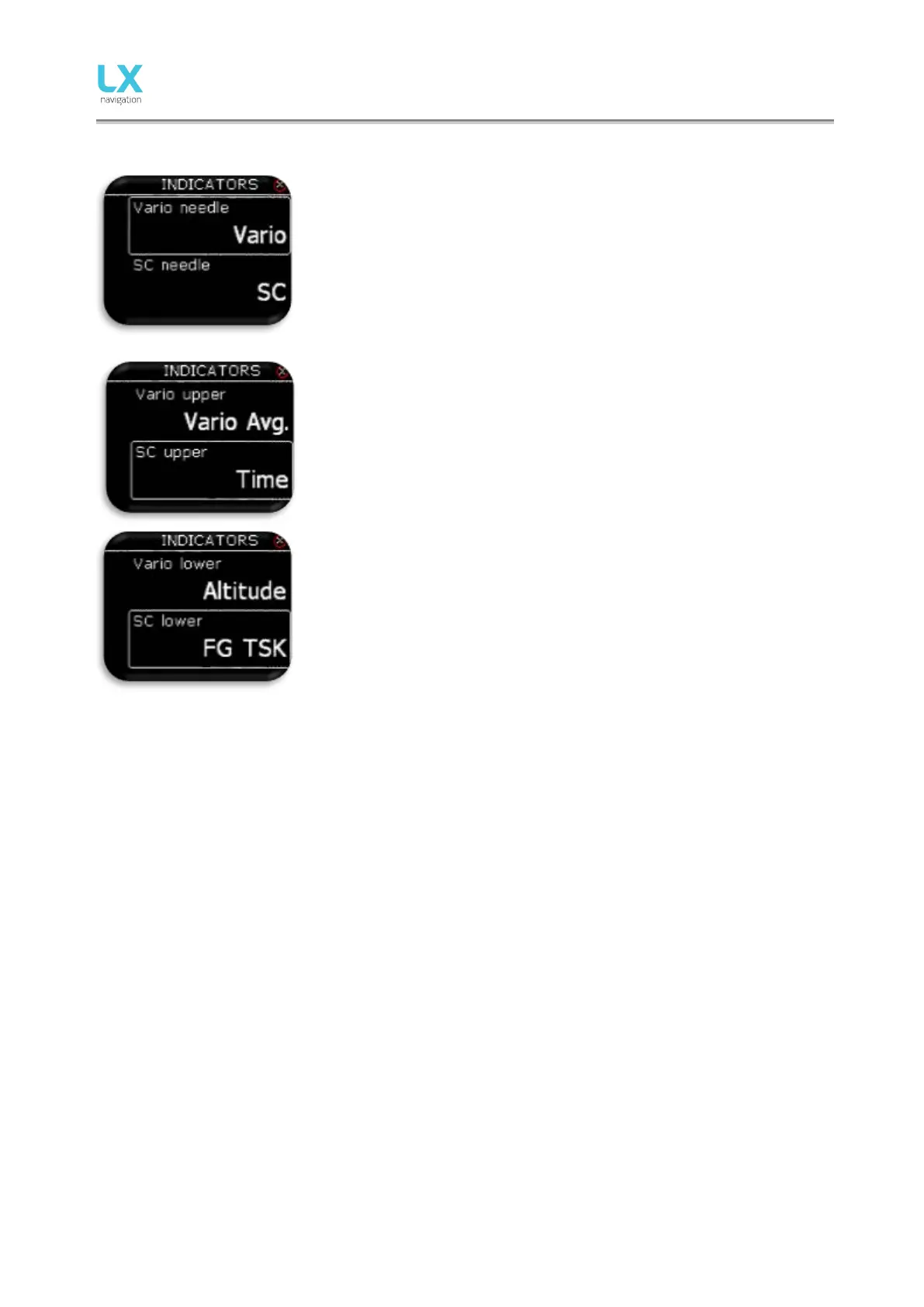
Pilot can select needle functios in vario and SC mode.
- Vario: Shows sink of the plane.
- SC:
• needle on 0, optimal flying condition (MC),
• needle is above 0, slow down,
• needle is below 0, speed up.
- Netto: Shows air mass vertical movement at that moment.
- Relative: Shows vario if pilot would start circling on that point.
- G-force: Shows current G-force.
Vario/SC upper represents the upper numerical display indication in
Vario/SC mode on vario page.
Vario/SC lower represents the lower numerical display indication in
Vario/SC mode on vario page.
In all cases the pilot can choose from:
- Empty
- Vario Avg.: integration period for vario average in seconds,
- Time: UTC time,
- Flight time: flight time,
- Leg time: When connected to Zeus it shows actual TSK leg time.
- Altitude: altitude accordingly to QNH data inserted,
- Distance: When connected to Zeus it shows distance on active
page (APT, TP or TSK)
- Distance TP: distance to turn point selected on TP page,
- Distance TSK: distance to next turn point selected on TSK page,
- FG: When connected to Zeus it shows final glide on active page
(APT, TP or TSK)
- FG TP: final glide to turn point selected on TP page,
- FG TSK: final glide to next turn point selected on TSK page,
- TAS: true air speed,
- IAS: indicated air speed,
- Alt. QNH – ft: QNH altitude in feat’s,
- Flight level: flight level,
- OAT: outside air temperature,
- Vario netto: netto variometer,
- Vario relative: relative variometer,
- IGC Altitude.
- SpeedToFly: Speed to fly at given MC setting and air mass
around the plane.
- G-force
- Flap setting
- Recommended flap setting
- TRK
- Ground speed
- Vario



 To Next Page