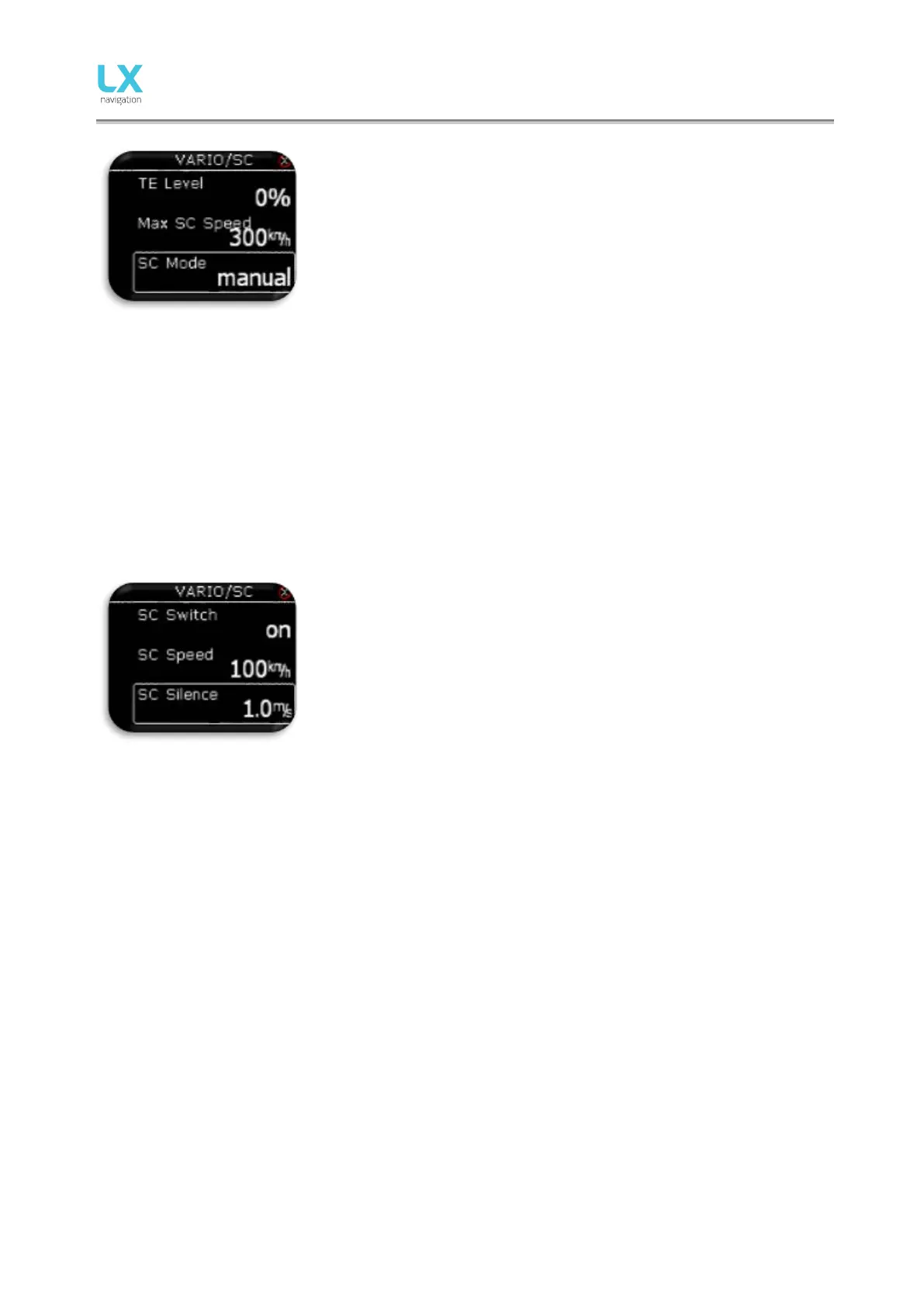
procedure. It is essential that this is only done in smooth air; it is not
possible to tune the TE accurately when there is thermal activity.
- Select 100 % TE level.
- Accelerate up to approximately 160 km/h (75 kts) and keep the
speed stable for a few seconds.
- Gently reduce the speed to 80 km/h (45 kts).
Observe the vario indicator during the maneuver. At 160 km/h (75 Knots)
the vario will indicate about –2 m/s (-4kts). During the speed reduction the
vario s hould m ove t owards z ero and s houl d never ex c eed z ero (s l ightly
positive indications are acceptable). If the vario shows a climb, then the
compensation is too low, increase the TE level; and vice versa. Repeat this
procedure and make further adjustments if necessary.
- Max SC Speed will mute SC sound when IAS is above set value.
SC mode:
- Manual: pilot will activate the SC mode with push of an external
button. Activate settings of SC button can be set under SC Switch
option.
- Speed: SC mode will be automatically activated when the “SC
speed” is exceeded.
- Circling: SC mode will be automatically activated when LX Eos
detects that you left thermal, and will automatically switch back to
vario mode when y ou ent er nex t t hermal.
With the use of external switch it is possible to switch between SC and
vario manually, if manual SC mode is selected.
- SC Switch:
• ON means that closing of the switch will cause SC mode.
• OFF means that closing the switch will select vario mode.
• Toggle each press of the button will change between SC and
vario mode.
- SC Speed setting is the speed value at which the SC Mode is
activated if SC mode is set to speed.
- SC Silence defines no audio area around zero in SC mode.



 To Next Page